Hi,
Use this plugin WP User Avatar and then go to Users > Your Profile chose the user you want and change the avatar image like this:
http://screencast.com/t/gucZzlBJ3r71
Thanks
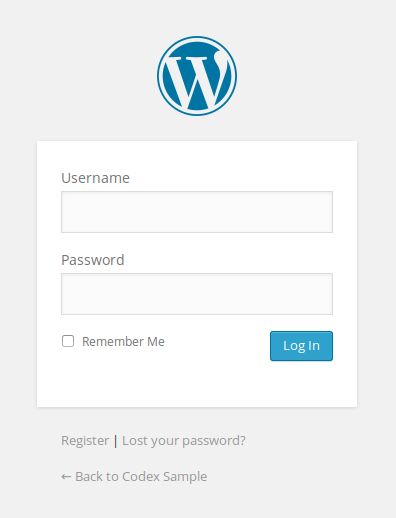
Thank you Lucian but my question is about changing login logo. When a user want to login to my blog which appears. (default wordpress logo).
http://codex.wordpress.org/images/6/60/login_form.png
i solved that problem with login logo plugin but i still wonder if there is a way changing that logo without using a plugin. Theme uses a lot of plugin and they are already uses my server sources too much.
Thank you for your kindly help.
Mehmet.

See how to with WordPress docs; the login form is not part of the theme, but can be modified through CSS and the functions.php file where most things are modified without a plugin; see:
http://codex.wordpress.org/Customizing_the_Login_Form
Change the Login Logo
To change the WordPress logo to your own, you will need to change the CSS styles associated with this heading:
<h1>Your Site Name</h1>
WordPress uses CSS to display a background image — the WordPress logo — in the link (<a>)inside the heading tag (<h1>). You can use the login_enqueue_scripts hook to insert CSS into the head of the login page so your logo loads instead.
To use the code below, replace the file named site-login-logo.png with the file-name of your logo, and store your logo with your active Theme files in a directory named /images:
function my_login_logo() { ?>
    <style type="text/css">
        body.login div#login h1 a {
            background-image: url(<?php echo get_stylesheet_directory_uri(); ?>/images/site-login-logo.png);
            padding-bottom: 30px;
        }
    </style>
<?php }
add_action( 'login_enqueue_scripts', 'my_login_logo' );
The size of your logo should be no bigger than 80 x 80 pixels (though even this can change with custom CSS). Adjust the above padding-bottom value to the spacing you want between your logo and the login form.
-
This reply was modified 12 years by
simchris.
Hi,
Thanks Christopher!
@mavincan
Why do you not use our log-in modal these allows users to log-in and register http://screencast.com/t/oaxswL5JmJw