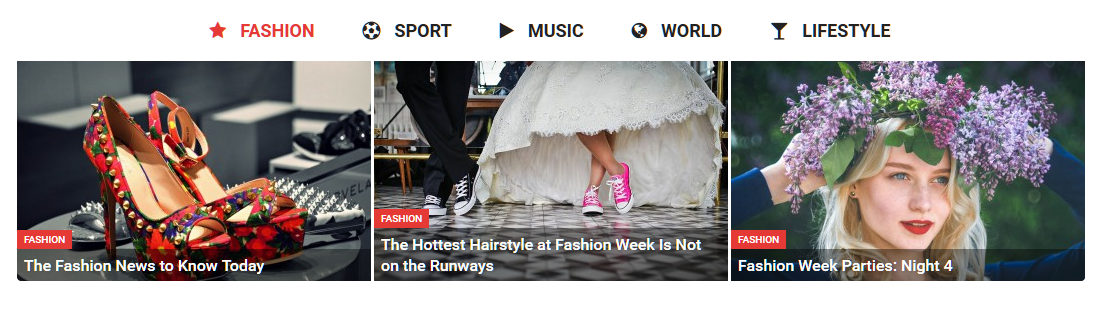
Hello, how do I get sa as in the demo that when I click on z.b .: Sport then the article changes or below other articles appear. I hope that I express myself correctly. Look at the demo and my screenshot and the demo then it should be clear. Thank you

Hi,
I am assuming you want to create something similar to the tab element in the Magazine demo – https://demo.tagdiv.com/newspaper_magazine/
That is simply a tabs element from Visual composer – https://www.screencast.com/t/Yntw6MqaHcKj containing a Big grid in every tab – https://www.screencast.com/t/Eg0owvfA0
Then a custom class is added to the tab element to further style it – https://www.screencast.com/t/zSi9GfUe7e
Each section of the tab can be customized like this – https://www.screencast.com/t/34Nlx91kq
Please correct me if I misunderstand or you need further help with this.
Thanks
Hi,
I see that you have managed to achieve the desired tab element on your page – https://www.screencast.com/t/MdR71nTx0VeP
If you mean that it does not look exactly the same as the one in the demo, you need to add this class
td-tab-color to the tab settings like mentioned above. Then it should look like this
– https://www.screencast.com/t/dbonSQssnWO
I have made no other settings beside creating the tabs, adding the big grid, and the respective class.
Thanks