It only works with custom css, why is Theme Panel not working?
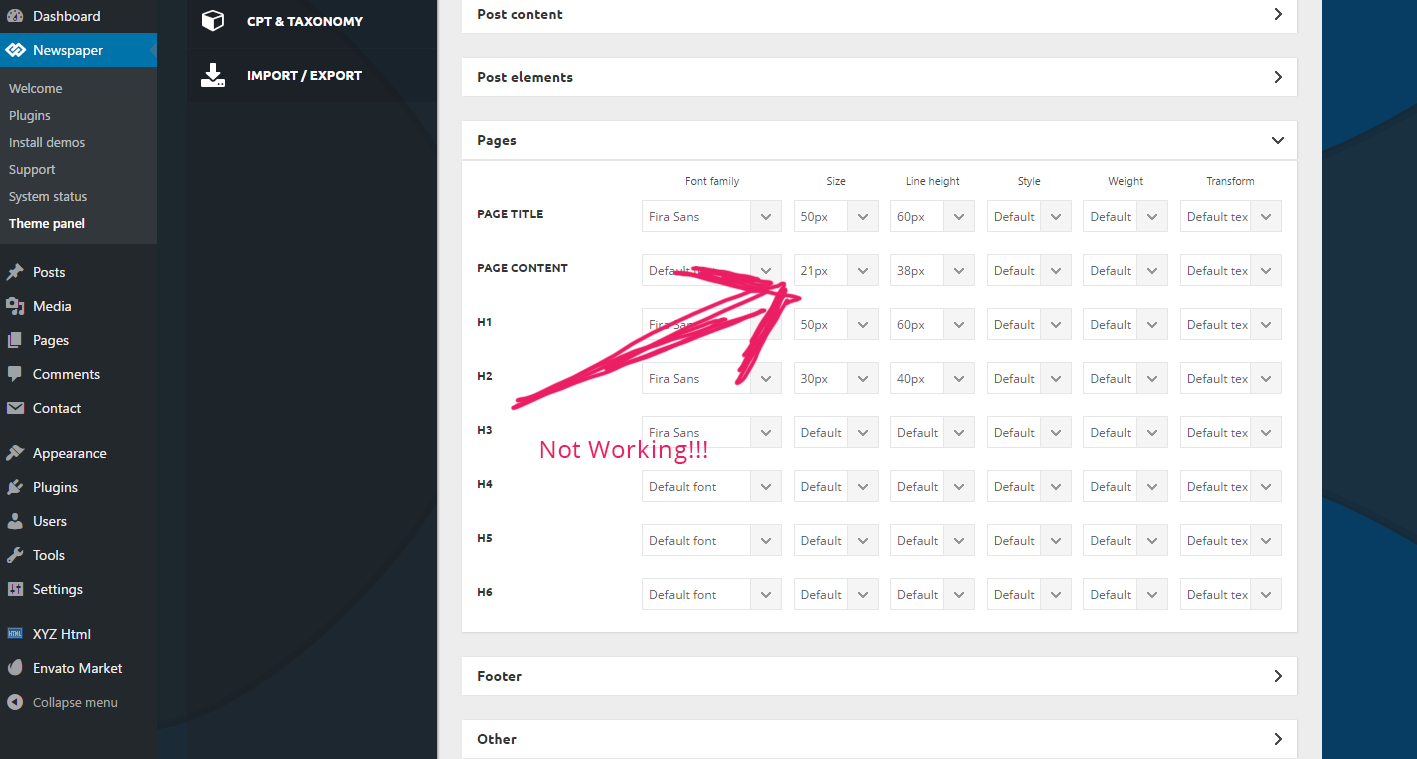
I am using PAGES -> PAGE CONTENT and changed the text there to 21px and line height to 38px, but it still shows a 15px text a 26px line height.

Hello Pavel,
Please notice that setting change only the Page Content which has manually add through your editor, like this -> https://www.screencast.com/t/urTV2CI2 Also, if you want to change the other fonts for the Block elements, you should change them from here -> https://www.screencast.com/t/VD2mj2xfI according to your module used by you.
Thanks for your understanding!
Yup I added it through Text Editor, the text has NOT been added with the HTML editor. Still the overall font doesn’t change…..
Hey,
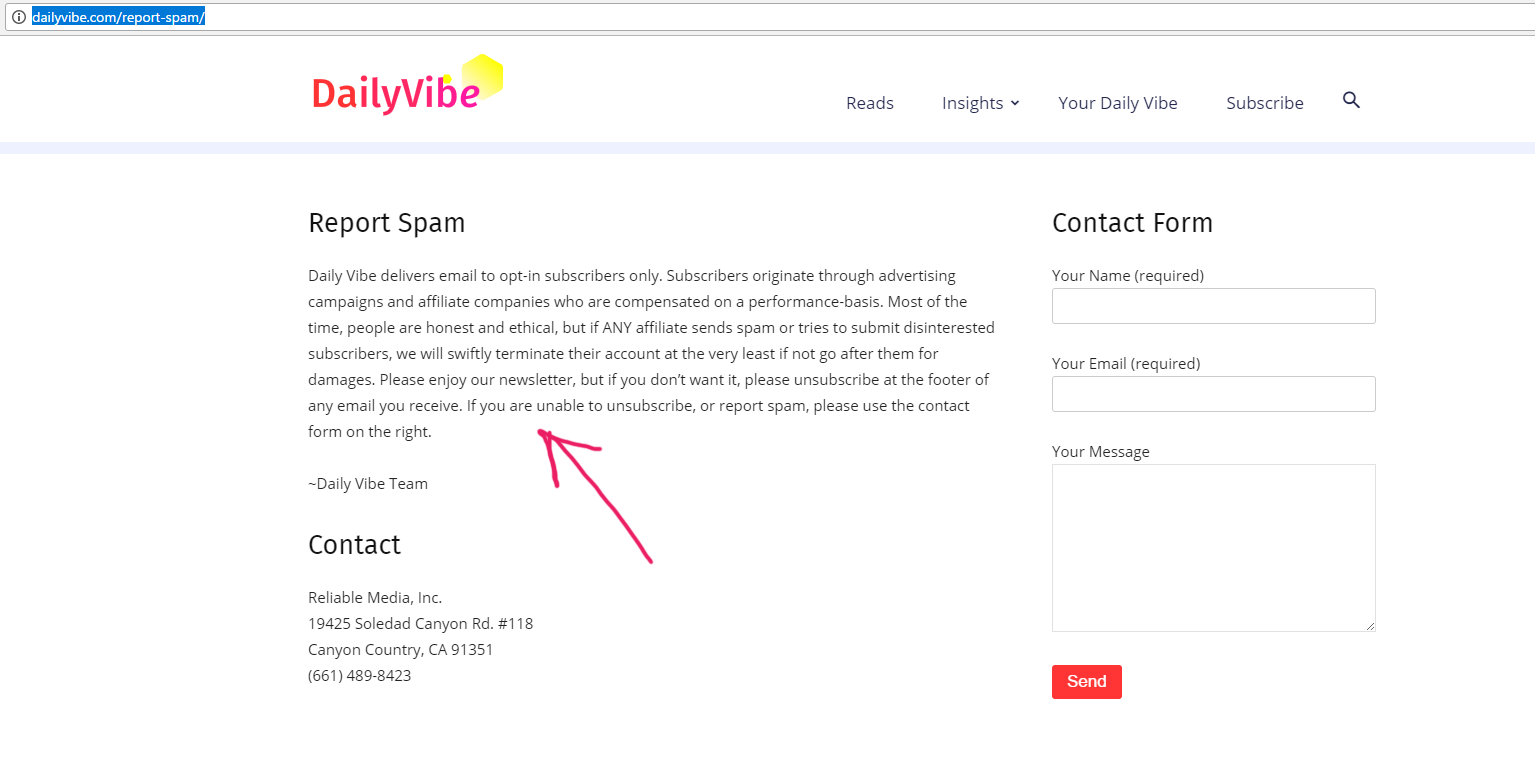
Here is the page: http://dailyvibe.com/report-spam/
So front end screenshot: Here
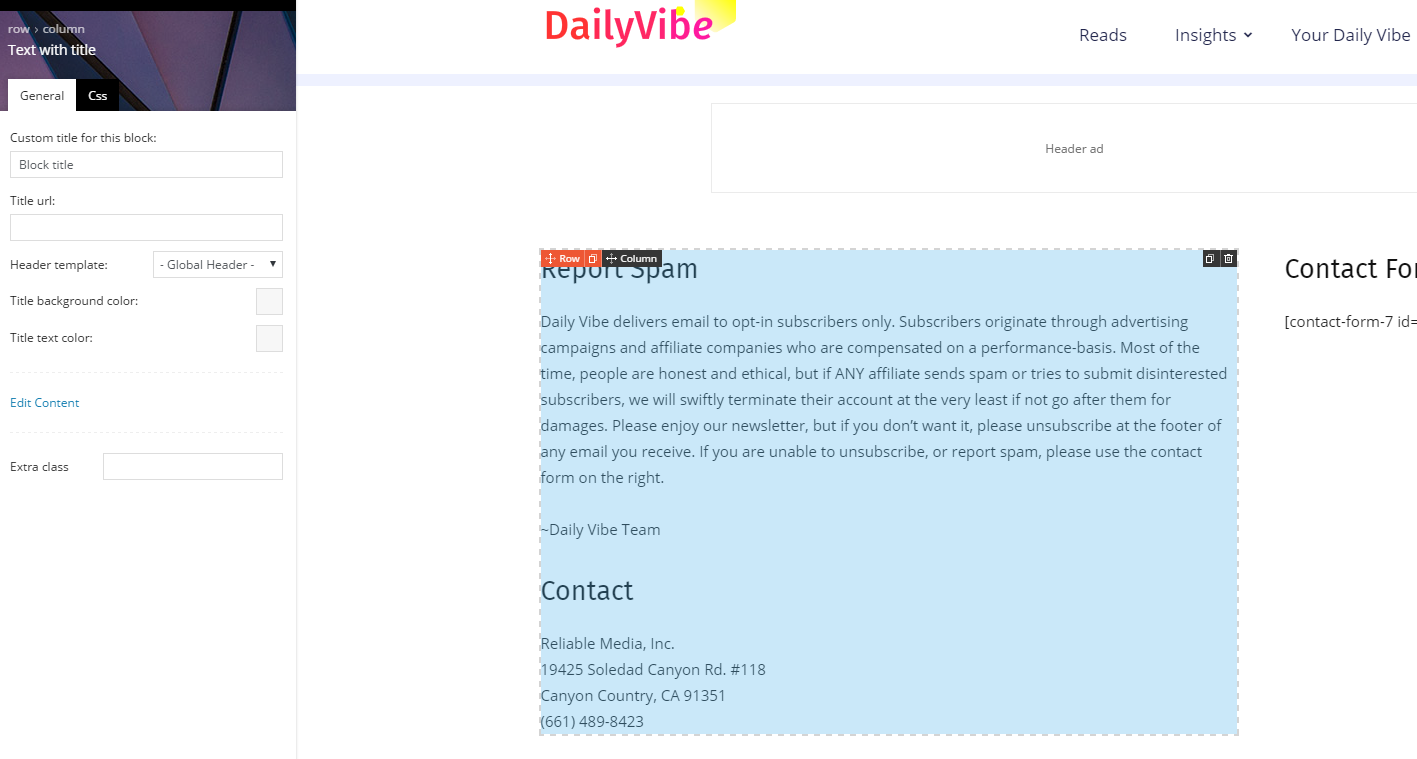
Backend of the page (So I used Text with title to put that text in there): Here
And the Dashboard of the font-size not working: Here
See I used 21px for page content, and it’s not working. Please fix it in the next release!
I am not using html, or some weird stuff, but your text+title block. Not working! On another site I had to manually add css to modify this text size – it’s ok for me, but the clients are angry that they cannot do it with their backend. I had to modify these classes to make it work:
.td-page-content p, .td-post-content p, .wpb_text_column p, .td_block_text_with_title p, .woocommerce #tab-description p, .mce-content-body p, .td-page-content li, .td-post-content li, .wpb_text_column li, .td_block_text_with_title li, .woocommerce #tab-description li, .mce-content-body li {
font-size: 19px!important;
line-height: 1.9em!important;
}
But we need it to work via BACKEND!
I even tried to modify the overall BODY FONT-SIZE, the last choice in the dashboard, that doesn’t work as well. Please help!
Hello pavel,
Please send us an email at contact@tagdiv.com with your log-in information (wp-admin) so we can further inspect it closer your setup page. Provide there the link to this topic so we can quickly identify you.
Thanks for your understanding!



Hi
This setting from the theme panel that is previously mentioned
– https://www.screencast.com/t/rHtSYvY0TR
Is meant for the situation when you insert the page content with the default content editor like this
– https://www.screencast.com/t/pYep8kllBIj
– https://www.screencast.com/t/xNIqdb2luwlo
The Text with title block font cannot be changed through the theme panel, at the moment.
Thanks
Got it – that’s bad! It’s tagdiv editor, the themepanel should cover that editor as well.
Also the CSS for each page doesn’t always work for me. Even if I create a new page, it’s very buggy – I am trying to save my progress and it doesn’t want me to. I even tried very simple stuff like .hide {display:none;} <- just one line of css, doesn’t want to save!
Thanks!
Hi,
Please note that the tagDiv composer will be much improved over future updates, and more options and elements will be added to it.
If settings are not saving properly, please check the theme system status, and make modifications if needed to the parameters mentioned in this guide
– https://forum.tagdiv.com/system-status-parameters-guide/
Thanks