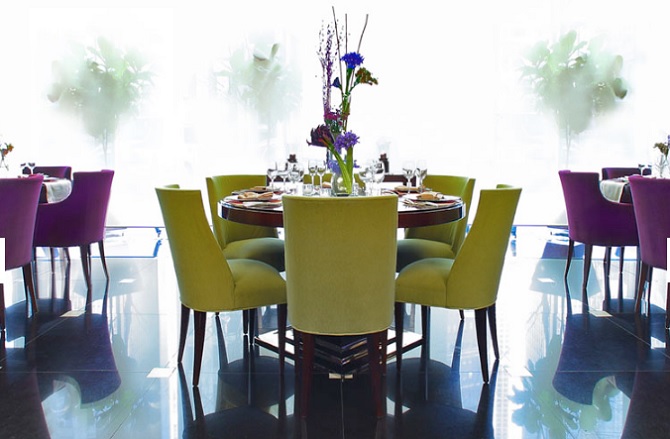
The recent update of Newspaper changed EVERY ONE OF OUR IMAGES on our “Pages” to have a image height restriction = 200 pixels (which is way too short…i.e. we don’t want a height limitation….or at least not one this short)
Since all our images are sized similar to “Posts”, this is creating a problem across our entire website, i.e. all the “Page” images are too short (https://StyleChicago.com)
Can you help us figure out how to change this (to get rid of pixel height limitation)
Page Example #1:
PAGE:
https://stylechicago.com/cafe-des-architectes-sofitel-chicago/ (source image is taller similar to our “Posts”)
UNDERLYING IMAGE URL:
https://s3.amazonaws.com/luxechicago/wp-content/uploads/2016/11/23114858/CafeDesArchitectes_DiningRoom_670x439.jpg
Page Example #2:
PAGE: https://stylechicago.com/city-winery-chicago/
UNDERLYING IMAGE: https://s3.amazonaws.com/luxechicago/wp-content/uploads/2017/06/05135653/CityWineryChicago_Exterior_750x454.jpg
Both of the images are between 400 and 500 pixels tall….but Newspaper / Worpress appears to be restricting the “Page” image height to 200 pixels.
Thanks so much!
Jonathan & Lynna Smith
StyleChicago.com
admin@stylechicago.com
312.461.9500 (Lynna)
312.461.9400 (Jonathan)

Hello Style31,
I have inspected your website and I saw that you have a height fix for your image and that why it will not fully display on your page. When you load the image from Media Library ensure that you add the full size of your images. -> https://www.screencast.com/t/IQi3H4t6CZ
Thanks for your understanding!

Hi Catalin-
Thank you for your response. We can see that there is a height restriction of 200 pixels. However, we did not add a height restriction. We have specified a full size image, as is our standard process for all pages. We noticed the height restriction was automatically added to the underlying code. We noticed this after the most recent update of Newspaper. It appears to be a dynamic change. Is there something we can do to change it back globally. Do you think it’s related to your most recent update?
BTW…when we check the images on pages they are designated as “full”.
Lynna
Hello Lynna,
You can handle this height from Single Image settings, like this -> https://www.screencast.com/t/51yjfvKfm
Thanks for the message!
Hi Catalin-
I have 1800 pages. Do I need to manually modify the image height on all pages? This is not how the site looked a week ago. Is there a way to automate this process? Please note, we took no action to put a height restriction on our site. Is this something that Newspaper Theme did with it’s most recent update?
Also, we noticed our “Share This” plugin is no longer working on Pages. Is this related to the update.
Also, can we still use visual composer with Newspaper. Is this still part of the theme?
If you can help me understand what our options are moving forward, I would appreciate it.
Thanks.
Lynna

Hi,
Please go into the plugins section, and deactivate the tagDiv composer plugin. This editor is activated by default the moment you update the theme.
It may have some influence on pages created in Visual composer simply by being active. Try this suggestion and then check if the images display properly. Maybe clear your cache after deactivating the plugin.
Here you can find more about the new tagDiv front-end composer, and useful information
– https://forum.tagdiv.com/tagdiv-composer-tutorial/
– https://forum.tagdiv.com/visual-composer-tagdiv-composer-transition/
Visual composer is still part of the package, and can still be used. But it is worth mentioning that in future updates, more options and features will be added exclusively for the tagDiv composer.
Thanks
Thanks Simion:
If TagDiv Composer is the “future” (of what you’ll be supporting), we may want to wait to deactivate it. That is, until you work out the kinks with how TagDiv Composer will treat existing “Pages” created originally using Visual Composer.
Before we make that call, we have a few questions/suggestions that TagDiv / Envato may find useful during this transition:
1) Will you be working on eliminating the automatic height restriction (200 pixels) on “Featured Image” for Pages imposed by TagDiv Composer?
(Yes, we could individually change over 1,000 existing Pages created in Visual Composer – 1 at a time — but that would necessitate a lot of time, money & effort from us…vs. a global change on TagDiv side that probably make common sense.)
2) Will TagDiv Composer eventually allow us to maintain the widgetized sidebars we’ve already placed on our “Pages” using Visual Composer – anytime soon.
(For now, it looks like TagDiv Composer has knocked out our “Page” widgetized sidebars & any revenue-producing banners contained therein.
These are important questions for us to understand b/c:
1) We’ve created over 1,000 “Pages” using Visual Composer defaults.
2) We’ve placed revenue-producing banners within those widgetized sidebars.
(i.e. If TagDiv eliminates pre-existing sidebars & banners long term, we lose revenue.)
I’m guessing since a good # of your Newspaper Theme customers might have created a lot of pages already using Visual Composer, we are not alone with our current dilemma.
Thanks for your help!
Jonathan
Hi,
Issue that arise in some situation and for some elements, between the two editors will be fixed in future updates. The tagDiv composer will be improved and more options will be added to it exclusively. We will try our best to provide the best results in all situations.
For the moment you just need to deactivate this editor and everything should be displayed like before.
Thanks