Hi all, i’ve just add the ticker on the top of my website
https://ahoraroma.com/news
I have 2 questions
1) i’d like to change “MAS POPULARES AHORA” to “ALERTA”. Where can i do this?
2) Is there any possibility not to link to post in this module? I mean that the ticket only shows the tittle of the post, without linking to them
Thanks!

Hello AhoraRoma,
1)Provide some useful screenshots with your desired changes so I will be able to provide a more accurate response.
2)Try to add this code at your Custom CSS area to disable the link effect.
.td-big-grid-wrapper{

pointer-events:none;

}

.td_module_wrap {

pointer-events:none;

}
Thanks.
Hi! this is the screenshot
https://ahoraroma.com/wp-content/uploads/2018/08/PRINTSCREEN.png
And the website is ahoraroma.com/news
1) I want to change the ticker tittle from “MAS POPULARES AHORA” to “ALERTA”
2) I add the Custom CSS and it works, but it disable the link effect in every single post of every block on that page. I just want to erase the link effect in the post of the ticker
Hello AhoraRoma,
1)There is an option for it in Theme panel -> Translations -> https://www.screencast.com/t/K8a3trF0
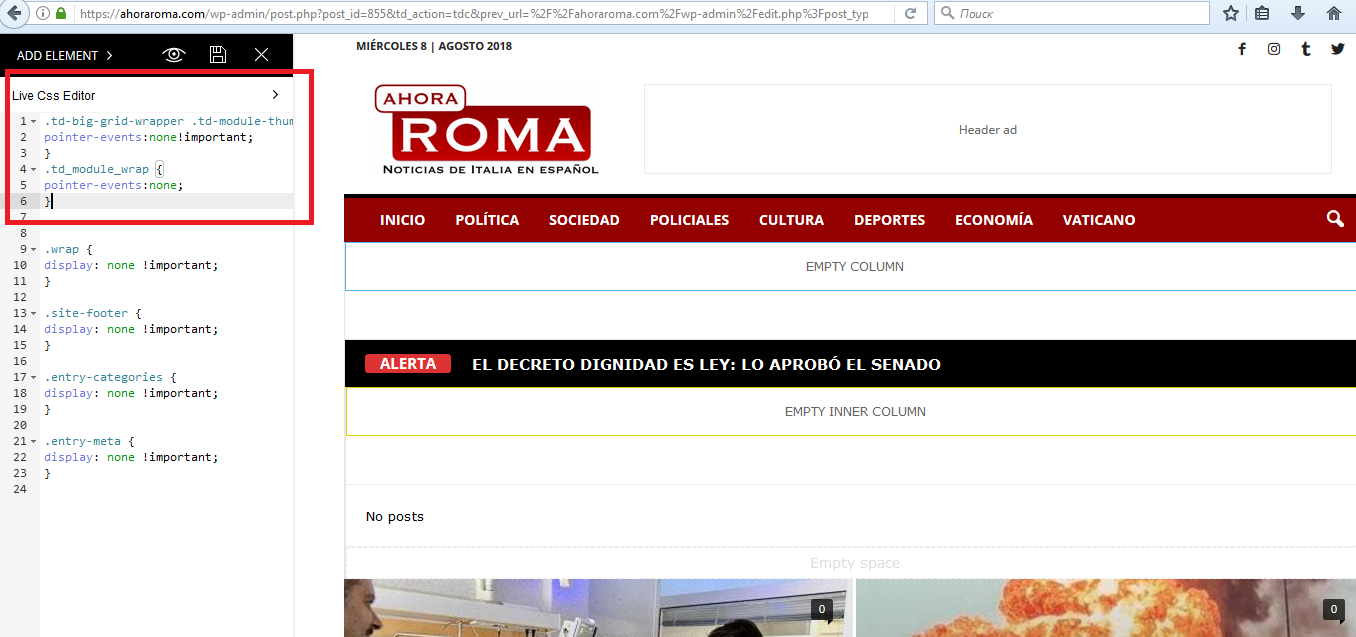
2)Try the code below ->
.td-big-grid-wrapper .td-module-thumb {

pointer-events:none!important;

}

.td_module_wrap {

pointer-events:none;

}
Thanks.
Thanks!
1) perfect!
2) I paste that code, but again. All links at https://ahoraroma.com/news dissapears. I only need to afect the ticker
screenshot https://ahoraroma.com/wp-content/uploads/2018/08/captura2.png