


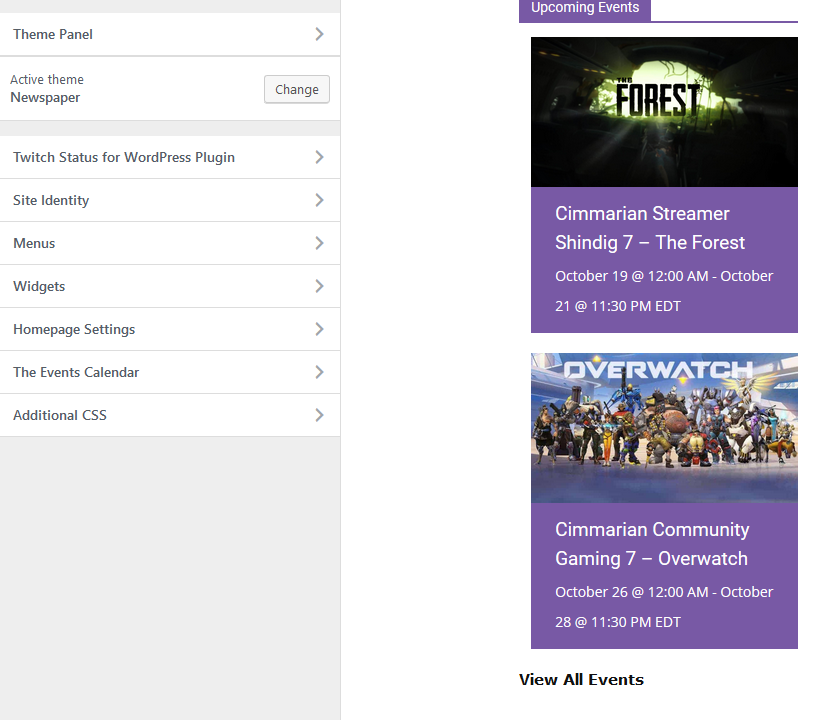
The plugin is “The Event Calendar”
The rest of the plugin seems to work fine, The issue is in the photos above.
I tried disabling almost all of my third party plugins to see if those were the issue but it still seems to be there.
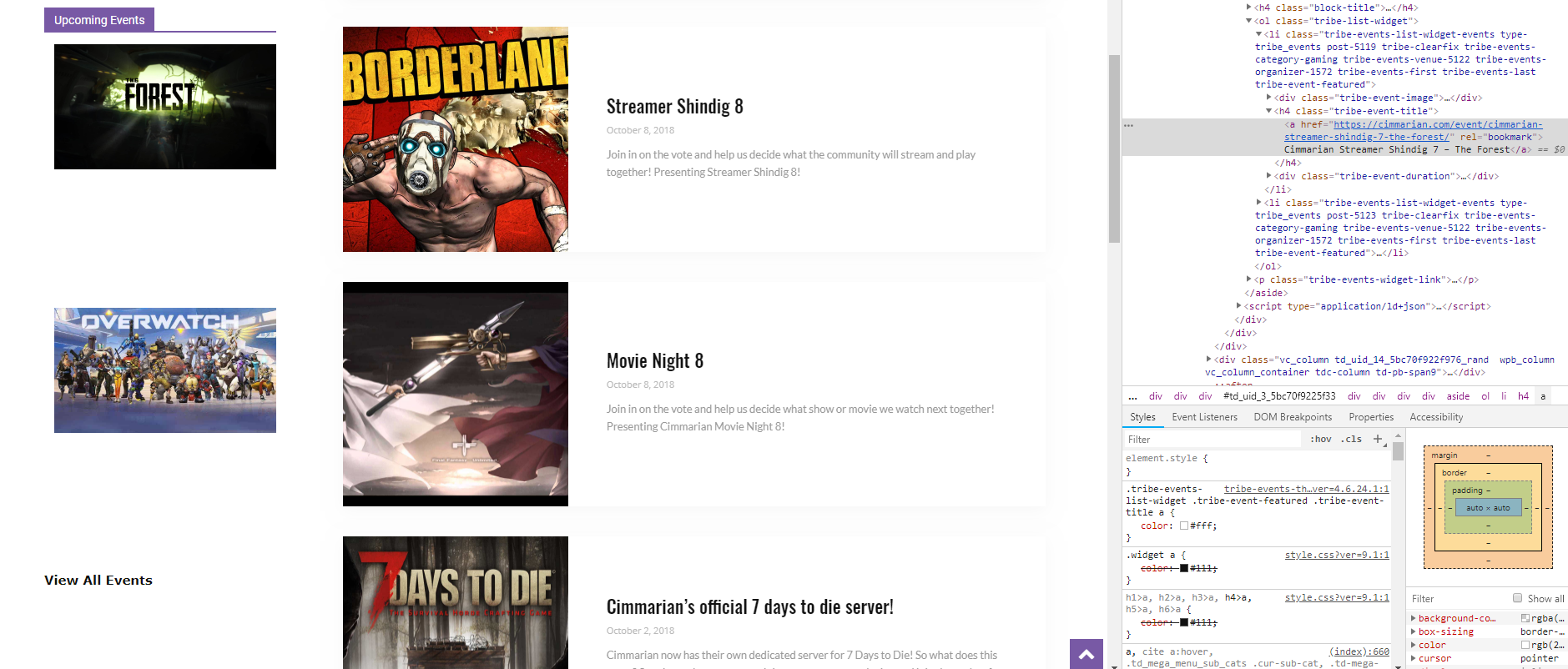

You will see the newest events on the left side.
An example of it working as intended but on the event page.
Here is the complication if you look at the home page the widget is showing the white on transparent.
However on the event page it shows it as normal.
This is a weird situation it is showing.
Even more weird is on the home page if I click “Customize” at the top it will show the correct purple background on the homepage. (As shown on the photos above. once I close “Customize” it goes back to the transparent background (On the homepage)
Hi,
This problem appear because is set as default color the color of feature event background.
https://www.screencast.com/t/8b0Iqfpi7g
Documentation about The Events Calendar and the WordPress Customizer -> https://theeventscalendar.com/knowledgebase/wordpress-customizer/
If that don’t work, please use this below custom css
.tribe-events-list-widget .tribe-event-featured, .tribe-events-venue-widget .tribe-event-featured, .tribe-mini-calendar-list-wrapper .tribe-event-featured, .tribe-events-adv-list-widget .tribe-event-featured .tribe-mini-calendar-event {

    background-color: #7859a5;

}
Paste it in Newspaper>Theme panel>Custom code>Custom css
Hope this will help you.
Thank you for your understanding.
I started to dig deeper as this code and clearing all cache on my side and the websites side didn’t change the colours.
I used google to cross reference this strange css var code I noticed. What it stated as I found photos was if a var code didn’t match up it would return transparent.
.tribe-events-list-widget .tribe-event-featured {
--featured-event-bg: #7859a5
}
This is what I used to fix the problem.
