

Hello Guys,
We need to replace the background-image url within the tdb_single_review_overall.php of the td-cloud-library plugin, because we want to show a gold or platin icon based on the rating.

Could you help me to address the right place in the code, because your code is very crypted for me and I don’t see how the functions get_custom_css or cssMedia work. Or how we can modify them, so that the css will be generated with our modifications before rendering. 🙂
Many thanks.
Chris
-
This topic was modified 7 years by
DeChriss.

Hi,
If you want to replace the image for that section, you need to simply load your desired image for that inside the Media Library and then, take from there the link of that and placed between paratheses in the code, like this -> https://www.screencast.com/t/C9E2xaJJ5
Thank you!
Hi,
sorry, I don’t got your point and it seems you didn’t understood me right. 🙂
I got three images.
1. Image1 – Regular Award
2. Image2 – Gold Award
3. Image3 – Platin Award
I need to change the code, so that the right image will be selected by review ratings.
For “1” to “8” the regular award is OK. But for “9” it will the gold award and for “10” it will be the platin award.
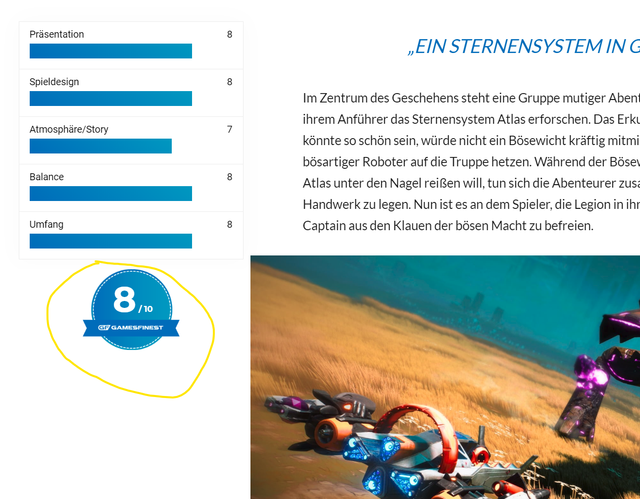
I know, how I get the review points, but I don’t know how to modify your undocumented code in the tdb_single_review_overall.php, to built-in an “If/else” query. Any ideas? 🙂
Hi,
Unfortunately, the theme review section does not have any such an option for that, sorry! That theme section is a simple one which does not have any such additional settings for another functionality. So, if you want to achieve this, you need to make some deeper changes in the theme core files and if you are not aware of the steps which are needed to take in this case, please consider hiring a freelancer/developer to help you because we cannot provide custom work at the moment, sorry! In that case, you can try finding such a plugin especially for Review and check it how it works. Usually, we recommend the developers from studio.envato.com.
Thank you!
