

Here is a screenshot of Block 25 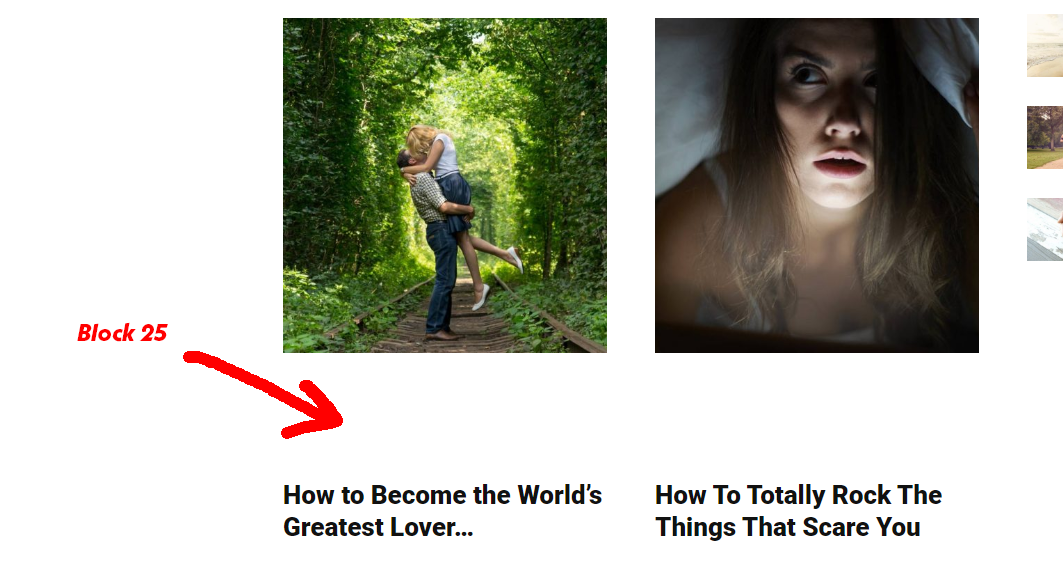
I would suggest these changes to make it work, using object-fit style:
.td_module_mx17 .td-module-thumb,
.td_module_mx17 .td-module-thumb a{float:left; height:100%;}
.td_module_mx17 .entry-thumb {object-fit: cover; height: 100%; width: auto;}
Instead of existing styles, as object-fit works with all the browsers these days.

Hi,
I’ve just checked the block 25 and on my install this is displaying correctly -> http://prntscr.com/pr4v0u
Please make sure that you made the update according to our documentation from here -> https://tagdiv.com/update-newspaper-theme/
Please make sure that you do not have a plugin conflict with untested plugins, please deactivate all non theme/tested plugins, also if you are using child theme, clear all cache and try again.
Thank you!
Hey there, please check again, this is a fresh install, no conflicts.
You can check it here, I made a testing part, you’ll see it where is says “Featured”, https://www.dailytreasure.com/
I can see it is loading https://www.dailytreasure.com/wp-content/plugins/td-composer/legacy/Newspaper/assets/css/td_legacy_main.css?ver=5a862b9d7c39671de80dd6dee389818b – do you know why?
Hi,
The thumb for the images from block 25 need to be on 450px height -> http://prntscr.com/ps4g3w from what i can see your images are smaller, also from what I can see all your images are somaller -> http://prntscr.com/ps4ixb please try the thumb regenerate from this documentation -> https://forum.tagdiv.com/thumbnails-fix-strange-looking-images-on-blocks/
Also you are using http and https, please use only https you can fix this using a plugin like Really Simple SSL-> http://prntscr.com/ps4jvg
Thank you!
