Hello,
In the Newspaper theme, when “Theme Panel> Theme Colors> Post & Block Author Name Color” is updated with a color other than the default value, all the author names on the site change with that color. This is beautiful. However, it does not allow this on some pages I want, when I want to change this color on some blocks. Although I changed the “Author Name Text Color” value in the Style tab of the element, it doesn’t change on the block. Because the change I made in the “Theme Colors” section changes this automatically.
Is there an easy way to do this? I want the change I made in the “Theme Colors” section to remain, but I want to change it on a block I wish.
Thanks in advance for your attention and help.
Regards.

Hi,
Usually the settings from theme panel are general settings and these set using tagDiv Composer are individual, individual option will be the first that will apply, also on cloud templates the seeings from theme panel will not apply, these need to be made using tagDiv Composer -> https://i.imgur.com/Y5z17VF.png (on flex blocks and grids -> https://i.imgur.com/WnWtS7i.jpg )
Thank you!
Hi Calin,
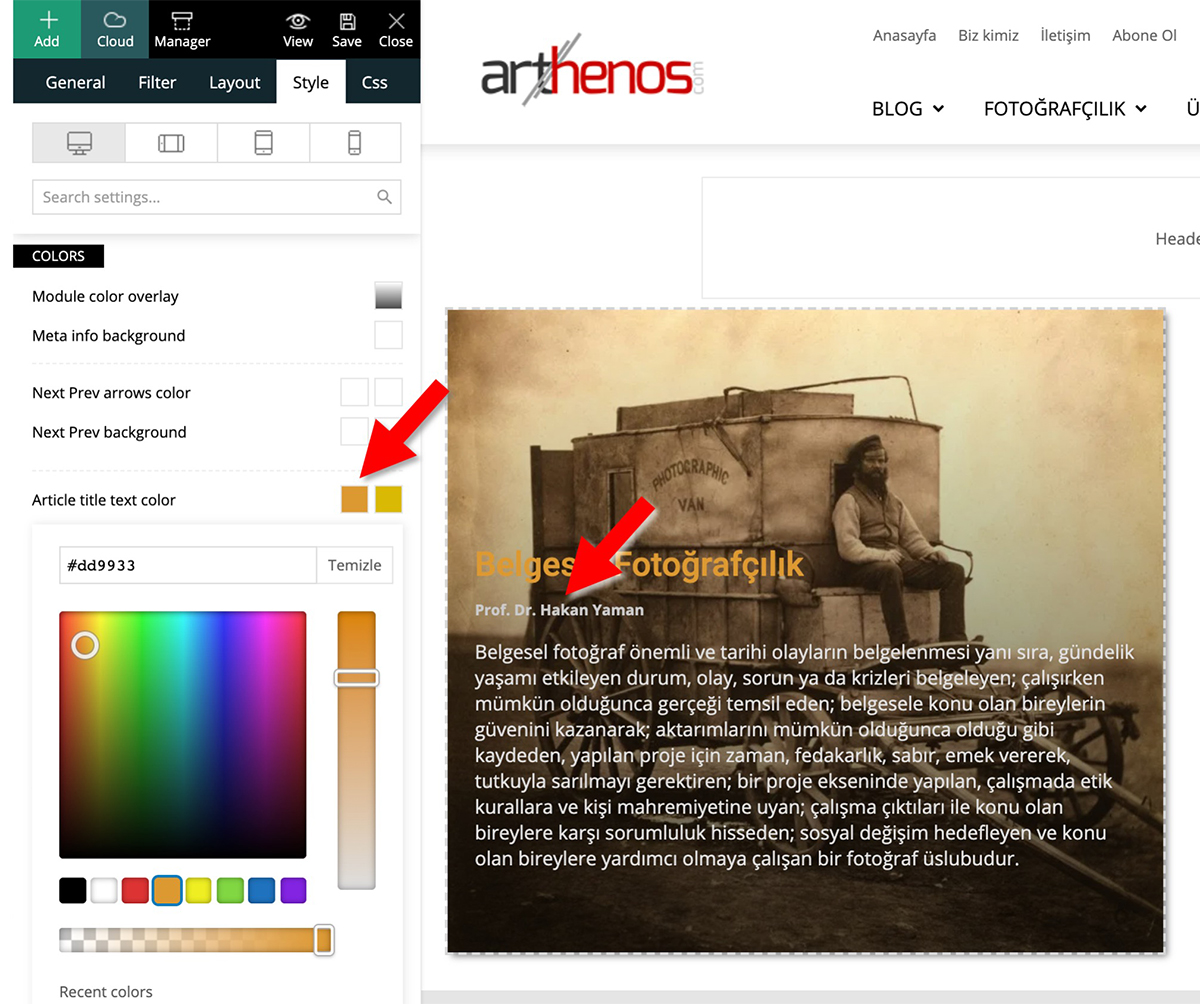
I wanted to explain exactly that. As you can see in this link, although I changed the Author Text Color, it doesn’t change on the block.
Thank you!
-
This reply was modified 6 years by
Demir.
Hi,
In your example you are editing the article title text color -> https://www.arthenos.com/wp-content/uploads/2020/06/Author_Text_Color.jpg and this is apply -> for author -> https://i.imgur.com/RoyZa9N.png
Thank you!
Hi,
If is work for me and is not working for you, I think that you have some plugin or custom code that is interfering with tagDiv Composer settings, please disable all non theme plugins, clear all cache, disable cache plugin and check again.
Let me know the results!
Thank you!
Hi,
All plugins except theme plugins are disabled, all cache is cleared, cache plugin is disabled; the result has not changed.
In the theme settings, “POST & BLOCK AUTHOR NAME COLOR” is set to the default value (# 000000 “) in the” Theme Panel> Theme Colors> Posts> “tab. Thus, “Author name text color” setting in the blocks has become available.
However, when a non-default value is entered in “POST & BLOCK AUTHOR NAME COLOR” in the theme settings, the “Author name text color” section in the blocks still cannot be updated.
Regards.
Hi,
Please send us an email at contact@tagdiv.com and provide admin login, as well as cPanel. We will take a look. Include a link to this topic in the email.
Thanks
Hi,
After deleting the “Gutenberg” plug-in developed by the “Gutenberg team”, the problem was resolved. Gutenberg plugin has a negative effect on many functions. For example, it prevents this when trying to delete an element when using tagDiv composer.
Thank you for your interest and help.
Regards