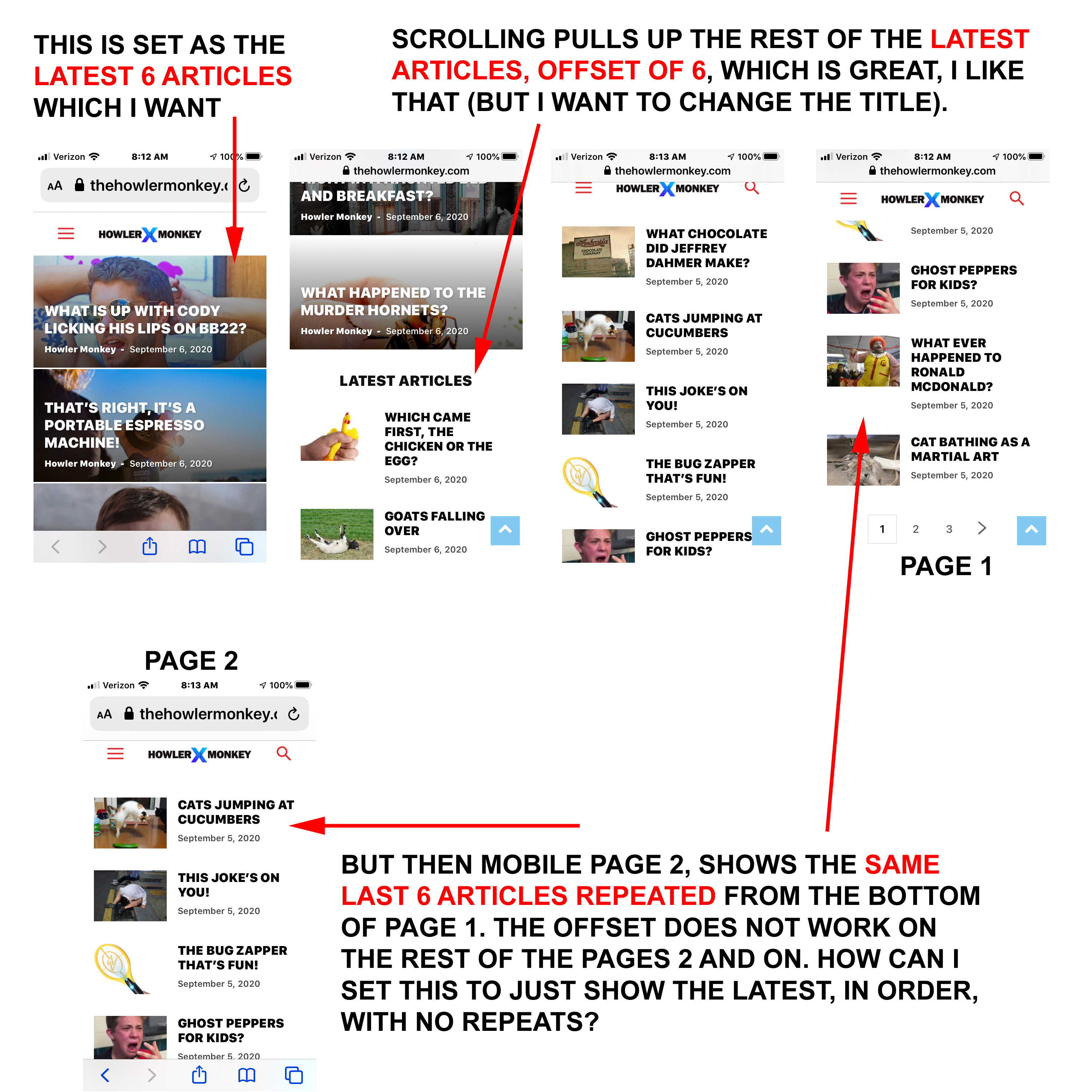
2 questions. 1) I have the top 6 images on mobile set for latest articles. That I like. Below that, I have the latest articles continued, with an offset of 6, so it shows the rest with no repeats. That works perfectly. But then when you go to page 2 on mobile. The top 6 images are repeated from the bottom of the list on page 1 (the offset doesn’t work on page 2, page 3, and so forth). How can I adjust this so there are no repeated articles? The website is here: https://www.thehowlermonkey.com/
The screenshot is here: https://www.thehowlermonkey.com/images/Mobile-Offset.jpg
2) How do I change the LATEST ARTICLES title? I want it to say something like MORE ARTICLES.

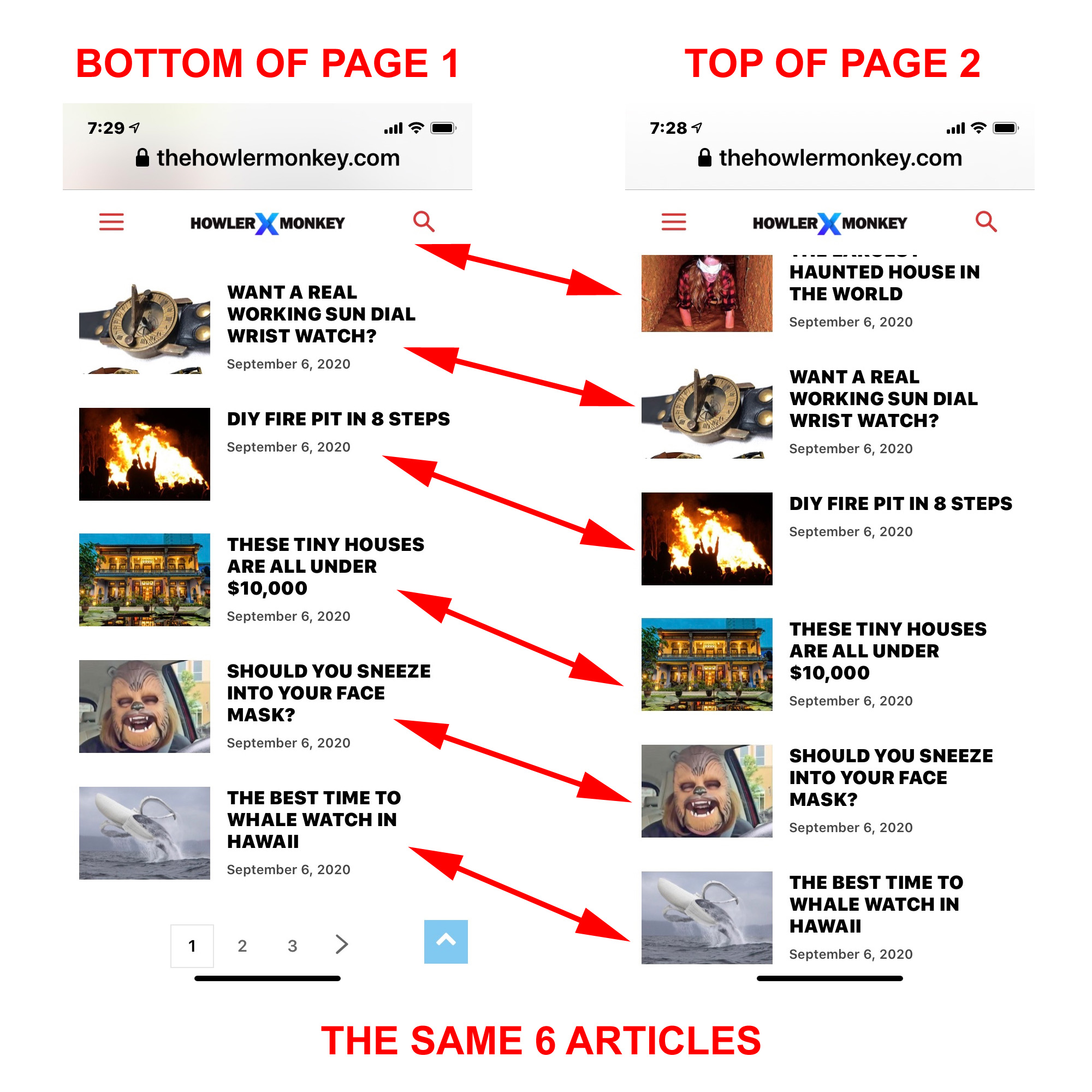
Hi Vlad. Thanks, but it’s still showing repeats. I tested this on another iphone, and I got the same thing. The bottom 6 articles on page 1, are showing up again at the top of page 2. See screenshot: https://www.thehowlermonkey.com/images/SCREENSHOT-AGAIN.jpg
And I still want to know how to also change the title LATEST ARTICLES please. 🙂
Hello !
We are sorry for misunderstanding !
1. Indeed this seems to be an issue in the theme. Our developers have been notified and they are working on fixing this as soon as possible. We will keep you updated.
2. As mentioned above, you will have to go into THeme Panel – Translations and replace the latest articles title: https://www.screencast.com/t/EdVHT8FcjLPT
Thank you for your understanding !