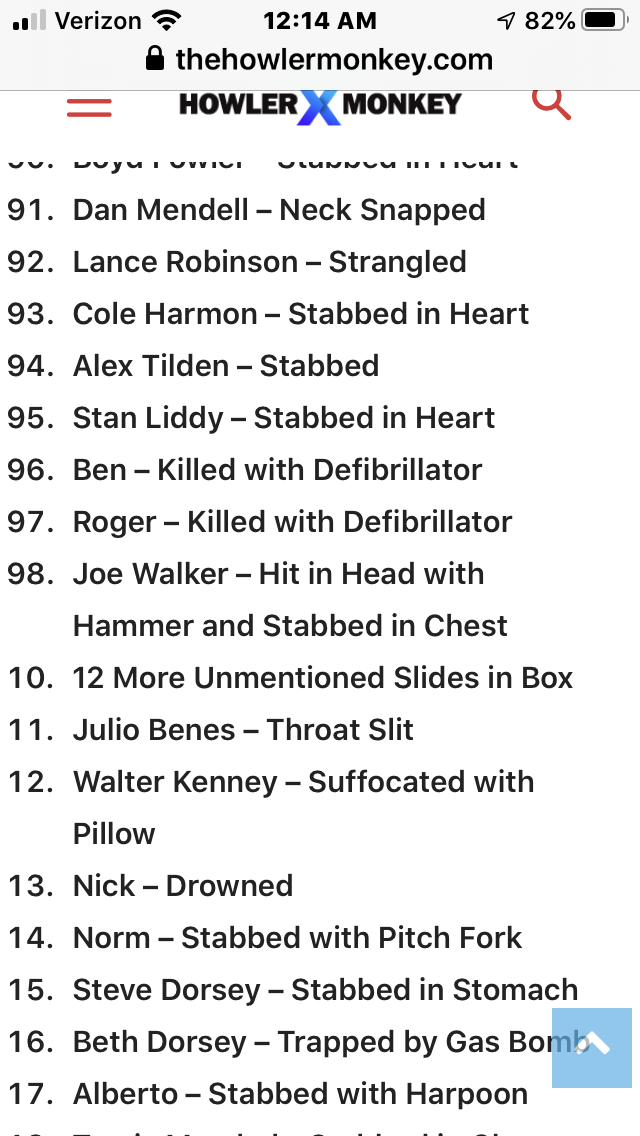
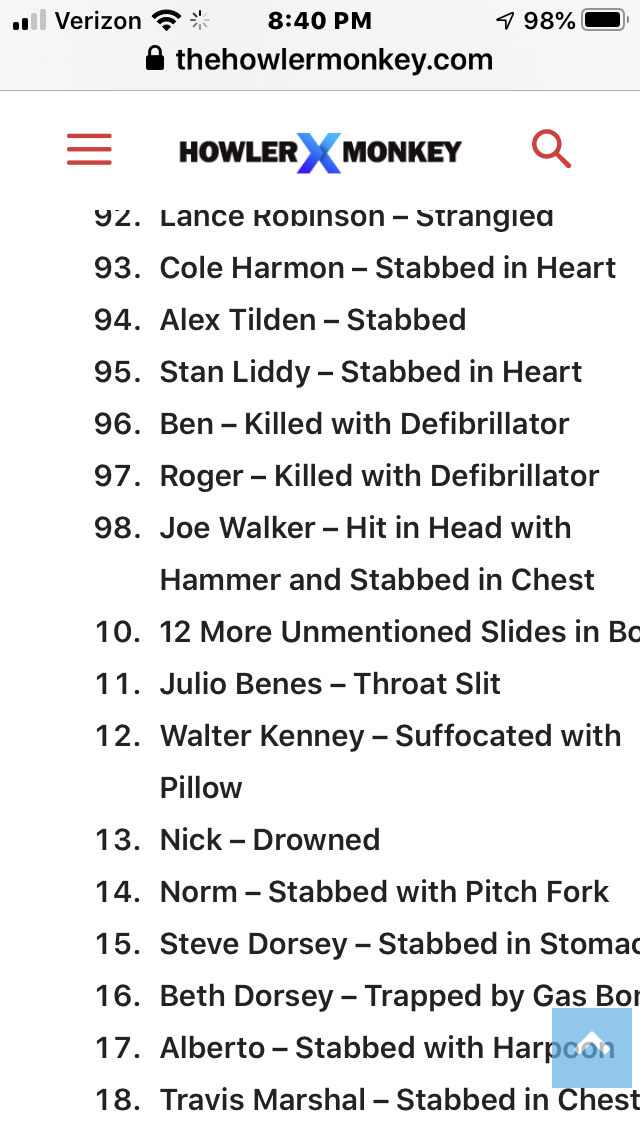
Hi, I have an ordered list (ol), and have set some of the item values set to different numbers (because there was a jump in numbers in the list), which shows up perfect in desktop, but not in mobile. The list is here: https://www.thehowlermonkey.com/how-many-people-did-dexter-kill/ And as you see, towards the end, the numbers go from 98 to 110 (as should be). But in mobile, the numbers go from 98 to 10. It’s like the li value can only hold 2 digits in mobile, versus 3. Can you look at this, and try to set a value yourself over 100 to see if it works in both desktop and mobile? (i.e.
- <li value=”110″>item 110
) Here is a screenshot of the mobile: https://www.thehowlermonkey.com/images/VALUE.PNG

Hi,
I just checked this and for me is working -> https://i.imgur.com/4wmaATl.png
Mobile theme -> https://i.imgur.com/cM56ZtP.png
Responsive version -> https://i.imgur.com/SUbjvco.png
Also i see that now is working on your website too -> https://i.imgur.com/owPR8VO.png
Thank you!
Hi Calin. Look at your images, then please check these again. The names aren’t correct. Steve Dorsey is actually 115 on the list. https://www.thehowlermonkey.com/how-many-people-did-dexter-kill/
My mobile still shows it going from 98. to 10. 11. 12…
Hi,
I just checked again and on mobile and desktop these lists are look the same on your website -> https://i.imgur.com/5TpbsC0.png
If there is something that I do not understand, please let me know and provide some screenshots with examples.
Thank you!
hi,
i just make a new test using a mobile with android and on this one the list is displaying normal -> https://i.imgur.com/idwYInl.png also I checked it on iPhone X too and on it is look like this -> https://i.imgur.com/uwVs1iN.png is look that the first number is covered. What you can do in this situation is to set a padding on that ol, you use a code for rhis ->
ol {

padding: 0 10px;

}
Ste the code in theme panel> mobile theme > custom code> css -> https://i.imgur.com/A0FKSiF.png
Let me know the results!
Hi Calin. Still no luck. I even shifted the website over on my iphone to take a screenshot, and it doesn’t show 3 digits at all. What can be causing all the numbers to show when it’s 2 digits, but not 3? Not the 100’S?
https://www.thehowlermonkey.com/images/IMG_6985.PNG