

Hi all,
when I try to add a new block in a page, it go in a loop and do not work.
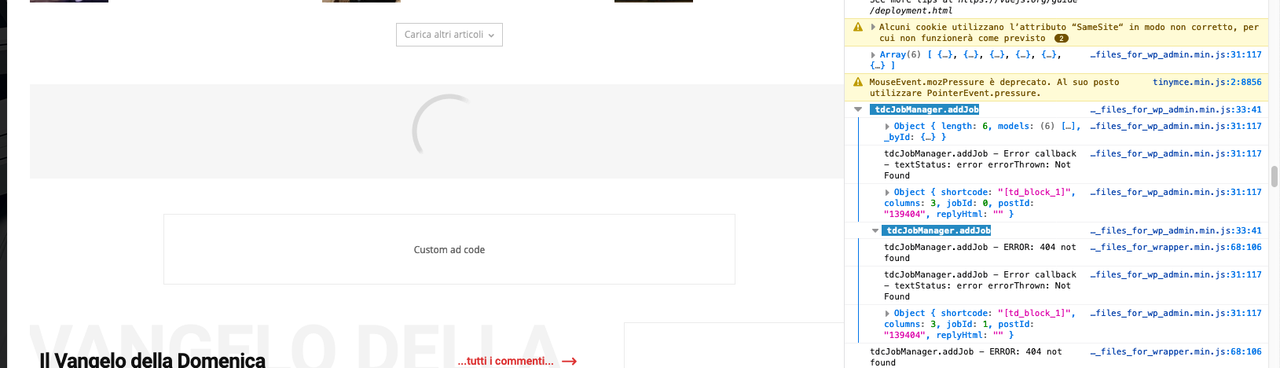
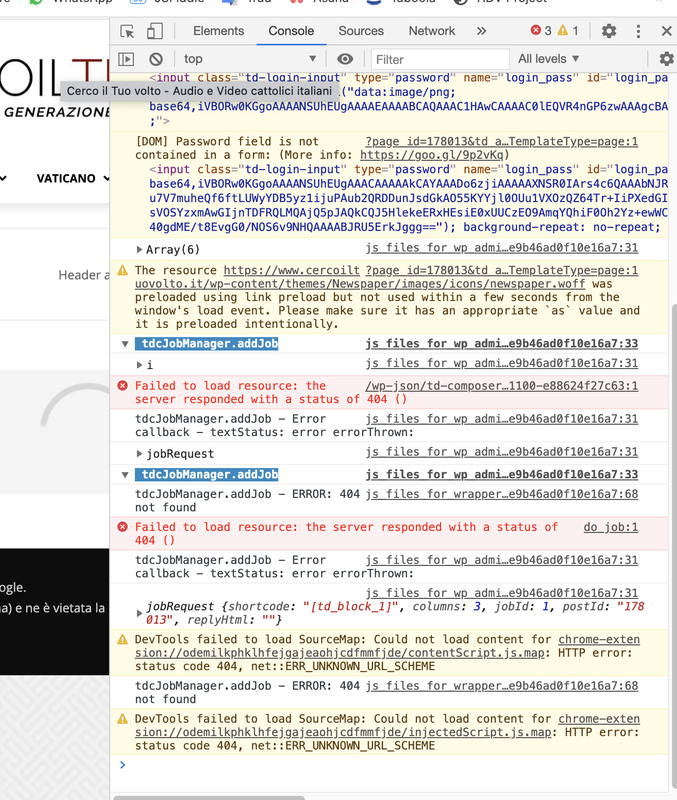
In console I see:
tdcJobManager.addJob js_files_for_wp_admin.min.js:33:41
tdcJobManager.addJob – Error callback – textStatus: error errorThrown: Not Found js_files_for_wp_admin.min.js:31:117
tdcJobManager.addJob – ERROR: 404 not found js_files_for_wrapper.min.js:68:106
I’m using Newspaper 10.3.8
-
This topic was modified 5 years by
sirsly.

Hi sirsly,
Please make sure that you do not have a plugin conflict. Please deactivate ALL plugins except tagDiv plugins (theme plugins), also if you are using child theme or cache plugin, deactivate them, clear all cache and try again.
Also anther thing that you can try is to disable tagDiv Composer and cloud library, delete them and reinstall the plugins again, but this only after you checked the plugins for conflict.
Thank you!

Hello !
We need to take a look and see what can be done there to see if a fix can be done in order to fit your needs.
Please contact us via email at contact@tagdiv.com and provide the following:
– admin url and credentials
– A link to this topic in order to identify you
Our team will take a look !
Thank you !

Hi there.
I believe I have the same problem. Followed the same steps (check status, reinstall plugins, etc) and it´s not working unfortunatelly.
Is there some fix avaliable for this?
tdcJobManager.addJob js_files_for_wp_admin.min.js:33:41
tdcJobManager.addJob – ERROR: 404 not found js_files_for_wrapper.min.js:64:106
XHRPOSThttps://www.SITEADRESS-CHANGED.com.br/sevenplay/wp-json/td-composer/do_job?tmp_jobId=3&tmp_blockUid=undefined&post_id=139&tdbTemplateType=page&uuid=18f8d453-6133-762d-1e7f-8589ec86ba9b
[HTTP/2 404 Not Found 650ms]
tdcJobManager.addJob – Error callback – textStatus: error errorThrown: Not Found js_files_for_wp_admin.min.js:31:117
Object { shortcode: “[td_block_ad_box spot_img_horiz=\"content-horiz-center\"]“, columns: 3, jobId: 3, postId: “139”, replyHtml: “” }
——————
Best wishes
Alessandro
Hello !
We need to take a look and see what can be done there to see if a fix can be done.
Please contact us via email at contact@tagdiv.com and provide the following:
– admin url and credentials
– A link to this topic in order to identify you
Our team will take a look !
Please note that at the moment the Support team is not 24/7 available. We answer the topics from Latest to Newest Monday – Friday from 08:00AM to 05:00PM GMT+2
Thank you !
