

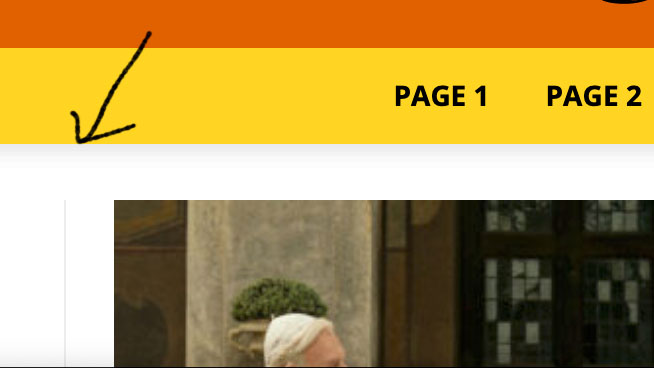
Hi, can someone please tell me how to remove the shading under the main menu in header style 10? Thanks in advance!

Hello!
Please continue the discussion in your own topic: https://forum.tagdiv.com/topic/how-to-remove-style-10-headers-shadow/
Do not create multiple topics with the same issue.
Thank you for understanding!
Thank you Bettina! Actually is a different topic: I don’t have problems with the background color under the shading, that I can change with no problems (it was just a problem of row padding), but I would like to remove – if possible – the default ‘drop shadow’/gradient under the style 10 header
I’m sorry but the website is not yet online (I’m working on a virtual server on my mac), anyway it’s the exact same shading you can see under the menu in this version of the theme:
https://demo.tagdiv.com/newspaper_craft_ideas/
Thank you so much!

Hello, @sidusinfieri
To remove the shadow on the header, you need to use a Custom Code CSS, like this => https://www.screencast.com/t/n3inNw3P59b3
.td-header-gradient:before {

content:none;

}
Set the code in Theme Panel -> Custom Code -> Costum CSS.
Hope this helps you!
Thank you!
Perfect, thank you so much Anamaria! Have a nice day! 🙂
