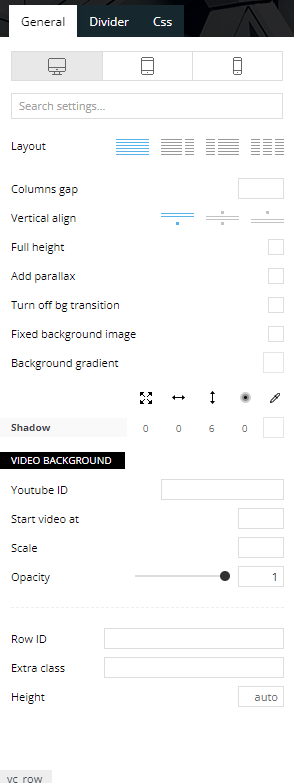
Hi, can i change header and body?. I install demo Magazine Pro, but i want to show header 100% with, and in the zone where i see the logo, show only the logo with a background color.
I can send you a image like i want to show the header, i think is easy an possible, but with the tools of the theme into the backoffice, i can’t do this.
Regards.

Hello,
If you want to make the layout full width, then to change the website width, you need to make sure that you don’t have set a background color/image in the Theme Panel because this makes your website boxed. Make sure this option is disabled => https://www.screencast.com/t/ejiNPCBF
To set a page to full width, you’ll need to edit it with tagDiv Composer like this -> https://i.imgur.com/i5IUJ9E.jpg add or select a row and stretch it after your needs -> https://i.imgur.com/WKYebPX.jpg -> https://i.imgur.com/TO1BZ3M.png -> https://i.imgur.com/Yq8UCv3.jpg
Hope this helps you!
Thank you!

Hi guys,
I’ve tried that with NewsMag 4.8 and 5.1 but I only have 3 options in that area
- THEME ACCENT COLOR
Select theme accent color - BACKGROUND COLOR
Select theme background color - GRID LINE COLOR
Select grid line color
There doesn’t appear to be a row stretch option either.
What is the process for the NewsMag theme ?
thanks
MK

Hello @myIFI!
Note that tagDiv Standard Pack plugin is only for Newspaper theme, for Newsmag you need to enable the tagDiv Composer.
In order to avoid misunderstandings, then please provide more information about the issue or what you need to achieve, screenshots or a video.
A solution for sending a screenshot/video is this:
Download, capture, send: https://www.techsmith.com/jing-tool.html
After making the screenshot, you will have a link, paste it here.
Thank you!

Hello,
I am having the same question, but there is no option to stretch the row?
https://i.postimg.cc/gJjgDbPd/1.png
Please advise.
Thank you for your time and help.