https://www.politicamagazine.it/wp-content/uploads/2021/07/Immagine-2021-07-12-215719.jpg
https://www.politicamagazine.it/wp-content/uploads/2021/07/Immagine-2021-07-12-215541.jpg
https://www.politicamagazine.it/wp-content/uploads/2021/07/Immagine-2021-07-12-215751.jpg
you defeat the shop page settings also I can’t understand how I can correct the errors reported in the woocommerce state
Ciao!
WordPress, a partire dalla versione 5.2, ha una funzionalità integrata che rileva quando un plugin o un tema provoca un errore irreversibile sul tuo sito e ti avvisa con questa email automatica.
In questo caso, WordPress ha incontrato un errore con uno dei tuoi plugin, WooCommerce.
Per prima cosa, vai al tuo sito web (https://www.politicamagazine.it/) e controlla se ci sono problemi visibili. Successivamente, vai nella pagina in cui è stato rilevato l’errore (https://www.politicamagazine.it/wp-admin/post.php?post=6807&action=edit) e verifica se c’è qualche problema visibile.
Contatta il tuo host per richiedere assistenza per una investigazione più approfondita di questo problema.
Se il tuo sito appare danneggiato e non puoi accedere normalmente alla tua bacheca, WordPress ora ha una speciale “modalità di ripristino”. Ciò ti consente di accedere in modo sicuro alla tua bacheca per controllare cosa non va.
Per mantenere il tuo sito sicuro, questo link scadrà tra 1 giorno. Non preoccuparti di questo: ti verrà inviato un nuovo link se l’errore si ripresenta dopo la scadenza.
Se cerchi aiuto per questo problema, ti potrebbero essere chieste alcune delle seguenti informazioni:
Versione di WordPress 5.7.2
Tema corrente: Newspaper (versione 11)
Plugin corrente: WooCommerce (versione 5.4.1)
Versione PHP 7.4.19
Dettagli dell’errore
====================
Un errore di E_ERROR è stato causato nella linea 24 del file /web/htdocs/www.politicamagazine.it/home/wp-content/plugins/woocommerce/templates/cart/mini-cart.php. Messaggio di errore: Uncaught Error: Call to a member function is_empty() on null in /web/htdocs/www.politicamagazine.it/home/wp-content/plugins/woocommerce/templates/cart/mini-cart.php:24
Stack trace:
#0 /web/htdocs/www.politicamagazine.it/home/wp-content/plugins/woocommerce/includes/wc-core-functions.php(345): include()
#1 /web/htdocs/www.politicamagazine.it/home/wp-content/plugins/woocommerce/includes/wc-template-functions.php(2168): wc_get_template()
#2 /web/htdocs/www.politicamagazine.it/home/wp-content/plugins/td-woo/shortcodes/td_woo_menu_cart.php(1029): woocommerce_mini_cart()
#3 /web/htdocs/www.politicamagazine.it/home/wp-content/plugins/td-composer/legacy/common/wp_booster/td_global_blocks.php(27): td_woo_menu_cart->render()
#4 /web/htdocs/www.politicamagazine.it/home/wp-includes/shortcodes.php(343): td_global_blocks::proxy_function()
#5 [internal function]: do_shortcode_tag()
#6 /web/htdocs/www.politicamagazine.it/home/wp-includes/shortcodes.php(218): preg_replace_callback()
#7 /web/htdocs/www.politicamagazine.it/home/
I HAVE SOLVED THE PREVIOUS PROBLEMS. I CANNOT SELECT THE CATEGORY PRODUCED BY WOOCOMMERCE
https://www.politicamagazine.it/wp-content/uploads/2021/07/Immagine-2021-07-13-132442.jpg

Hi,
I’m glad that you mange the above situations.
The product category should be display in this dropdown https://i.imgur.com/OZ3jqsA.png and if you want to set more categories on that block, use the “multiple product categories filter” set in it the products categories that you see in dropdown list, those need to separate by “,” -> https://i.imgur.com/Jvkvzgq.png -> https://i.imgur.com/pAjjxLD.png
Thank you!
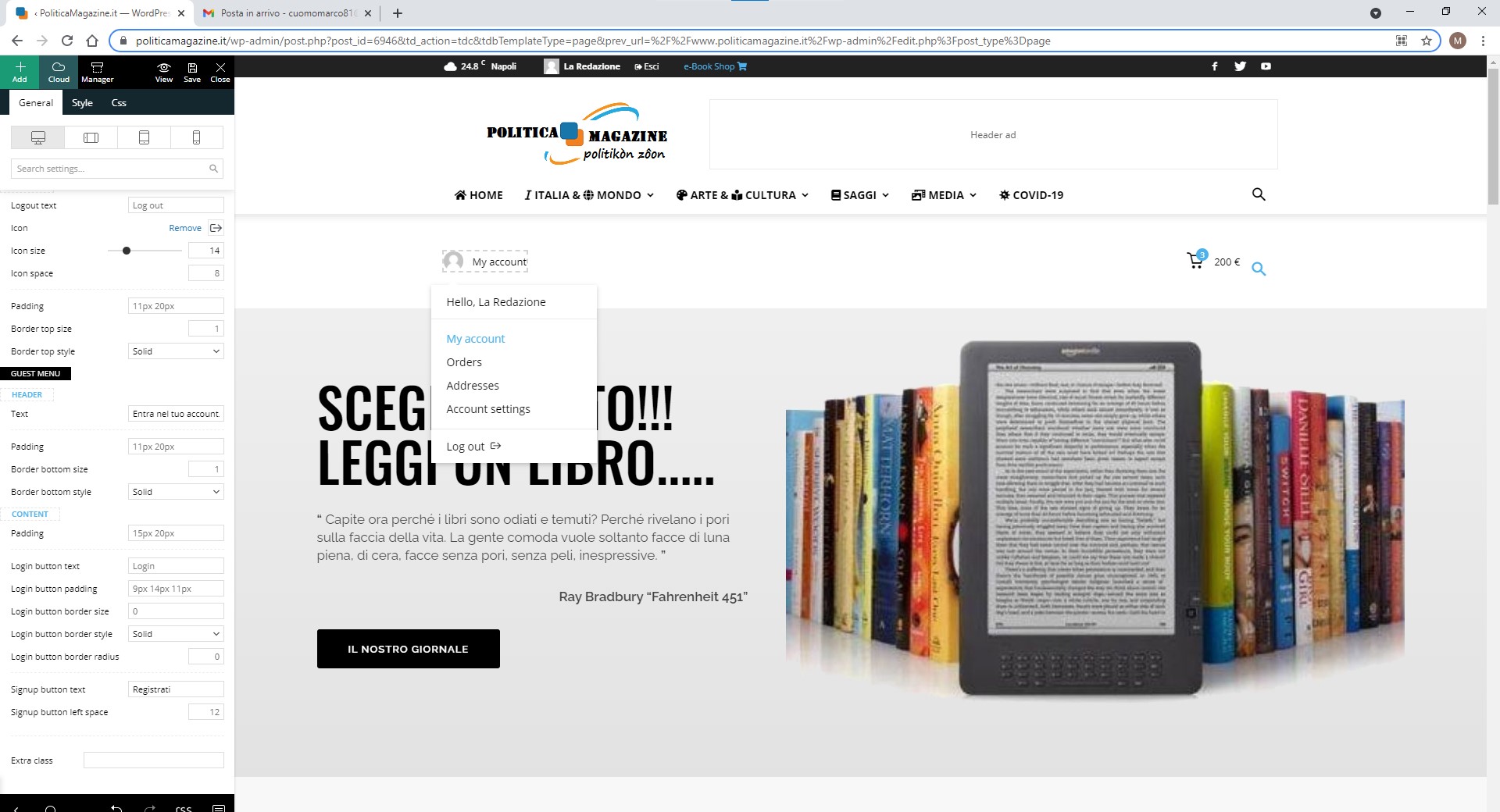
All other problems have been resolved. I wanted to know if you can translate the references of the My account menu: hello …, orders, addresses, account setting
https://www.politicamagazine.it/wp-content/uploads/2021/07/Immagine-2021-07-14-121126.jpg

Hello!
Unfortunately that is related to woocommerce not Newspaper Theme, for this you will have to translate it from woocommerce: https://docs.woocommerce.com/document/woocommerce-localization/
Thank you!
despite the indications I cannot solve the problem of the translation of the My account menu
How can I change the font color on the related article bar?
https://www.politicamagazine.it/wp-content/uploads/2021/07/prodotti-correlarti.png

Hello,
You can translate the elements from My account menu from Theme Panel -> Translations -> Translations => https://www.screencast.com/t/vOOGTOInhttps://www.screencast.com/t/3MFgeOaEg6
When you edit the block, should be the setting “Title background color” where you can set the color => https://www.screencast.com/t/uVCl2DQm8cj
Thank you!
I cannot change the color the system does not allow it as indicated
https://www.politicamagazine.it/wp-content/uploads/2021/07/Immagine-2021-07-15-160934.jpg
Hello!
I would like to take a look and see what can be done there. Please contact us via email at contact@tagdiv.com and provide the following:
– admin url and credentials
– A link to this topic in order to identify you
Our team will take a look!
Thank you !