

I am creating a submission form which need to include a number of ACF created custom fields; however the form input field isn’t showing all created ACF custom fields. It seems to only be showing text, textarea, number, url & email but not other fields like select, date, WYSIWYG Editor, date picker etc.
But in documentation, demos & features it shows fields such as select:
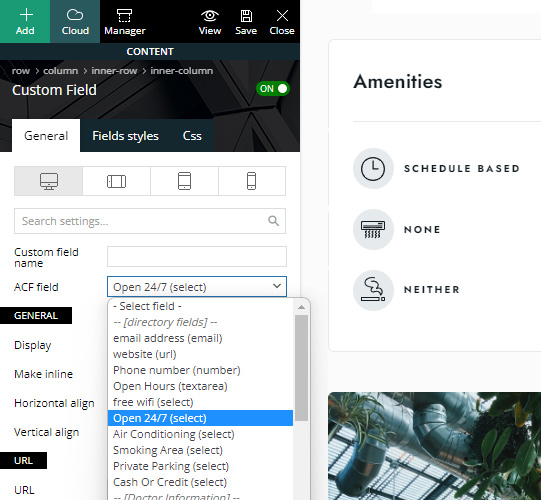

Hello @LinkBaits7 !
That element called “Form Input” is implemented to support fields like text, url, email, textarea, number, select, checkbox, radio, and button group: https://prnt.sc/CrTrCZ3RGJB_
Thank you!

Hello Bettina
I have the same problem.
I create the Wysiwyg field with ACF but it doesn’t appear in “Form Input” or in “Custom Field” to get in the Front-end.
Play video: https://www.loom.com/share/8adfd25da1e84f869ce68f530065eb34
Is it because you still can’t?
Hello
But I need to get an element through ACF that allows me to enter HTML or more specifically a Short Code for each entry, so I was asking if the Wysiwyg field, which is one of the ones that makes this possible, was available. You indicate the following: text, URL, email, textarea, number, selection, checkbox, radio, and button group. Is there a way to output a shortcode or html for each post belonging to a Post Type?

