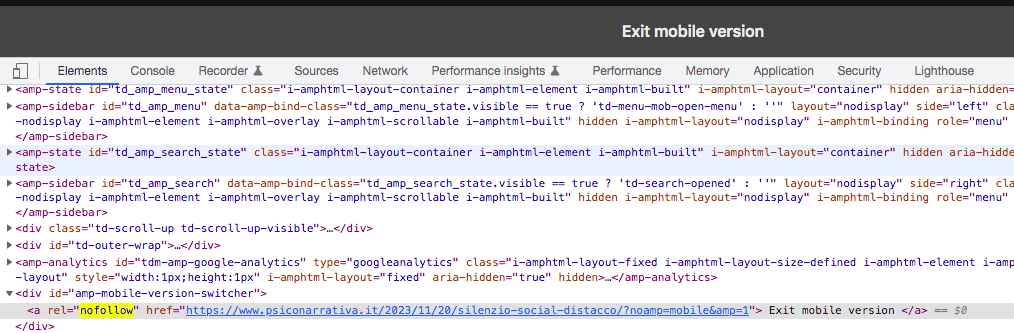
Hello,
I would delete from my page (example: https://www.psiconarrativa.it/2023/09/10/viktor-frankl-crescita-sofferenza/?amp)
Exit mobile version
an I would understand because the image modal not appear in ?Amp
I have activing in my theme only AMP, not mobile+amp
And I wuold delete in code on my page for example: https://www.psiconarrativa.it/2023/09/10/viktor-frankl-crescita-sofferenza/?noamp=mobile& and attribute: “nofollow”

Hi,
In order to disable the option “Exit mobile version”, you need to disable this setting: https://i.imgur.com/LxpDtB2.png
Please provide more details about image and nofollow.
Thank you!
HI,
Thanks for the reply.
I have disabled it as shown in the image. I did this yesterday following other forum threads. However, the “Exit mobile version” entry does not disappear and neither do the nofollow and noamp.
https://i.postimg.cc/8z0dZ0qg/Schermata-2023-11-29-alle-10-00-18.png
Also Amp does not take the image of the item. Why?
https://www.psiconarrativa.it/2023/11/20/silenzio-social-distacco/?amp=1
Hi,
I would like to take a look. Can you please contact us via email at contact@tagdiv.com and provide the wp-admin access?
Thank you!