

Hi Team,
I have imported Contact Form from Momentum demo (https://demo.tagdiv.com/newspaper_momentum_pro/contact/).
Can you please share the code snippet for Contact Form?

Hi,
You can create your own contact form using contact form 7 or Ninja Form -> https://wpengine.com/resources/how-to-use-ninja-forms/. Set the shortcode in the column text.
Thank you!
Thanks @Anmaria. I have created a form using Contact Form 7. However, the theme custom code has different classes so when I paste the contact form shortcode, the customization is not applied. Seems I may need to use different class name in contact form html snippet.
<div id="td-request-form" class="td-request-form">

<div class="form-row">

<div class="column-half">First Name [text* first-name]</div>

<div class="column-half">Last Name [text* last-name]</div>

</div>

<div class="form-row">

<div class="column-half">Email [email* your-email]</div>

<div class="column-half">Phone [text* your-phone]</div>

</div>

<div class="form-row">

<div class="column-full">Subject [text* your-subject]</div>

</div>

<div class="form-row">

<div class="column-full">Your message [textarea your-message]</div>

</div>

<div class="form-row">

<div class="column-full">[submit "Send"]</div>

</div>

</div>
This is what my contact form 7 code snippet look like.
Hi,
Please only replace the shortcode from here with your shortcode -> https://i.imgur.com/ErjvjRe.png
Thank you!
Thanks for the reply @anamaria. I’m not a tech guy. Can you please share the contatc form HTML code snippet used in momentum contact form? https://demo.tagdiv.com/newspaper_momentum_pro/contact/
I have the raw html and css, I’m looking for Contact Form 7 code snippet. For example,
This is just an example, great if you can share the exact same code that’s used on momentum contact from.
<div class="x-column x-sm x-1-2">
<label> First Name (required)
    [text* first-name]
</label>
<label> Your Email (required)
    [email* your-email]
</label>
<label> Phone Number(required)
    [text* phone-number]
</label>
<label> City (required)
    [text* city]
</label>
</div>
<div class="x-column x-sm x-1-2 mrn">
<label> Last Name (required)
    [text* last-name]
</label>
<label> Address (required)
    [text* address]
</label>
<label> Zip Code (required)
    [text* zip-code]
</label>
<label> Subject
    [text your-subject]
</label>

</div>

<div class="x-column x-sm x-1-1">
<label> Your Message
    [textarea your-message]
</label>
[submit "Send"]
</div>-
This reply was modified 2 years by
geekynaag.
Hi,
Please create your own contact form using the plugin, send the access to contact@tagdiv.com and provide the wp-admin access to set it.
Thank you!

Please tell me how I can split the feedback form into two columns, as in your example. Currently, the fields are very wide when viewed on a PC. The page is https://shevchenko.help/contact/.

Hi,
This is related to the Contact Form 7 settings.
Now the simplest way to do it is to use a custom css like this one:
#left {

    width: 47%;

    float: left;

    margin-right:6%;

}

#right {

    width: 47%;

    float: left;

}

.clearfix:after {

    content:"\0020";

    display:block;

    height:0;

    clear:both;

    visibility:hidden;

    overflow:hidden;

    margin-bottom:10px;

}

.clearfix {

    display:block;

}
For this you can check this video https://www.youtube.com/watch?v=snH6YwCHEoE
Thank you!
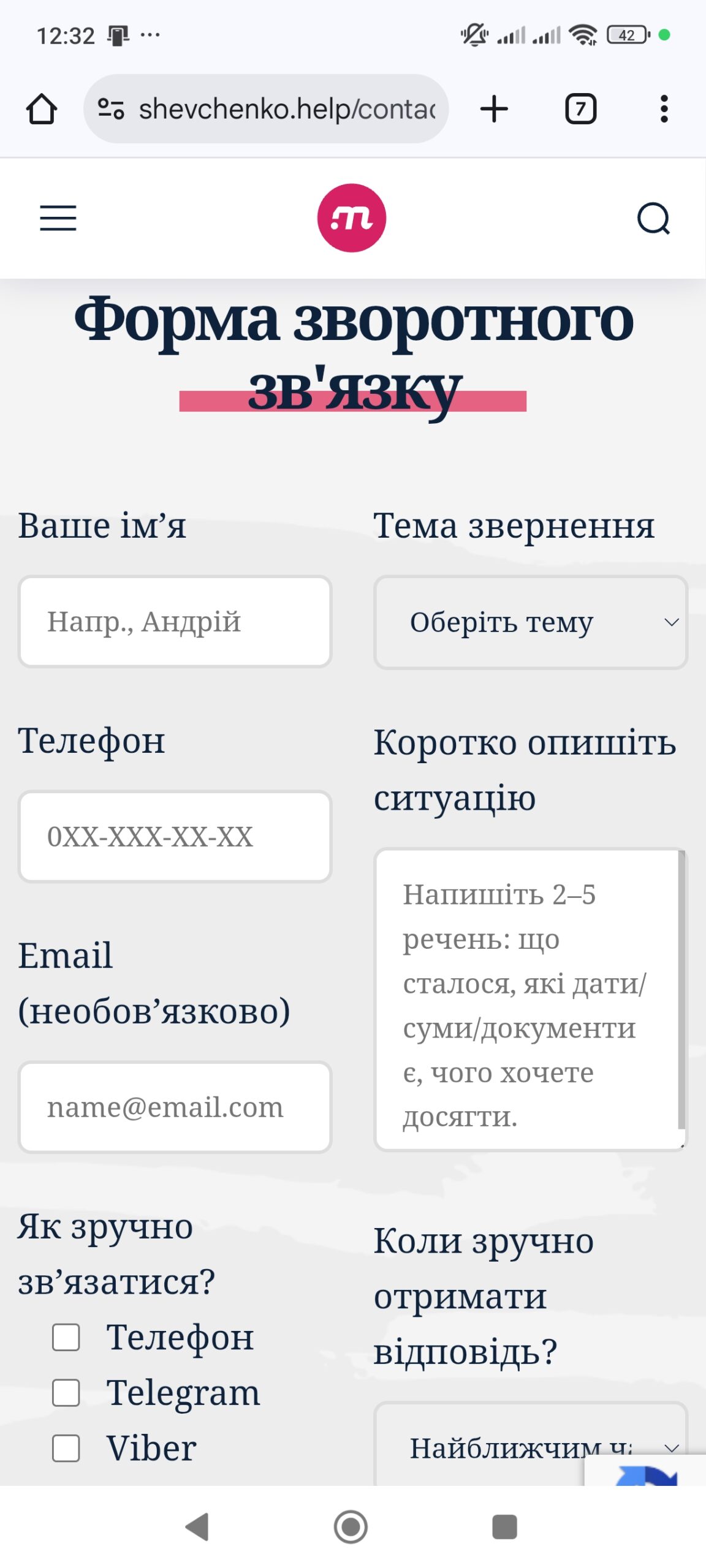
Hi,
For this, you can use a media css code :
@media (min-width: 768px) {

#left {

width: 47%;

float: left;

margin-right:6%;

}

#right {

width: 47%;

float: left;

}

.clearfix:after {

content:"\0020";

display:block;

height:0;

clear:both;

visibility:hidden;

overflow:hidden;

margin-bottom:10px;

}

.clearfix {

display:block;

}

}

