
Posted in: Newspaper

Post count: 48
Post count: 48

Post count: 27744
Mar 18, 2024 at 10:27 am
Hello,
I think that is the structure you made for the menu because here is the latest item from the menu: https://i.imgur.com/dW0BYaw.png. So, for mobile, I suggest remaking the menu and assigning it to display well.
Thank you!
Post count: 48
Mar 23, 2024 at 6:06 pm
Hi Anamaria
I did as you instructed
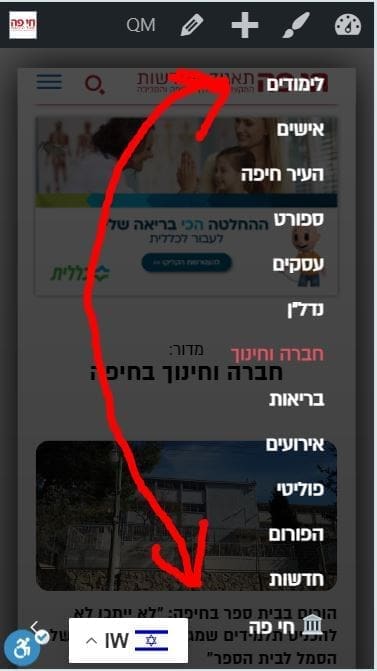
but still the mobile menu is diverted.
You are invited to check my control pannel and see that you have a CSS problem when working RTL.
Of course that I can build the menu upside down for mobile but this is not a good solution
Post count: 27744
Post count: 48
Viewing 7 posts - 1 through 7 (of 7 total)
The forum ‘Newspaper’ is closed to new topics and replies.

