

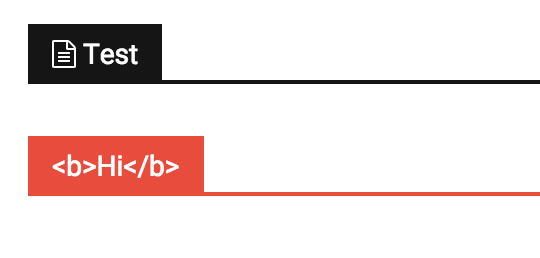

Hello @Yannik97,
Please try this code below in theme panel=>custom CSS area and you can add before the title blocks what content do you want.
.block-title span::before {

content: '\';

margin-right: 10px;

}
You can modify the margin value as you like
This content have to be generated in CSS. I suggest to use this link for more symbols: http://htmlarrows.com/symbols/
One example you can see below: http://screencast.com/t/sccS0qjPxt6b
Let me know how it goes!
Thanks.
Thanks for your reply.
When I add the .block-title class in custom css every title on my homepage have this icon. I have to add a class name on the blocks in visual composer. But then all titles in the visual composer block have this icon.
-> 
I have to reach only the main title of an area.
.newest span::before {
content: '\265D';
margin-right: 10px;
}-
This reply was modified 10 years by
Yannik97.
Hi @Yannik97,
If you want to use a different symbol for every block used in visual composer, in CSS code you need to add a speccific class for each block: (.td_block_1 or .td_block_2 or .td_block_3 … or .td_block_18).
For my example, the CSS code look like that:
.td_block_1 .block-title span::before {

content: '\';

margin-right: 10px;

}
Thanks and let me how it goes!
Works fine on vc blocks!
And also with fontawesome. 🙂
Thanks!
Only problem is that it does not work on wordpress widgets like recent comments.
.td_block_13 .block-title span::before {
content: "\f0f6";
margin-right: 10px;
font-family: FontAwesome;
}