Rony123456
 This is probably the last question. How to make the logo smaller on desktop when you are on the top of the page, when the menu is large? I tried setting a max-width but it is not centered.
Rony123456 Hi Alin,
2) By comment you mean remove?
Rony123456 Oh, I am also using parent categories. When I select a child category for a post and publish it, it automatically asigns the parent category too! Is there any way to disable this?
Or, is there any way to make menu containers, just like parent categories and have them displaying various categories. Basically, add a link to the menu, make it a mega menu which displays the categories I want.
Rony123456 Is there any way to force the thumbnails to be displayed on a 16:9 resolution or 700×394? even if these images are in portrait, i want to force them to be displayed on 700 x 394.
Mashable has forced every thumbnail to be displayed on a fixed resolution. For example, see this old article http://mashable.com/2006/04/12/wikihow-community-powered-how-to-manual/. You can see that the image is scaled, even though it is disorted. Any way to do the same here?
Rony123456 One more thing. I am using the default template style. On my old articles, i have set featured images that are Full HD in resolution. The problem is that they appear in Full Res as featured images too, and the entire top of the site is taken by the image. example: http://goo.gl/pqOHQ1
Is there any way to force the images to show in smaller sizes as featured images?
Rony123456 Here is a link: http://goo.gl/otWeU6
Rony123456 I was set for everything, but while searching for something on my site, I saw this http://i.imgur.com/A3WPVVp.png. Titles of the articles go beyond the search box. This is on header 8. When I use another header it works fine.
Is there any way to remove the gap that a picture has below when there is a caption?
I am using the code to show the caption inside images instead below of them.
.wp-caption-text {
text-align: right;
padding: 0px !important;
position: relative;
top: -20px;
right: 5px;
color: #fff !important;
}
Yet there is a gap below that I do not want. Any way to remove that gap?
Rony123456 Hi,
I sorted everything out but the first one.
All I want to do is to remove the space above the image. I have customized loop_single.php to show the featured image above the title. Now I want to remove the space above the image between the menu. I can do so by adding padding but looks like it cannot be done with the method you gave. I successfully removed the gap on style 3 by using this code:
.single_template_3 .post .td-grid-wrap {

padding-top: 10px !important;

}
Now I want to do this on default.
4) On my homepage, I have a big slide at the top and below, latest articles. Is there any way to remove the latest articles part so the article area can be as close as possible to the big slide? http://i.imgur.com/hf93sIS.png
Rony123456 3) I successfully set up the mega menus. SO the parent category is Software and the sub one is Mods. The link to the mods category is site.com/category/software/mods. Is there any way to make it just site.com/category/mods?
If not, does this way of arranging categories damage SEO?
Rony123456 That did the trick.
1) What is the code for the default template? For style 1 is .single_template_1 and so on, but what about the default one?
2) Can the white line below the menu get removed? If it can, I still want the blue underline to be shown when I hover over an category. http://i.imgur.com/L4ydlLB.png
These are my last two issues.
Rony123456 And also, I am trying to make the space between the menu and the featured image in template smaller.
When I use element inspector and add this:
.single_template_3 .post .td-grid-wrap {
padding-top: 10px;
It works, But when I add this to Custom CSS it does not work.
Rony123456 Hi,
The mega menu worked fine. But when I try to add sub menus, it doesn’t work.
I have configured it like this: http://i.imgur.com/PBFqcK3.png
Where Software is a normal menu while the sub items are set as mega menus.
However, they appear like this:
While I want them like this:
https://forum.tagdiv.com//wp-content/uploads/2014/02/2014-02-24_1704.png
What am I doing wrong?
Rony123456 That absolutely worked. But I am annoyed by that while line below the menu! Is there any way to remove it? But of course, I still want the blue line to show up when I hover to a category.
Hi,
At the moment, I am running Style 8 header (logo and menu in the same line).
The problem is that the theme settings allow you to set only one color for the header menu. I want to add a gradient to it. So the top of the menu is blue and the bottom is lighter blue.
One more thing,
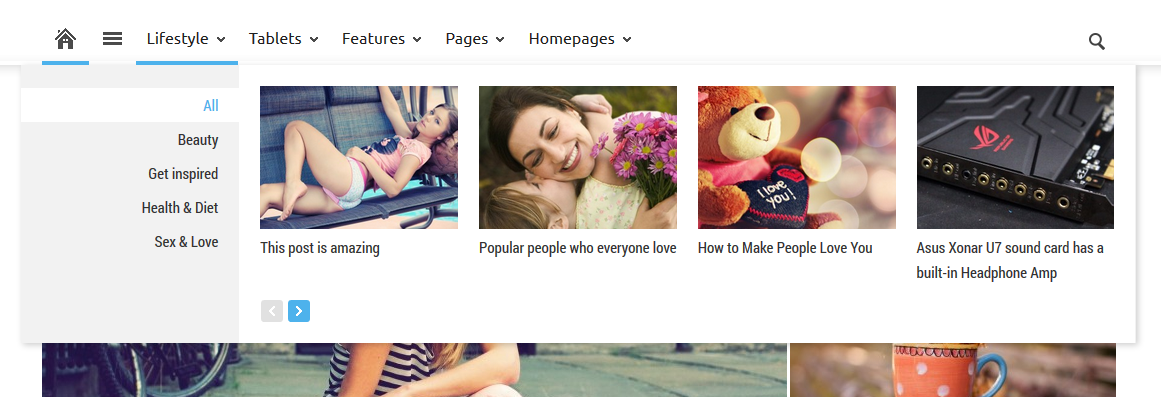
If you go here jayceooi.com, you can see that on the main menu there is a section called Featured and when you hover over that, it drops down showing articles. How can this be done and can it work on other categories as well? So if I add an category Reviews and it drops down showing the latest articles from this category.
Rony123456 Hi,
Is there any way to make the header 8 color with gradient?
Rony123456 Hi,
One last thing. Is there any CustomCSS to make the text inside code tag look like this? http://i.imgur.com/HvgFOwf.png
Rony123456 Hi,
One more thing. I am very annoyed by the fact that on the homepage, the thumbnails of the recent posts are not in a 16:9 ratio. All my images are on a 16:9 ratio and that are cropped out on the homepage. Is there any way to make them appear with the ratio of 16:9?
Rony123456 Hi,
For some reason it started working suddenly. What I want now is how to add a line just before the beginning of the article.
I want to make it from this: http://i.imgur.com/FRKdXy8.jpg
To this: http://i.imgur.com/bHEVhtG.jpg
Thanks
Rony123456 Hi, with Adsense that works fine. But when I want to add this code:
<div id=”taboola-below-article-thumbnails”></div>
<script type=”text/javascript”>
window._taboola = window._taboola || [];
_taboola.push({
mode: ‘thumbnails-a’,
container: ‘taboola-below-article-thumbnails’,
placement: ‘Below Article Thumbnails’,
target_type: ‘mix’
});
</script>
It shows this http://screencast.com/t/nh21p2cM
Rony123456 I can’t understand the guide how to add the logo on the menu. Could you please write a solution here?
Rony123456 I want to do the opposite of that. I want to change the height of the menu and make it smaller.
Rony123456 The code only changes the size of the logo…
Rony123456 Hi, it is http://www.naldotech.com. I disabled that header at the moment because it looks ugly. Please provide a solution.