I can see from the forums that Visual Composer is impacting lots of people since it stopped working a couple of DAYS ago. This is bad for all of us with business websites that have purchased your product in good faith. Can you pls advise when this well be rectified so we can pacify our customers.


Hi @EN site
We updated the theme and included the latest version of Visual Composer, V 4.11.2, which is testes and works fine with WordPress. Also we fixed the jQuery conflict so try to update the theme and the VC plugin following our documentation: https://forum.tagdiv.com/newsmag-how-to-update-the-theme/ – https://forum.tagdiv.com/newsmag-how-to-update-visual-composer-plugin/ clear all caches and test again.
Thanks!

Hello
I want to update the theme by envato toolkit but after I follow the steps in documentation, the “theme” tab did not show up like the last step in instruction:https://forum.tagdiv.com/how-to-update-the-theme-2/
My screenshot is:http://i.imgur.com/edTo1sO.png
My visual composer is not working now, so I want to update this theme as soon as possible.
Please help 🙂
Hi could you please give me a step by step on this because I am not understanding.
1 Download the files from Envato
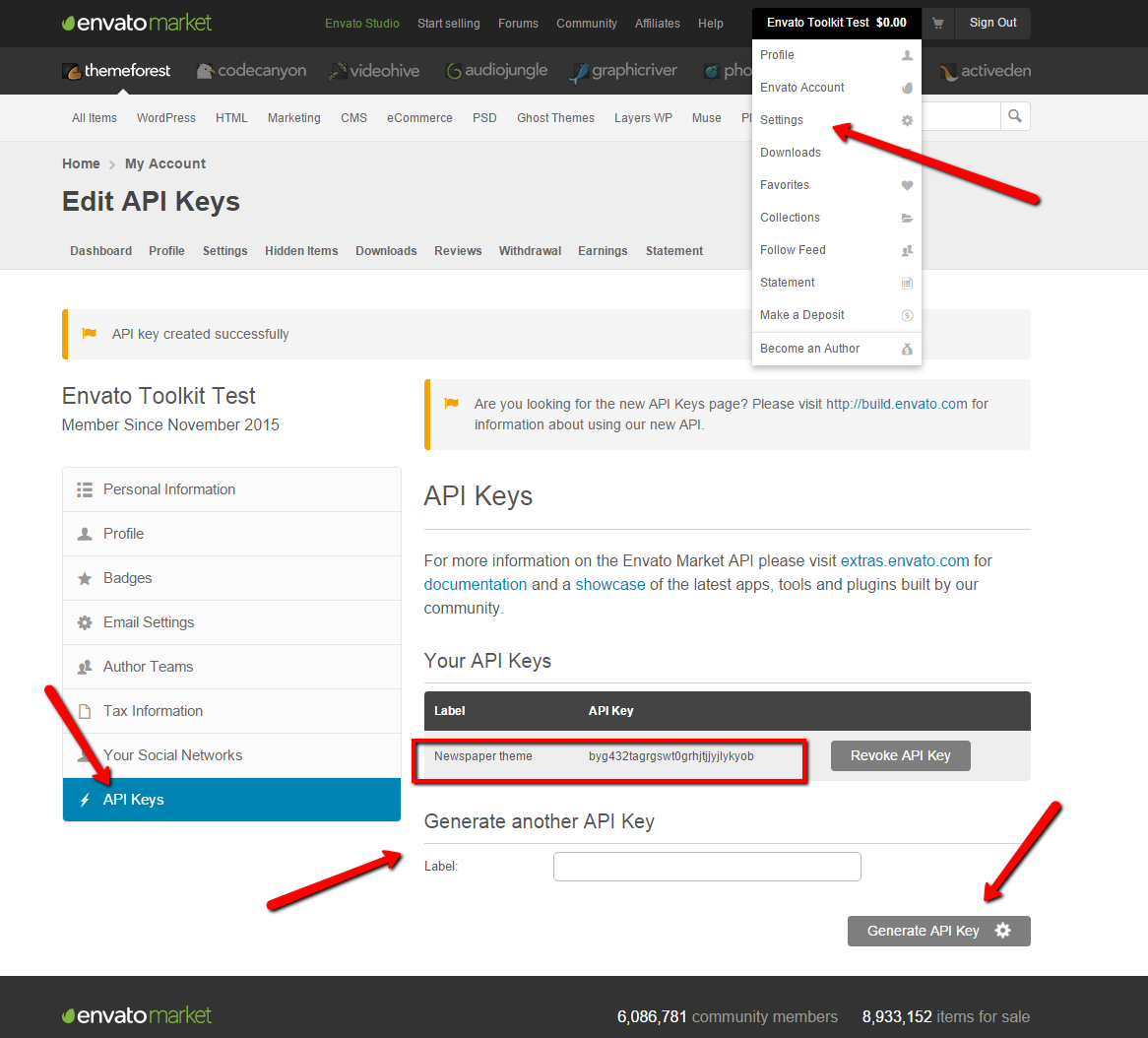
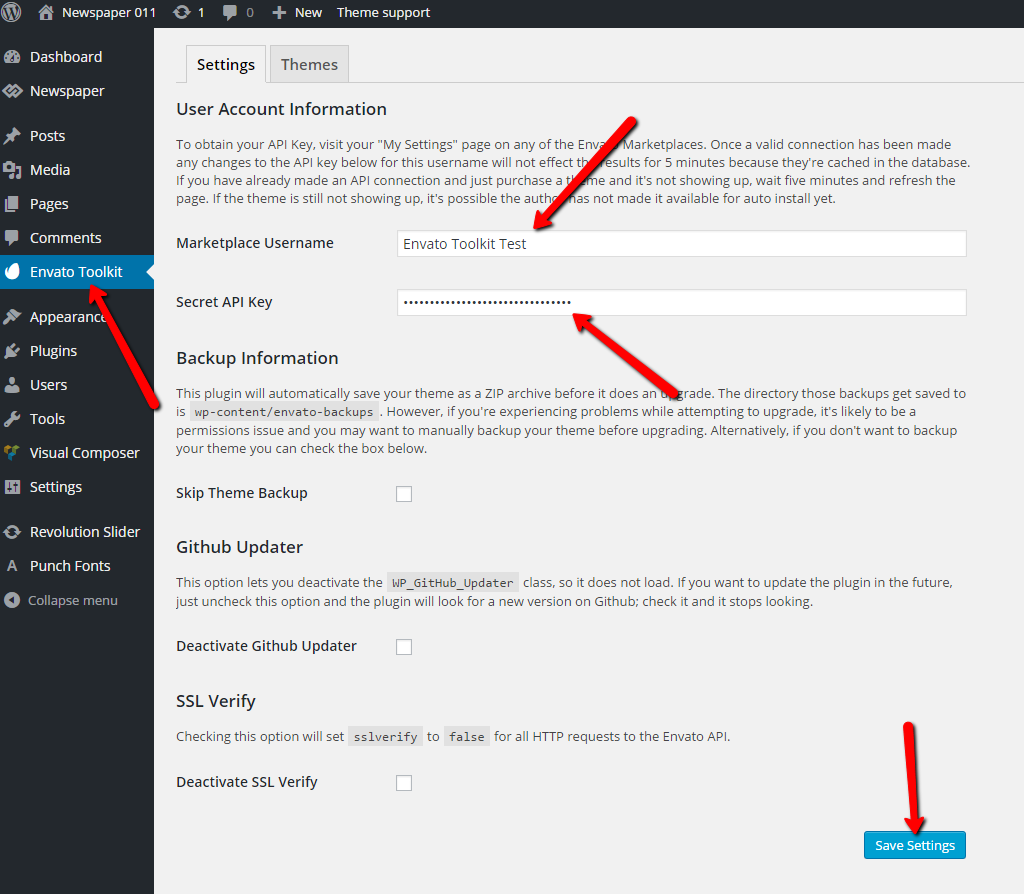
2 Find the API key (where is it?)(where do I put it in wordpress)
3 Deactivate all plugins
4 Upload the new files to wordpress
5 (Tick some box about writing over the files?)
Is this correct?
Hi
The API key can be found in your envato account following this image: https://forum.tagdiv.com/wp-content/uploads/2015/11/2015-11-18_1503.png The key must be add in plugin’s panel as it’s indicated here: https://forum.tagdiv.com/wp-content/uploads/2015/11/2015-11-18_1505.png
If you still can’t manage to connect with you themeforest account use the ftp method to make the update, or update it via wordpress. Both methods are detailed in our documentation: https://forum.tagdiv.com/how-to-update-the-theme-2/
Thanks!
Hello, I have updated the theme through wordpress and updated the VP plugin and visual composer has returned but the functionality of Visual Composer is not working, we are unable to add images, the separator text line is not working and other glitches. What do we do now? Thank you.
Hi
I’ve checked your site and on front-end everything seems to work fine. If you’re still can’t edit pages with Visual Composer try to deactivate all plugins except VC, clear all caches then test again.
Let us know how it goes and if the problem persist please send us an email at contact@tagdiv.com with your login credentials and we will inspect this issue as soon as possible, also include a link to this topic.
Thanks!