Hello jassada,
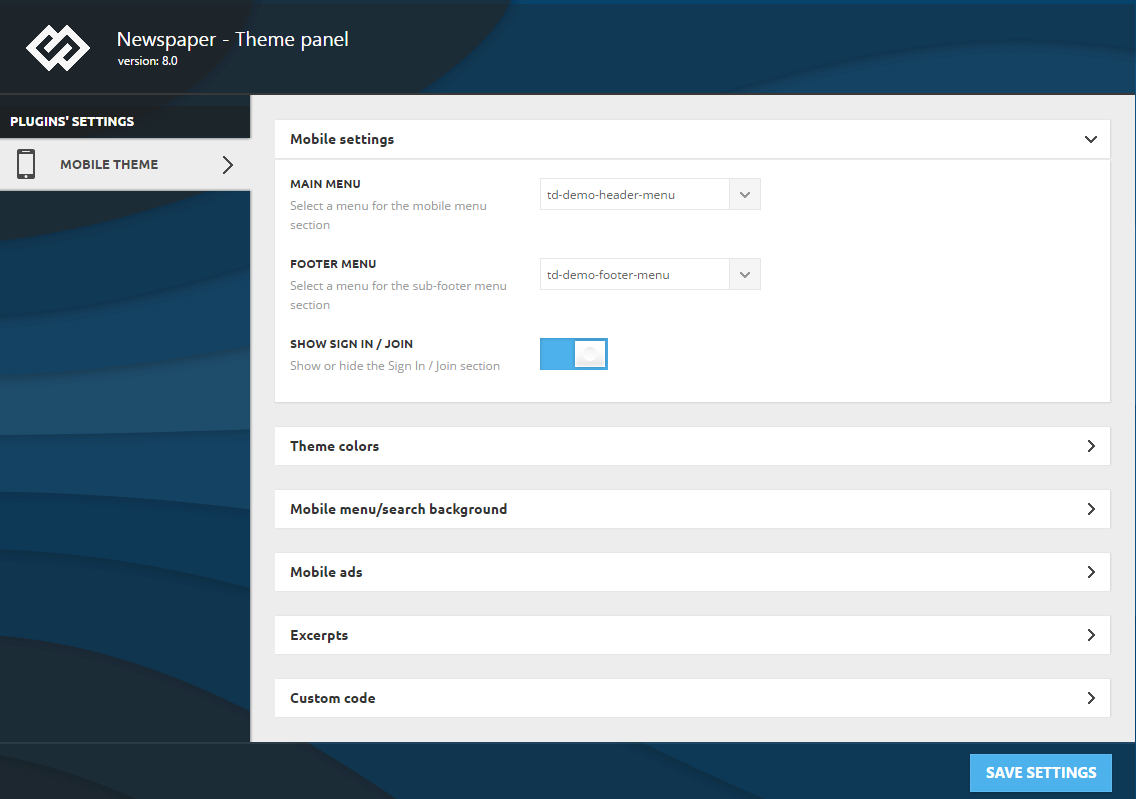
You would create your own menu for mobile theme. Please ensure that you have selected the right one menu from Mobile Theme, according to our documentation here -> https://forum.tagdiv.com/the-mobile-theme/ I have tested on my side and the sub-items from the mobile menu works as expected.
Thanks for your understanding!
Hi Catalin,
I have been check link that you give me but cannot find information about how to set menu for mobile,
But I have been set as Screen Capture (as link) which it show sub-menu only in theme’s simulator but still not show in the real mobile browser
Please kindly help me for these
Regards,
Jass
Hello Jass,
If you are using the mobile theme, this changes should have to be done from Theme panel according to our documentation here -> https://forum.tagdiv.com/wp-content/uploads/2017/05/mobile-theme-settings.png
Thanks for the message!
Hi Catalin,
Thank you for your information, I have been setting by using the mobile theme as your recommendation –>screen capture but it still show only main-menu not show sub-menu in mobile browser
Regards,
Jass
Hello jassada,
Sorry but please notice that your screenshots do not work as expected. Also, I have inspected your website and I saw that it’s not made with our theme and keep in mind that we cannot provide support for another theme.
Thanks for your understanding!