

Hi Guys!
I read previously that after update to 9.7.1 version my files from child theme will stop working. That’s exactly what happened in my website.
The problem what I have currently is how I can manually edit those files:
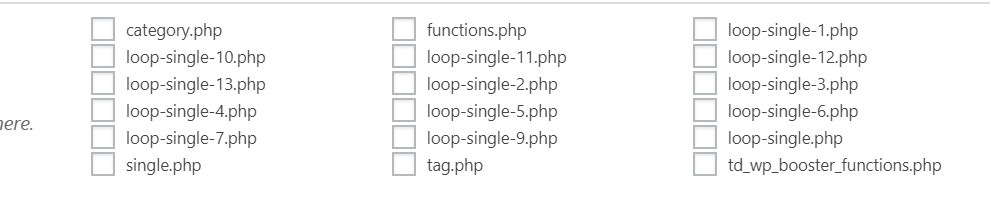
I manually implemented Ratings plugin into my website in every loop-single files:
` <div class="td-post-content">

        <?php echo $td_mod_single->get_content();?>

    </div>

<strong><div><?php if(function_exists('the_ratings')) { the_ratings(); } ?></div></strong>

    <footer>

        <?php echo $td_mod_single->get_post_pagination();?>

        <?php echo $td_mod_single->get_review();?>`
My question is: in which place can I now edit manually post templates?
Thanks a lot!


Hi,
That would be the case, the child theme is quite limited after the recent update. Most theme files have been moved in the composer plugin as mentioned here
– https://tagdiv.com/updating-the-core-of-tagdiv-themes/
So now the post template files are now in the composer – http://prntscr.com/ng3e26
You could edit them there, but the modification will have to made again after each update.
Maybe you could display the ratings in different way. Some ratings sections provided by plugins can be displayed with shortcodes. You could use a cloud post template for the posts, in the cloud post templates use a column text element in which you enter the plugin shortcode. This would be one way to display ratings on posts.
I believe this request is on our list, a rating option may be available in the theme in a future update.
Thanks

You could edit them there, but the modification will have to made again after each update.
I’m pretty sure you know, that even plugin files can be overwritten? Have a look at the Satollo newsletter plugin, for example.
That would be the case, the child theme is quite limited after the recent update.
Thank you very much for killing one of the most fundamental features of a WordPress theme. This is probably the worst update next to WordPress 5.0 introducing Gutenberg.
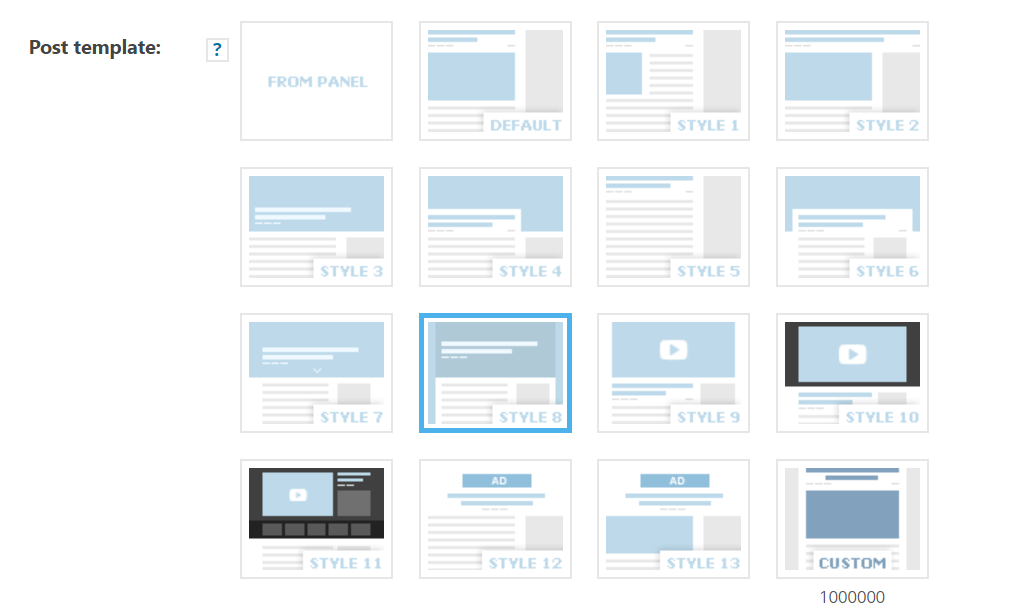
This could be a solution. I tried it, but didn’t really understand how to work with cloud templates. I wasn’t able to edit the source code. How can we switch from visual mode to php editing mode? And honestly, I don’t have time to search for that. Please work on your documentation.
Sorry for the inconvenience, but this is not by choice unfortunately. The theme has to be in accordance with the new Envato rules so these modifications were necessary. Moving the files into the composer plugin has consequences for the child theme as well.
@MKJ That is correct, sorry for the mistake. Maybe a solution will be found, we will make a guide if that will be the case. I can’t say what will happen at the moment, our developers will try to find the best solution.
The cloud templates don’t have PHP or code files, they must be built/edited in the composer. You can work on them with the composer in the front end.
@Tuudi You can edit edit the cloud templates, not the default templates. These are cloud templates made by us, they can be imported through the cloud library plugin
– https://cloud.tagdiv.com/#/load/Single
Also you can create your own post templates, starting with a blank template.
Let me know if you have more questions, I will try to help.
The cloud templates don’t have PHP or code files, they must be built/edited in the composer. You can work on them with the composer in the front end.
Child theme templates are for developers and not for rookies. I need a single line of additional php code in template no. 2. The frontend composer will not help at all. Or can it handle php code?
Sorry, but words really fail me here. And please add a giant disclaimer to the theme description that it can not use a child theme properly. Again, look at the Satollo newsletter plugin. You can override plugin template files putting theme in the extensions folder.
-
This reply was modified 7 years by
MKJ.
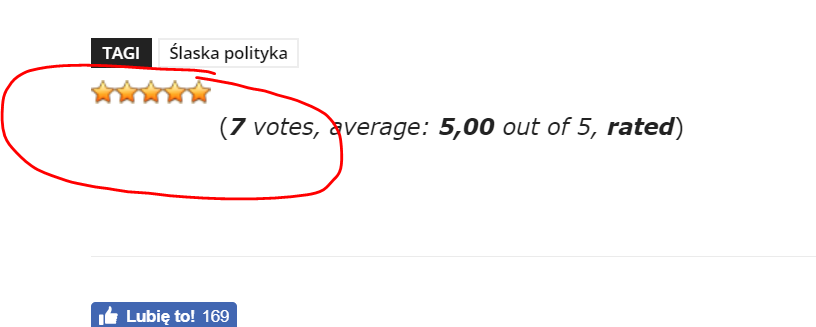
I’ve just found out that the rating shortcode does actually not work. It shows zero, while there is a rating of 3. In addition to that, the composer is probably the worst editor I’ve seen in my life. Gutenberg is top notch compared to this. I guess, I’ll have to quit. Troubleshooting took me at least 4 hours. For nothing!
@Tuudi Try a CSS like this to position the rating stars better – http://prntscr.com/ngpko2
.post-ratings img {

display: inline;

margin-bottom: -2px;

}
Should work, that plugin has a shortcode implementation from what I can see. I believe this is the one – https://wordpress.org/plugins/wp-postratings/
@MKJ Would be the same for you if you use the same plugin. Seems to work for Tuudi. If it doesn’t work for you maybe it’s a plugin configuration issue.
I use the same plugin, but it just doesn’t work. Honestly, I don’t care very much, since I would have to create a cloud template from scratch. This might not be a big deal for an experienced Newspaper user. But I have never used Newspaper, and spending even more time on this problem would be crazy. I’m going to charge the customer 5 hours of work for nothing. She won’t be amused, I guess.
