

The Big Grid Flex 5 block shows four article images, all pulled from the same category. Is it possible to have the large 50% segment on the left pull the latest article from category A, the larger top element from the right half to pull from category B, and have the two smallest elements on the bottom right pull from categories C and D?
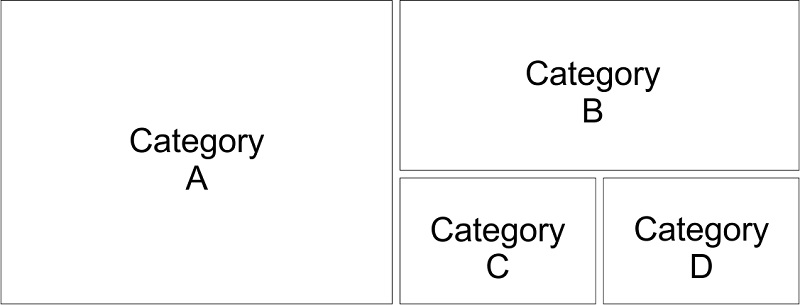
If this is not possible in the Big Grid Flex 5 block, is there a way to do this within the Newspaper theme?

Hi,
Sorry, there is no option to filter each module inside the Big Grid Flex, there is only one filter that it will apply for the entire Big Grid Flex.
Thank you for your understanding!
Hi,
You can achieve something similar if you set a row in two and set in the empty columns a flex Blocks and filter it -> https://i.imgur.com/hH3YiwY.png -> https://i.imgur.com/eLgGwxa.png -> https://i.imgur.com/lMwe9tw.png -> https://i.imgur.com/rUpfF0J.png -> https://i.imgur.com/47pPezg.jpg -> https://i.imgur.com/IgoBVm2.jpg after that copy and past the blocks i the last empty inner column.
Hope this will help you!
Thank you!
That does get close, but the inner row flex boxes will still be filtered together correct?
So I would end up with on large image/article from Category A, two smaller images/articles from Category B (one above the other), and finally two smaller images/articles from Category C (again, one above the other)?
-
This reply was modified 6 years by
Etoimos.
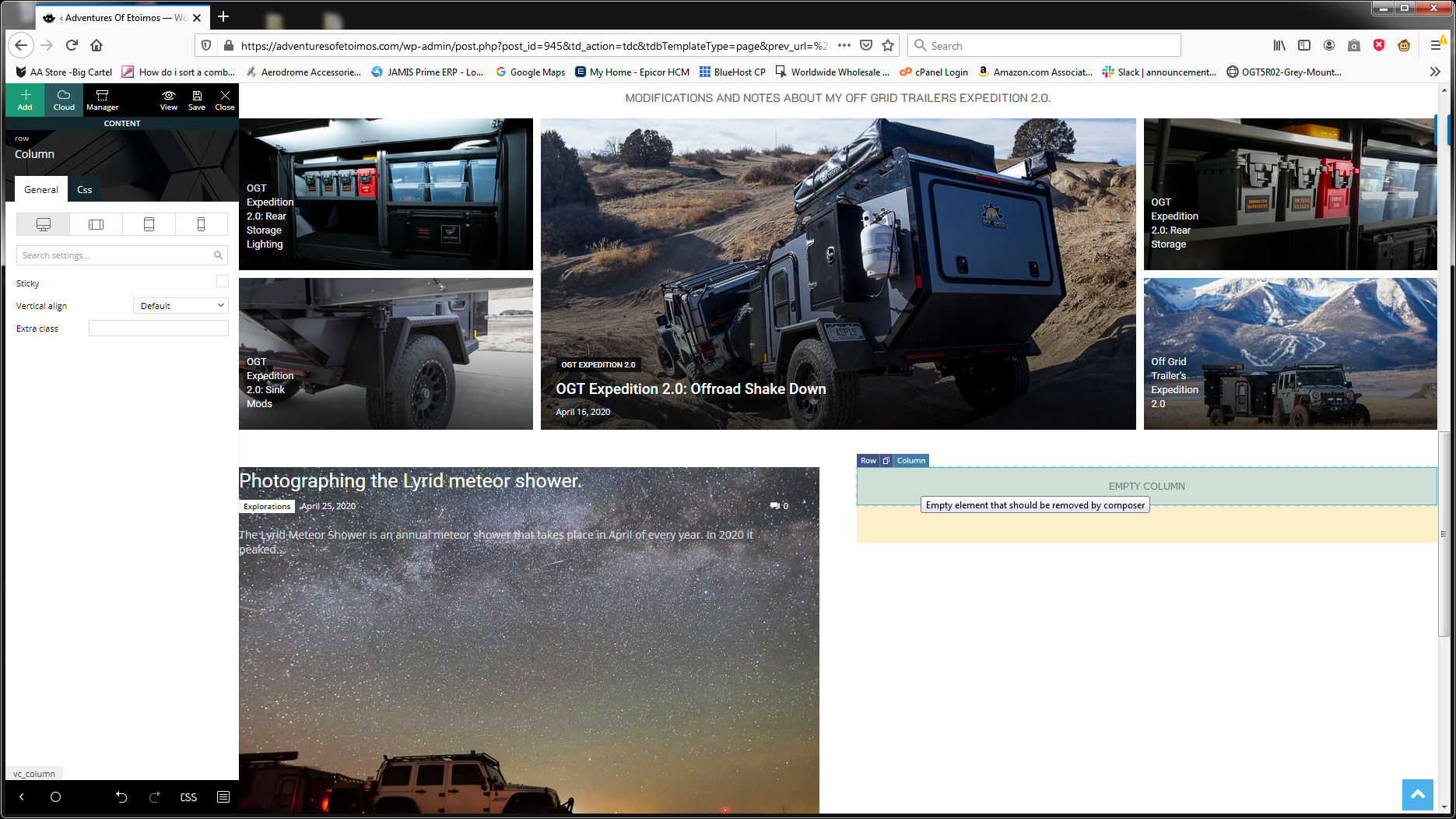
I was just trying to build what you showed on my site, and I can not get an inner row to display. If I click on the little blue “Row” in the empty right hand column, it gives me the edit functions for the entire row. If I click on the little blue “Columns”, there is no option for “Layout” in the General tab.
Hi,
You’ll need to add the inner row in that column -> https://i.imgur.com/TTaLqPP.png also to solve the problem with to posts from the same category, you can use a row position like this -> https://i.imgur.com/xIjk0Ri.png (a row set in half and in one of them set two inner row set in half).
Thank you!
Hi,
Using flex block you’ll be able to adjust the layout per device -> https://i.imgur.com/yE5ihsn.png -> https://forum.tagdiv.com/flex-block-settings-guide/
Hope this will help you!
Thank you!



