

Hi Support Team,
I encountered a fatal error on my WordPress site when accessing a category page such as:
https://thekey.news/category/lifestyle/?filter_by=featured
Fatal error: Uncaught Error: Call to a member function is_post_type_archive() on string
in /wp-content/plugins/td-cloud-library/td-cloud-library.php on line 184

Hi,
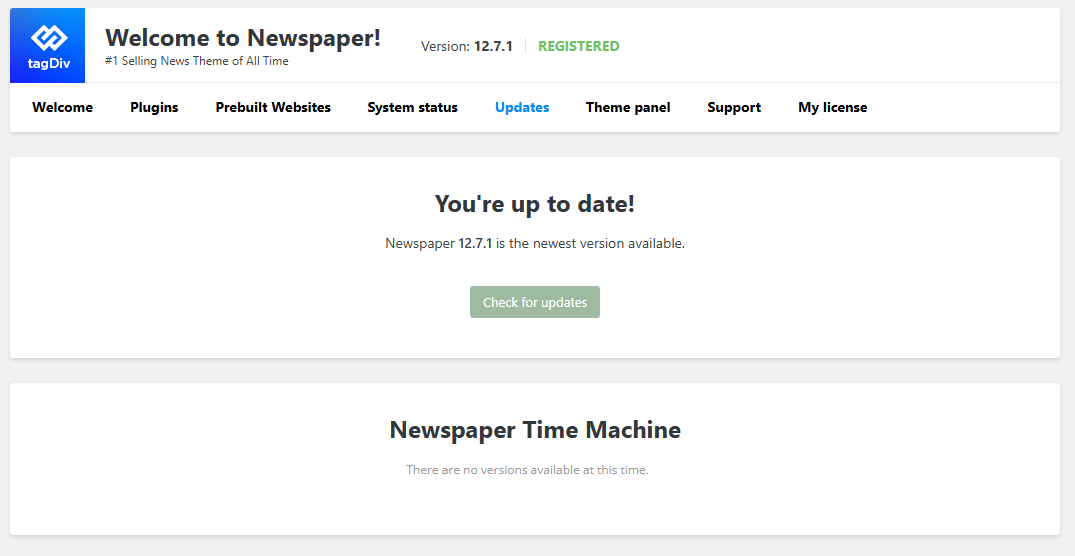
Please click on the green button for “check for updates” and the new version will be displayed https://forum.tagdiv.com/how-to-update-the-theme-2/
Thank you!
Hi,
I clicked on the green “Check for updates” button, but nothing happened.
Could you please advise what I should do next?
Thank you.
Hi,
Try one more time with the check for update button, but this time check it using only tagDiv plugins and make sure that no cache and object cache is applied.
Another alternative is to manually update the theme https://forum.tagdiv.com/how-to-update-the-theme-2/
Make sure that after the theme is updated, all theme plugins that are now used are also installed and updated (can be installed/updated from Newspaper > plugins).
Thank you!

I am currently running the Newspaper 12.7.4, TownTalk theme. Everything seems to be updated successfully, including the Newspaper plugins? I just discovered my WordPress error log is continuing to bloat with these errors. From my datacenter: https://levaire.com/td-cloud-library-database-error.png
Thoughts?
Hi,
This means some of your WordPress database tables/columns use different character sets or collations, and MySQL can’t compare them properly during a LIKE search query. This is very common on older WordPress sites that were created years ago.
You’ll need a full backup for your database and a developer because you need to make your entire database use the same character set and collation.
WordPress standard today is:
HARACTER SET: utf8mb4
COLLATION: utf8mb4_unicode_ci or/and utf8mb4_unicode_520_ci
Thank you for this response. This sent me back to my datacenter. here was the crux of their response:
——–
This mix of different encodings can happen if WordPress was installed back when a different encoding was used and if you are continually adding new code in the form of plugins or themes that are using a different encoding.
This article describes how a developer or DBA would change the encoding so that all of the tables have the same encoding: https://kau-boys.com/2976/database/fixing-the-illegal-mix-of-collations-wordpress-database-error
——–
Well, this article offers a great explanation on how to fix the problem, but also links to a WordPress plugin that I was able to install and run to fix it. That plugin is here:
https://wordpress.org/plugins/database-collation-fix/
So, problem solved. Thank you for the light you helped to shed on this!

