


Hello,
Please try to disable all your plugins except visual composer, clear cache and regenerate your thumbnails using the force regenerate plugin. Normally this error appears when images are smaller than the container in the big grid but I see large images still being ‘cut’ so it could be a plugin conflict.
Let us know how it goes.
Thank you!
Hello
I try your recommendation without result.
My setup of media in WordPress is: Miniature size 188×188, medium 350×300, large 494×494.
Old site http://www.helicomicro.com/
New site: http://helicomicro.agorasphere.fr/
What is the right setting and at what size should I import my images for proper display in all Grid, Style and module ?
Can I correct the display of images with css?
Good display: http://helicomicro.agorasphere.fr/onagofly/
Bad display: http://helicomicro.agorasphere.fr/
Thanks
Hello,
It seems your website does not use thumbnails for the big grid.
Please make sure you enable thumbnails from the theme panel: http://screencast.com/t/vKpFcRv9P
A correct size for images would be a minimum of 800×600 in order to have it big enough to fit all containers of the theme. Please make sure you do not use any thumbnail/image plugins that might interfere with theme thumbs.
Thank you!
Hello,
I make sure enable thumbnails from the theme panel: http://screencast.com/t/vKpFcRv9P
and I not use any thumbnail/image plugins.
I can show this to my client.
What is the solution ?
Thanks
Hello,
Please send an email at contact@tagdiv.com and provide wp-admin so we can take a look. Please also include a link to this topic.
Thank you!
Hello
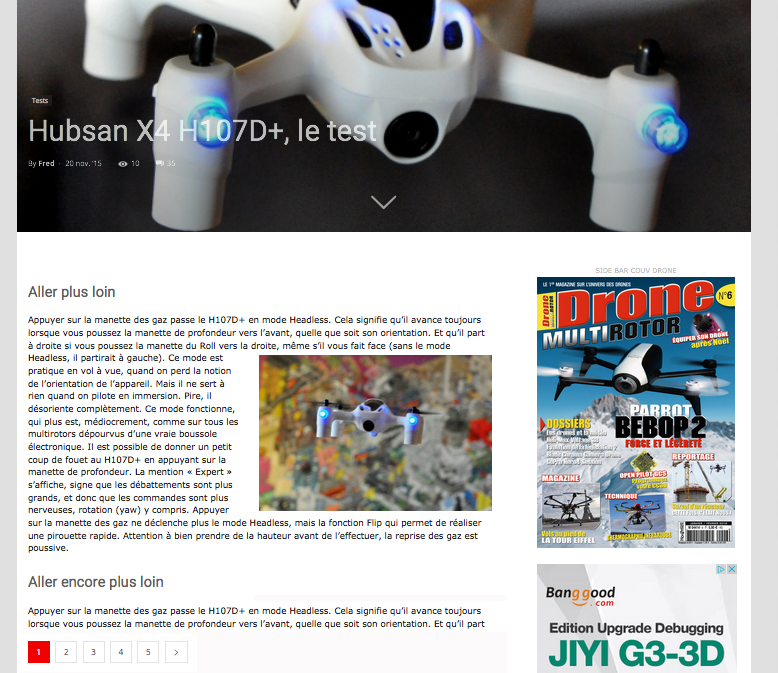
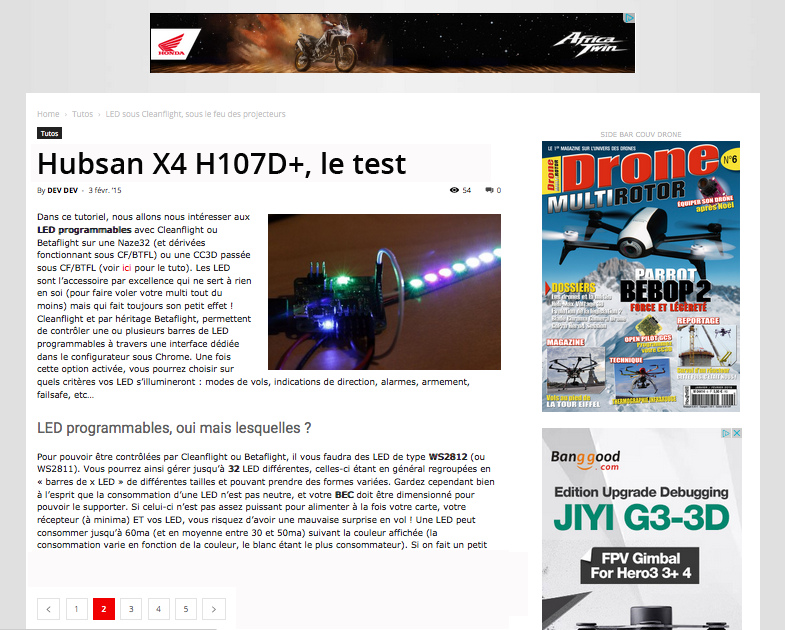
In post setting style7 I want show the big featured image only on the first page and not in next page.
What is the solution ?
Thanks
Hello,
Please provide more details as to what pagination you are refering to. If it;s a smartlist you are talking about then you need to use template style 5 as suggested here: https://forum.tagdiv.com/smart-lists/
Thank you!
Hello,
This is what I would like.
Post first page show featured image and next page (2,3,4 …) only the title of the post and not show featured image.
Thanks
Hello,
This can be achieved easily by using the wordpress nextpage tag (only in text mode) like so:
https://en.support.wordpress.com/nextpage/
Thanks.
Hello,
You say : This can be achieved easily by using the wordpress
I do not understand your answer How using WordPress
Hi,
Not inconvenience.
This is not the problem, I can do a <! – -nextpage- ->.
My problem is to display none the featured image in next page.
Thanks.
Hello,
This behavior is only present on post templates with big featured images. The easiest thing to do is make the posts with pagination use template 1 or 2 and the featured image will not show up on other pages. unfortunately there is no easy solution to make the other post templates display the same (3, 4, 6, 7, 8) This is the way they were designed.
Thank you!
Hello,
There is no easy way to put the code of the template 1 and 2 in template 7 ?
Hello,
You can copy over the code from one of the other templates but this will mean you will not have template 7 anymore as it will become template 2 for example. Every post template has 2 files co responding to it: http://screencast.com/t/hacLP1g8K1b1
You can copy the code from single_template_2.php and loop-single-2.php to the template 7 files and replace the original code.
Thank you!
