
- NewspaperWP Rocket and Newspaper Theme: Optimization Guide
- TutorialsFrom WPBakery to tagDiv Composer
- TutorialsDefault Block Settings Guide
- TutorialsHow to use custom fonts
 AzabGazab
Missing style sheet error when installing the theme, How can i install ?
this massege show when i am tring to install.
“The package could not be installed. The theme is missing the style.css stylesheet.”
Theme install failed.
 simchris
 You might fully disable and clear *all* caching which needs to be done with any major theme change/update — 8x is totally new, so if you end up loading old CSS via cache on server and/or browser, stuff will not work right.
Also worth
a) resave permalinks
b) clear all transients with WP-Optimize
c) force clear all cache in browser (e.g., Chrome)
Hang in there !
(I don’t work here.)
 Ersoy B.
 Ok.. one by one.. http://www.aturquia.com right side, below google ads.. there are two “single image” the code before (VC time) and now is like this (I’m only putting here one of them)
[vc_single_image image="1661" img_size="full" add_caption="yes" alignment="center" onclick="custom_link" img_link_target="_blank" css_animation="appear" link="http://www.viaurbis.com"]
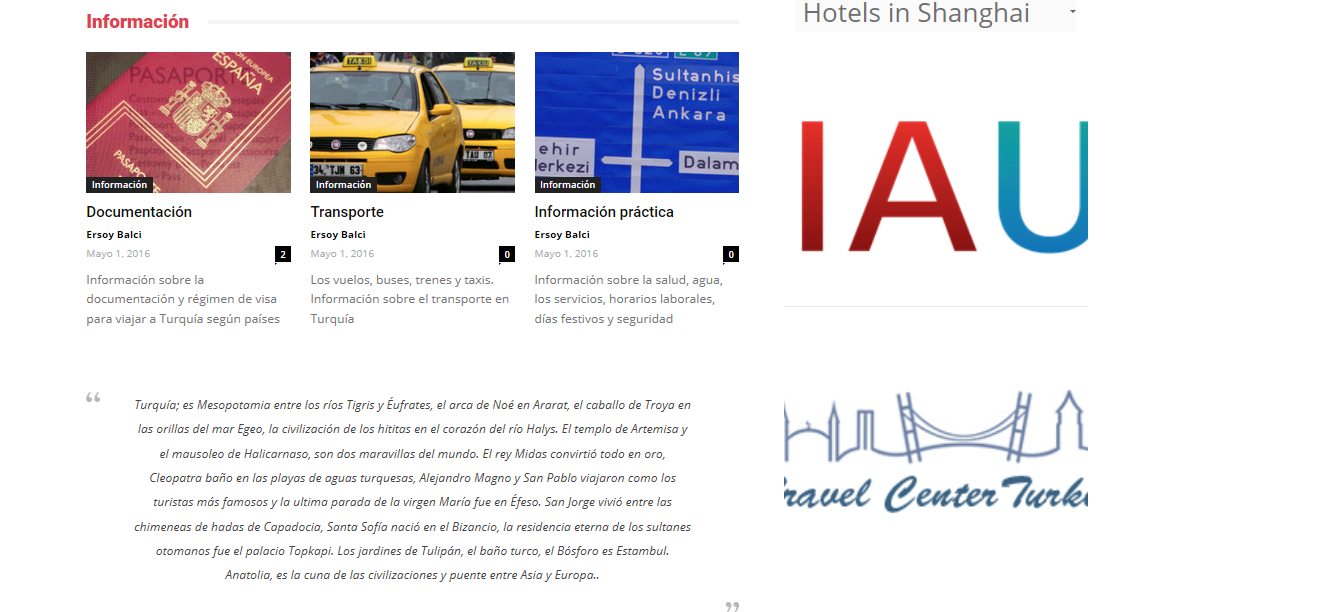
Now only you can see a big image (a part of it) and the link isn’t work
-
This reply was modified 9 years by
Ersoy B..
 danielalonso
Two questions in one about Newspaper 8
Why the Theme custom CSS is so slow?
I mean, if I alter the padding, the font size or other elements, they only take effect after the page is loaded, what is frustrating as the reader “sees” the changes.
Child style.css issues seems not to be working
To avoid it, I’m writting the changes in the child theme style.css. But the changes don’t take effect, nothing happens.
Although my php files in the child theme work fine (header.php, functions.php and so on), style.css seems not to be working.
My child style.css:
/*
Theme Name: Newspaper 7 Child theme
Theme URI: http://themeforest.net/user/tagDiv/portfolio
Description: Child theme made by tagDiv
Author: tagDiv
Author URI: http://themeforest.net/user/tagDiv/portfolio
Template: Newspaper
Version: 7.7c
*/
/* —————————————————————————-
This file will load automatically when the child theme is active. You can use it
for custom CSS.
*/
/* Increases the font size */
@media (max-width: 767px) {
.td-page-content p, .td-post-content p, .wpb_text_column p, .td_block_text_with_title p, .woocommerce #tab-description p, .mce-content-body p, .td-page-content li, .td-post-content li, .wpb_text_column li, .td_block_text_with_title li, .woocommerce #tab-description li, .mce-content-body li {
font-size: 125%;
line-height: 26px;
}
}
/* Modify the header background color */
.td-banner-wrap-full {
background-color: #ab1b1b;
}
Could you replicate this issue?
Thanks,
Daniel
 Catalin
 Hello ventoura,
Please notice that is not a simple task to do this, sorry! Each demo has a certain design, style and Custom CSS code which is applied only if the demo is activated from theme panel. Notice that we cannot provide support for changing the style of our demo, sorry! You should choose a demo you like or if you want to make some adjustments on it, you should do it yourself.
Thanks for your understanding!
Catalin Hello tilakmarg,
If you want to remove the search icon from the main menu section, you should use the code below and place it in Theme panel->Custom CSS area.
.td-icon-search{

display:none!important;

}
Also, if you want to add the Google Custom Search at your theme, you should follow the next topic here -> https://forum.tagdiv.com/topic/how-to-create-a-google-custom-search-page/ -> http://www.getcooltricks.com/wordpress/google-cse-integration-to-newspaper-wordpress-theme/
Thanks for your understanding!
 Simion C.
 Hi,
For header style 10 you can try it like this (you can modify the values in the code)
Before – https://www.screencast.com/t/F44uUaL6l
After adding the code – https://www.screencast.com/t/UBOtjLWMw5
The code must be entered in Theme panel->Custom Css
.td-header-style-10 .td-logo-text-container .td-logo-text {

font-size: 95px;

}

.td-header-style-10 .td-logo-text-container .td-tagline-text {

font-size: 25px;

font-family: "Arimo";

letter-spacing: 2.8px;

}
Here is a guide to help you identify the elements on the page and the classes used, in order to create custom code that you can use in the theme panel
– https://forum.tagdiv.com/create-custom-code-using-the-browsers-inspector/
Thanks
Catalin Hello LGA2017,
After you have added the code in the custom CSS box, try to clear all the caches and check the results. Also, you should try to add the !important tag after each rule and see how it happens.
If the problem is still there, please send us an email at contact@tagdiv.com with your log-n information (wp-admin) so we can further inspect it closer your setup page. Provide the link to this page so we can quickly identify you.
Thanks for the message!
Catalin Hello
I guess that you want to insert some advanced CSS code, right? So, please notice that if you will check our theme panel, you will see in the Custom Code section, the Advanced CSS, like this -> https://www.screencast.com/t/UqOE6hFrd If you want to change the font size only for mobile devices, you will choose to add your code only for this in mobile section. Notice that the custom CSS should have to be made by you, according to our useful guide, like this -> https://forum.tagdiv.com/create-custom-code-using-the-browsers-inspector/
Thanks for your understanding!
Simion C. Hi,
Try it like this and see if it works properly – https://www.screencast.com/t/XW6dLgcnj0E
Or try the solutions from this topic to deregister the composer from posts
– https://forum.tagdiv.com/topic/how-to-deregister-js_composer-css-and-javascript-file-on-single-posts/
Thanks
 LGA2017
 Hi Simion,
Thanks a lot for your answer ! I have tried Catalin’s solution on Style Header 11 even though I want to use Style Header 10 (screenshot : https://www.screencast.com/t/KDMpiKKwIB). This revealed the more profound problem that the custom CSS code pasted in the CSS box isn’t taken into account. I admit I am stuck and don’t know what to do next. My website is : https://www.la-grece-autrement.fr but you will unfortunately not be able to see it because I have “EZP Coming Soon Page” ON.
LGA2017 Hello Catalin,
I am using header style 10 and not 11 as shown in this screenshot here : https://www.screencast.com/t/KDMpiKKwIB. I have however tried your code and selected style header 11 to check that addition of custom CSS in the CSS box was working and it seems it doesn’t. Nothing changes on the site. I then cleared all browser caches, but nothing changes. I admit I am stuck.
 bodygeek
 Hi there,
I would like to apply the same principle but for the mobile theme. What files do I have to edit to add <?php echo do_shortcode (‘[td_block_ad_box spot_id="custom_ad_1" tdc_css=""]‘); ?> for the mobile homepage?
danielalonsoHi all,
Could let me know what CSS I have to modify to increase the font size just in the smartphone view?
I’m not using the mobile plugin, just the regular theme.
Thanks,
Daniel
Catalin Hello cannabro,
Unfortunately, this feature does not come from our theme, sorry! If you want to get rid out this effect, you should use a bit of CSS code and place it in Theme panel->Cusotm CSS area.
The code is ->
.wp-image-158{

pointer-events:none;

}
Thanks for the message!
 Erythros
 @drvarun5179
Thanks for your suggestions.
I am not using any ads, running an adfree website. Therefore, I am safe from the content load. I still didn’t compress the everything (css/js) more than the theme does by default and also didn’t do any custom loadings…yet.
 drvarun5179
 Yep, the rocket loader is still in beta though, but it’s working far smoother now. It’s not messing css, the javascripts are loaded async though, but its actually beneficial when you have multiple ads in post.
P.S- Always load the priority content first, your readers can always see ads later, once the main content is loaded.
Catalin Hello LGA2017,
Your code seems to be not good because you are not using the right classes. Because I do not have your website, I tried on our demo to create a custom code for logo text. For example, try the code below and place it in Theme panel->Custom CSS area and change the style.
The code is ->
.td-politics .td-header-style-11 .td-logo-text {

font-size: 95px;

}

.td-politics .td-header-style-11 .td-tagline-text {

font-size: 25px;

font-family: "Arimo";

letter-spacing: 2.8px;

}
And the result is here -> https://www.screencast.com/t/pfuZk9nu50
Thanks for the message!
 Bogdan B.
 Hi,
I cannot say for sure where the errors appear on your site but they do not seem to be css related.
This could be a plugin conflict so please disable all plugins except visual composer, clear cache and reset cdn files if you use it. Please also check any custom code you might have added to the theme panel or the theme files. If you use a child theme, please switch to the main theme to make sure it does not affect the proper functionality of the theme.
Thank you!
 pstgibson
 Dear Catalin,
Thanks the script worked only on Google chrome and explorer browser. Browsers like UC browser still showing two lines.
Kindly assist will the css script to force all browser to adapt.
Thanks.
Simion C. Hi,
The sidebar does not get covered up when you scroll down the page. It remains at a distance below the menu – https://www.screencast.com/t/gSSQJwEFPr
Maybe you mean the space between the sidebar and menu when scrolled
– https://www.screencast.com/t/CSDYe4Sdf1
You could try this code if that is the case (enter it in Theme panel->Custom Css)
– https://www.screencast.com/t/bhvL8CHFQ
.td-ss-main-sidebar {

top: 74px!important;

}
Thanks
LGA2017Hi guys,
I am not too much used to forums and didn’t know whether to answer to my previous item or add a new one so I did both. Sorry for that ! :-/
I have had a look around the forum and pasted the following CSS in the ‘Custom CSS’ box to adjust logo and logo tagline font and size. No success, which doesn’t come as a surprise to me as I don’t know any CSS and it was blind guessing. Can anybody help? Thanks in advance.
.td-politics .td-header-style-10 .td-logo-text {
font-family: ‘Crete Round’, serif;
font-size: 30px;
}
.td-politics .td-header-style-10 .td-tagline-text {
font-family: ‘Great Vibes’, cursive;
font-size: 15px;
}
Erythros Hi @drvarun5179
I used a while ago the Rocket Loader (while in BETA). It was a total mess for WordPress and after an email to Cloudflare’s support they asked me to disable the feature.
Is it now working as it should? Not messing up css, custom stuff etc ?
LGA2017 I have had a look around the forum and pasted the following CSS in the ‘Custom CSS’ box to adjust logo and logo tagline font and size. No success, which doesn’t come as a surprise to me as I don’t know any CSS and it was blind guessing. Can anybody help? Thanks in advance.
.td-politics .td-header-style-10 .td-logo-text {
font-family: ‘Crete Round’, serif;
font-size: 30px;
}
.td-politics .td-header-style-10 .td-tagline-text {
font-family: ‘Great Vibes’, cursive;
font-size: 15px;
}
 Ginfox
 Are you saying that my site has any issues?
Which?
This is my custom css:
.td-icon-search{
display:none!important;
}
.td-page-title{
display:none!important;
}
.td_block_social_counter .td_social_info,
.td_block_social_counter .td_social_info_name {
display: none!important;
}
.widget_wysija .block-title > span{
background-color:#FF8C00!important;
}
.widget_wysija .block-title{
border-color:#FF8C00!important;
}
.widget input.wysija-submit {
background:#FFF!important;
border: 1px solid #ccc!important;
color: #000!important;
}
.single .td-social-pinterest {
display: none!important;
}
.td-sub-footer-copy{
width: 100%!important;
text-align:center!important;
}
.td-header-style-8 .td-header-sp-logo {
margin-left: 60px!important;
margin-bottom: 0px!important;
margin-top: 0px!important;
}
.category .td_block_trending_now {
margin: -38px 0 24px!important;
}
.td-trending-now-wrapper .td-next-prev-wrap {
display: none!important;
}
.category .td-category-grid .td_block_wrap {
padding-bottom: 0px!important;
}
ADVANCED CSS
Desktop:
.td-trending-now-wrapper {
padding-left: 25px!important;
}
.category .td-trending-now-wrapper {
padding-left: 25px!important;
}
iPad landscape:
.td-trending-now-wrapper {
padding-left: 20px!important;
}
.category .td-trending-now-wrapper {
padding-left: 20px!important;
}
Ipad portrait:
.td-trending-now-wrapper {
padding-left: 14px!important;
}
.category .td-trending-now-wrapper {
padding-left: 14px!important;
}
.category .td_block_trending_now {
margin: -34px 0 24px!important;
}
Iphones:
.category .td_block_trending_now {
margin: -39px 0px 11px!important;
}
-
This reply was modified 9 years by
Ginfox.
