
No search results were found in Documentation!
 Duke Taber
Hi,
Love the theme!
I have one problem. When sharing on Twitter, it opens full page and not a pop up. It then does not close and return to the page but you have to use the back button.
I am using Google Chrome.
Site: http://christianvideotv.com
I do not have social plugins being used.
I am using facebook comments by Vivacity but I tried disabling that and there was no change.
Please advise.
 attapon
Hi team,
I want to add Facebook sharing with counter as show in image below, how can i do that and what can i edit the file or function
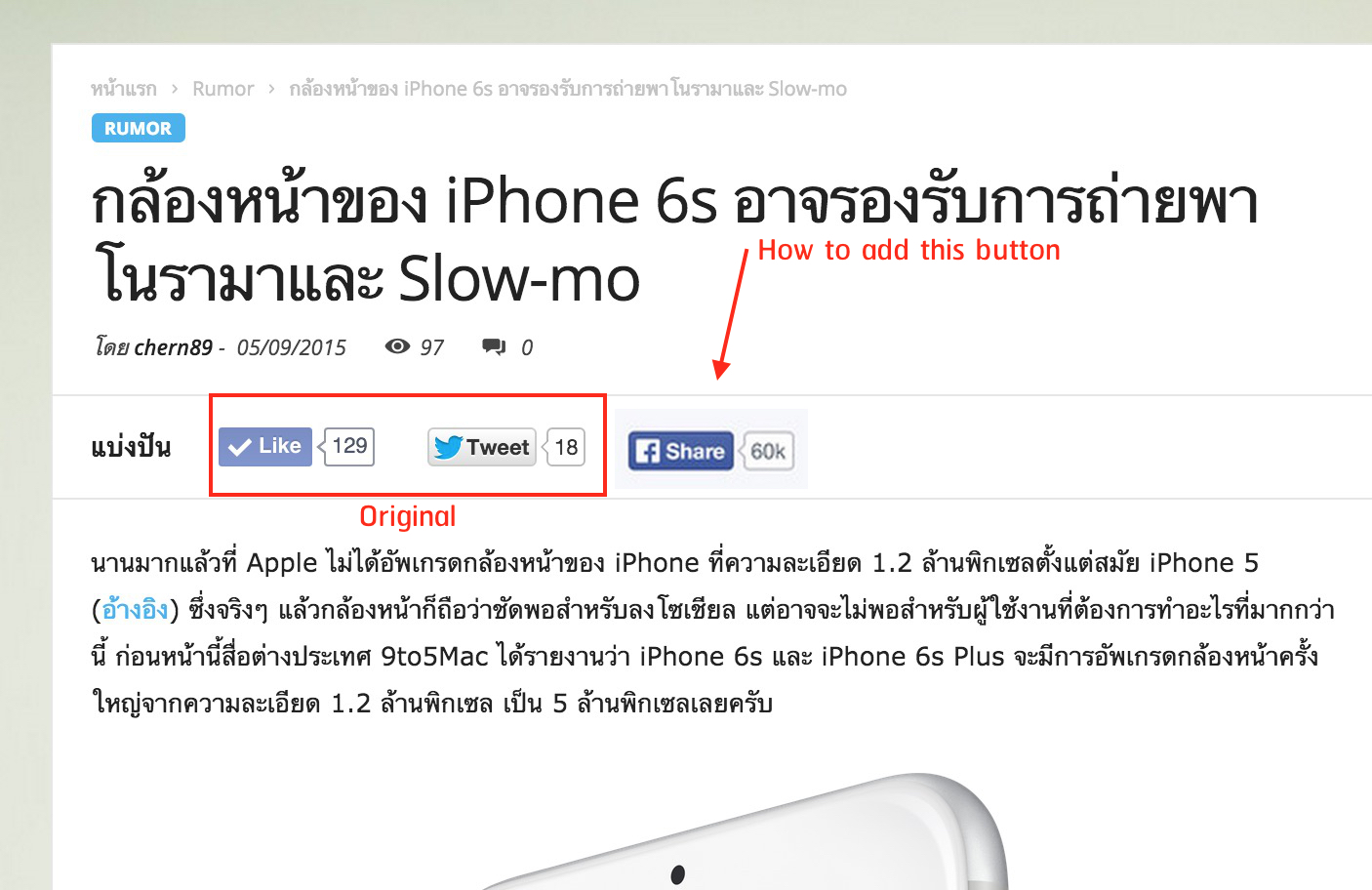
Thanks in advance
 jethron5000
Hi,
I would like to ask if there’s a method to shorten the link when I want to share a post? Here’s the link to the image:
https://dl.dropboxusercontent.com/u/2656400/2.png
Thanks!
 lecker
 Si inca ceva, cum pot modifica butoanele de sharing fb/twitter/google+ pentru a vedea un box count cu numarul share-urilor ? Eventual sa pot adauga si alte butoane.
 Bogdan B.
 Hello pacobello,
Unfortunately the theme does not have an option for that.
What you can do this is to disable the author name from the Theme panel -> Post settings, but this hides it from the whole site, not just when sharing.
http://screencast.com/t/YiYEBgbab
Thank you for your message.
 pacobello
I want to not show author’s name when sharing post in facebook, how can i do this?
Thanks.
 AilyRoot
 just sharing that we installed WordPress Social Login 2.2.3 and testing it , there is a big issue that it does not properly retrieves users’ email from facebook, users have to re-type their email address to get through. this might not a big issue but not a smooth process either.
We are trying many facebook login plugins, almost each one has its own issue..argh
AilyRoot This plugs looks very nice, thanks for sharing:)
 notpedu
Hello
I want to add Line & Whatsapp share buttons.
Also share doesn’t have problems
http://s2.img7.ir/GM5EI.png
 craiglguthrie
Hi , is it possble to change the like at the bottom of the page to liking a Facebook page rather than the article?
Thanks
 cesarpaul
Hi,
I want to custom the Twitter ID that appears when sharing a post/page. Currently it shows the Site name, when I want to include a customized one.
My theme is Newspaper and my site is lvcentinvs.es
Thank you
César
 ErikaGherardi
 In the error log in the public folder I got this
[01-Sep-2015 19:42:17 UTC] WordPress errore sul database Query execution was interrupted per la query SELECT option_value FROM gp_options WHERE option_name = 'widget_td_block_popular_categories_widget' LIMIT 1 fatta da require('wp-blog-header.php'), require_once('wp-load.php'), require_once('wp-config.php'), require_once('wp-settings.php'), do_action('init'), call_user_func_array, wp_widgets_init, do_action('widgets_init'), call_user_func_array, WP_Widget_Factory->_register_widgets, WP_Widget->_register, WP_Widget->get_settings, get_option, W3_Db->query, W3_DbCache->query, W3_DbCallUnderlying->query, W3_Db->query, W3_DbProcessor->query, W3_Db->default_query

[01-Sep-2015 19:42:17 UTC] WordPress errore sul database Query execution was interrupted per la query UPDATE
gp_options SET option_value = 'a:5:{s:8:\"facebook\";a:5:{s:5:\"count\";s:4:\"5200\";s:8:\"ok_count\";s:4:\"5200\";s:9:\"timestamp\";i:1441136535;s:7:\"expires\";i:10800;s:3:\"uid\";s:17:\"GamesPrincessBlog\";}s:10:\"googleplus\";a:5:{s:5:\"count\";i:7463;s:8:\"ok_count\";i:7463;s:9:\"timestamp\";i:1441136535;s:7:\"expires\";i:10800;s:3:\"uid\";s:16:\"+GamesPrincessit\";}s:9:\"instagram\";a:5:{s:5:\"count\";i:2347;s:8:\"ok_count\";i:2347;s:9:\"timestamp\";i:1441136536;s:7:\"expires\";i:10800;s:3:\"uid\";s:14:\"games_princess\";}s:7:\"twitter\";a:5:{s:5:\"count\";i:2106;s:8:\"ok_count\";i:2106;s:9:\"timestamp\";i:1441136537;s:7:\"expires\";i:10800;s:3:\"uid\";s:14:\"games_princess\";}s:7:\"youtube\";a:5:{s:5:\"count\";i:1349;s:8:\"ok_count\";i:1349;s:9:\"timestamp\";i:1441136456;s:7:\"expires\";i:10800;s:3:\"uid\";s:15:\"GAMESPRINCESSTV\";}}' WHERE option_name = 'td_social_api_v3_last_val' fatta da require('wp-blog-header.php'), require_once('wp-includes/template-loader.php'), include('/themes/Newspaper/single.php'), get_footer, locate_template, load_template, require_once('/themes/Newspaper/footer.php'), td_api_footer_template::_helper_show_footer, load_template, require_once('/themes/Newspaper/parts/footer/td_footer_template_9.php'), dynamic_sidebar, call_user_func_array, WP_Widget->display_callback, td_block_widget->widget, td_block_social_counter->render, td_block_social_counter->get_social_network_meta, td_social_api->get_social_counter, td_social_api->save_cache, update_option, W3_Db->update, W3_DbCache->update, W3_DbCallUnderlying->update, W3_Db->update, W3_DbProcessor->update, W3_Db->default_update, W3_Db->query, W3_DbProcessor->query, W3_Db->default_query
[01-Sep-2015 19:42:17 UTC] WordPress errore sul database Query execution was interrupted per la query SELECT option_value FROM gp_options WHERE option_name = 'sharedaddy_disable_resources' LIMIT 1 fatta da require('wp-blog-header.php'), require_once('wp-load.php'), require_once('wp-config.php'), require_once('wp-settings.php'), do_action('init'), call_user_func_array, sharing_init, get_option, W3_Db->query, W3_DbCache->query, W3_DbCallUnderlying->query, W3_Db->query, W3_DbProcessor->query, W3_Db->default_query
In the admin error log I have a plugin that keeps giving error.
[02-Sep-2015 07:12:00 UTC] PHP Warning: Invalid argument supplied for foreach() in /home/zyypzwck/public_html/wp-content/plugins/monarch/monarch.php on line 5477
 simchris
 Did you setup OG tags for Google+ and Facebook?
Otherwise both will just ‘scrape’ information without the tags and often get it wrong.
Use a plugin like Yoast SEO or other to set your open graph tags for Google and Facebook, or you will always have this issue with most themes other than base theme.
This is why Yoast SEO recommended in the theme docs. 😉
Useful also to learn how these things actually work so you take charge of your own website:
https://developers.facebook.com/docs/sharing/best-practices
-
This reply was modified 11 years by
simchris.
 Lucian
 Thanks Steven!
@liquida As Steven stated the theme is tested and I have also tested this however couldn’t find anything wrong so let us know if you still experience this without using any plugins that could conflict with theme’s sharings.
Thanks for the message!
 Alin [tagDiv]
 Hi,
It seems that it is a little different for Newspaper as here you can use font icon like on the default share buttons – http://screencast.com/t/7lmCBI7eqr87 and just add this custom css for background color: http://screencast.com/t/ujuSNNV6
<a class="td-social-sharing-buttons td-social-linkedin" href="http://www.linkedin.com/shareArticle?mini=true&url=' . urlencode(esc_url(get_permalink())) . '&title=' . htmlspecialchars(urlencode(html_entity_decode($this->title, ENT_COMPAT, 'UTF-8')), ENT_COMPAT, 'UTF-8') . '&source=' . urlencode(get_bloginfo('name')) . '" onclick="window.open(this.href, \'mywin\',\'left=50,top=50,width=600,height=350,toolbar=0\'); return false;"><i class="fa fa-linkedin"></i></a>
.td-social-linkedin{
background-color: #006699;
}
Hope this helps!
-
This reply was modified 11 years by Alin [tagDiv].
 i3siam
Hi,
Share Post.
Why am I sharing post it on two pages.
I want to give it up in front of a small one.


I want to share pressing a third example.
Thank you.
 Vlifestylemy
Hello, my english is not good, I hope you understand
My ad position, more than a blank, Newspaper- v4.6.3 is no problem.
How can I resolve
THX
https://drive.google.com/file/d/0B53m_4ycN-lKRkhNQ1YwRHpBSzA/view?usp=sharing
my website: http://www.taiyuku.com
Lucian Hi,
1. The theme uses wp embed functionality for video format supported videos. You can find theme’s video support implementation here: http://screencast.com/t/dKSOTpSXh
2. We don’t plan to extend the video format functionality to other video-sharing websites at the moment. Sorry!
Hope this helps!
Thanks for the message!
 VicVik
 What you’ve described makes sense …
However, I added it at the bottom of the existing custom code for my site, and I’m not seeing any change.
Your continued assistance will be most welcome.
Here’s what the entire Custom CSS for my site looks like now:
/*************************************
H O M E P A G E
***********************************/
#td_parallax_header_6 > header > div.meta-info > div.td-post-views,
#td_parallax_header_6 > header > div.meta-info > div.td-post-comments,
header > div.meta-info > div.td-post-views,
header > div.meta-info > div.td-post-comments
{display:none;}
#td-outer-wrap > div.td-transition-content-and-menu > div.td-header-wrap.td-header-container > div.td-header-menu-wrap > div
{width: 100%;}
#td-outer-wrap > div.td-transition-content-and-menu.td-content-wrap > div.td-header-wrap.td-header-container.td-header-style-7 > div.td-header-row.td-header-header > div > a > img
{width:1021px;}
body div#td-outer-wrap div.td-header-wrap.td-header-container.td-header-style-7 div.td-header-row.td-header-top-menu div.td-header-sp-top-menu ul.top-header-menu.td_ul_login li.menu-item
{display: none;}
body.single div#td-outer-wrap div article div.td-container div.td-post-sharing,
div.td-post-sharing.td-post-sharing-top,
#td-outer-wrap div.td-module-comments
{display:none;}
#td-outer-wrap > div.td-transition-content-and-menu.td-content-wrap > div div > div div:nth-child(5) > div > div > div.td-visible-desktop > iframe
{
border-top: 5px solid #000;
border-left: 5px solid #000;
border-right: 5px solid #000;
}
#td-outer-wrap div.td-a-rec.td-a-rec-id-sidebar div.td-visible-desktop a img
{
border-bottom:5px solid #000;
border-left: 5px solid #000;
border-right: 5px solid #000;
position:relative;
bottom: 5px;
}
#td-outer-wrap > div.td-transition-content-and-menu.td-content-wrap > div.td-footer-container.td-container > div > div aside.widget.widget_tag_cloud > div.block-title > span,
.td-footer-container .block-title > a, .td-footer-container .block-title > span,
body div#td-outer-wrap div.td-transition-content-and-menu.td-content-wrap div.td-footer-container.td-container div.td-pb-row div aside.widget.widget_text div.block-title span,
div#td-outer-wrap div.td-transition-content-and-menu.td-content-wrap div.td-container.td-pb-article-list div.td-container-border div.td-pb-row div.td-main-content div.td-ss-main-content h4.block-title span,
div#td-outer-wrap div.td-transition-content-and-menu.td-content-wrap div.td-container.td-pb-article-list div.td-container-border div.td-pb-row div.td-main-sidebar div.td-ss-main-sidebar aside.widget.widget_archive div.block-title span,
div#td-outer-wrap div.wpb_wrapper h2.wpb_heading.wpb_video_heading,
body.page div#td-outer-wrap div div.td-container div.td-container-border div.td-main-sidebar div.td-ss-main-sidebar aside.widget.widget_text div.block-title span
aside .block-title > a, aside .block-title > span
{
color: #faf992 !important;
background-color: #ee0bcd !important;
}
#menu-main-navigation-1 li.menu-item > ul > li.menu-item a
{font-size:1rem; color: #fff;}
#menu-main-navigation-1 li.menu-item > ul > li.menu-item
{background: #ff0099; }
#td_parallax_header_6 > header > div.meta-info > div.td-post-views, #td_parallax_header_6 > header > div.meta-info > div.td-post-comments, header > div.meta-info > div.td-post-views, header > div.meta-info > div.td-post-comments {
display: none;
}
#td-outer-wrap > div.td-transition-content-and-menu > div.td-header-wrap.td-header-container > div.td-header-menu-wrap > div {
width: 100%;
}
#td-outer-wrap > div.td-transition-content-and-menu.td-content-wrap > div.td-header-wrap.td-header-container.td-header-style-7 > div.td-header-row.td-header-header > div > a > img {
width: 1021px;
}
body div#td-outer-wrap div.td-header-wrap.td-header-container.td-header-style-7 div.td-header-row.td-header-top-menu div.td-header-sp-top-menu ul.top-header-menu.td_ul_login li.menu-item {
display: none;
}
body.single div#td-outer-wrap div article div.td-container div.td-post-sharing, div.td-post-sharing.td-post-sharing-top, #td-outer-wrap div.td-module-comments {
display: none;
}
#td-outer-wrap > div.td-transition-content-and-menu.td-content-wrap > div div > div div:nth-child(5) > div > div > div.td-visible-desktop > iframe {
border-left: 5px solid #000;
border-right: 5px solid #000;
border-top: 5px solid #000;
}
#td-outer-wrap div.td-a-rec.td-a-rec-id-sidebar div.td-visible-desktop a img {
border-bottom: 5px solid #000;
border-left: 5px solid #000;
border-right: 5px solid #000;
bottom: 5px;
position: relative;
}
#td-outer-wrap > div.td-transition-content-and-menu.td-content-wrap > div.td-footer-container.td-container > div > div aside.widget.widget_tag_cloud > div.block-title > span, .td-footer-container .block-title > a, .td-footer-container .block-title > span, body div#td-outer-wrap div.td-transition-content-and-menu.td-content-wrap div.td-footer-container.td-container div.td-pb-row div aside.widget.widget_text div.block-title span, div#td-outer-wrap div.td-transition-content-and-menu.td-content-wrap div.td-container.td-pb-article-list div.td-container-border div.td-pb-row div.td-main-content div.td-ss-main-content h4.block-title span, div#td-outer-wrap div.td-transition-content-and-menu.td-content-wrap div.td-container.td-pb-article-list div.td-container-border div.td-pb-row div.td-main-sidebar div.td-ss-main-sidebar aside.widget.widget_archive div.block-title span, div#td-outer-wrap div.wpb_wrapper h2.wpb_heading.wpb_video_heading, body.page div#td-outer-wrap div div.td-container div.td-container-border div.td-main-sidebar div.td-ss-main-sidebar aside.widget.widget_text div.block-title span aside .block-title > a, aside .block-title > span {
background-color: #ee0bcd !important;
color: #faf992 !important;
}
#menu-main-navigation-1 li.menu-item > ul > li.menu-item a {
color: #fff;
font-size: 1rem;
}
#menu-main-navigation-1 li.menu-item > ul > li.menu-item {
background: #ff0099 none repeat scroll 0 0;
}
#td_parallax_header_6 > header > div.meta-info > div.td-post-views, #td_parallax_header_6 > header > div.meta-info > div.td-post-comments, header > div.meta-info > div.td-post-views, header > div.meta-info > div.td-post-comments {
display: none;
}
#td-outer-wrap > div.td-transition-content-and-menu > div.td-header-wrap.td-header-container > div.td-header-menu-wrap > div {
width: 100%;
}
#td-outer-wrap > div.td-transition-content-and-menu.td-content-wrap > div.td-header-wrap.td-header-container.td-header-style-7 > div.td-header-row.td-header-header > div > a > img {
width: 1021px;
}
body div#td-outer-wrap div.td-header-wrap.td-header-container.td-header-style-7 div.td-header-row.td-header-top-menu div.td-header-sp-top-menu ul.top-header-menu.td_ul_login li.menu-item {
display: none;
}
body.single div#td-outer-wrap div article div.td-container div.td-post-sharing, div.td-post-sharing.td-post-sharing-top, #td-outer-wrap div.td-module-comments {
display: none;
}
#td-outer-wrap > div.td-transition-content-and-menu.td-content-wrap > div div > div div:nth-child(5) > div > div > div.td-visible-desktop > iframe {
border-left: 5px solid #000;
border-right: 5px solid #000;
border-top: 5px solid #000;
}
#td-outer-wrap div.td-a-rec.td-a-rec-id-sidebar div.td-visible-desktop a img {
border-bottom: 5px solid #000;
border-left: 5px solid #000;
border-right: 5px solid #000;
bottom: 5px;
position: relative;
}
.td-trending-now-title.block-title,
.td-related-title .td-cur-simple-item
{
background-color: #ee0bcd !important;
color: #faf992 !important
}
@media (max-width: 645px) {
.gphy-embed {
width: 100% !important;
}
}
 Andrei L.
 Hi
1. The theme display the default share buttons on post, but you can change that by modifying the code like this:
-social sharing top: http://screencast.com/t/5cOfEKhOvq
-social sharing bottom: http://screencast.com/t/HaYAos2UW14E
2. You can use Wp Text widget http://screencast.com/t/Rj251NC5yOPU to add a new share button but notice that the php code will not be interpreted, you can use only html, js and css, also make sure you insert the code in text format: http://screencast.com/t/woDhLq9Li5 Notice that you may need additional css customization for your buttons. The result could be like here: http://screencast.com/t/Br8L5bpjk
3. The social networks from Theme Panel > Social Networks are adding the corresponding social network icon into theme’s top bar section in front end and will link to the social page you set here: http://screencast.com/t/Nr5yKbQ9Tt – http://screencast.com/t/dpkjL2Nff
Thanks!
 awtown
In Theme Panel > Posting Settings > Sharing the social media buttons can be shown or hidden. But, how do you select the social networks that appear in the sharing section of the Posts. For example, we don’t want Google+. How do we remove Google+?
Thanks,
awtownFirst, in Posting Settings you can choose to have Sharing turned on or off. But, how do you select the social networks that appear in the sharing section of the Posts. For example, we don’t want Google+.
Secondly, I’m using Visual Composer for constructing the Homepage. I want to add Social Network buttons below the top slider. The Facebook, Twitter, and Pinterest buttons can be selected from the elements and added to a section. But, we’d like larger buttons and that are positioned better. Is the best way to do that with a Raw HTML element and add the code? Please excuse my level of website code knowledge.
Thirdly, in the Theme Panel > Social Networks there is a list of social networks where links can be added. How are these used? How would these appear on the website?
Thanks,
 scorpiock
Hello,
Wondering if possible to show social sharing design of newsmag in newspaper?
Alin [tagDiv] Hi,
This usually happens when loading the font file (which contains those icons) from another host/url.
The solution would be to load them from the same url as the site or try this solution – http://webmasters.stackexchange.com/questions/71630/font-blocked-from-loading-by-cross-origin-resource-sharing-policy-no-access-co
Thanks!
 Andy
AndyHi,
1. I would like to know how I could chance the color of the ‘read more’ button in block 12.
2. And I was wondering if I could add some small images of our authors in the excerpts, next to the name of the author at my homepage.
3. Finally, could I add the social sharing buttons to this excerpts?
Thanks.


