Hi,
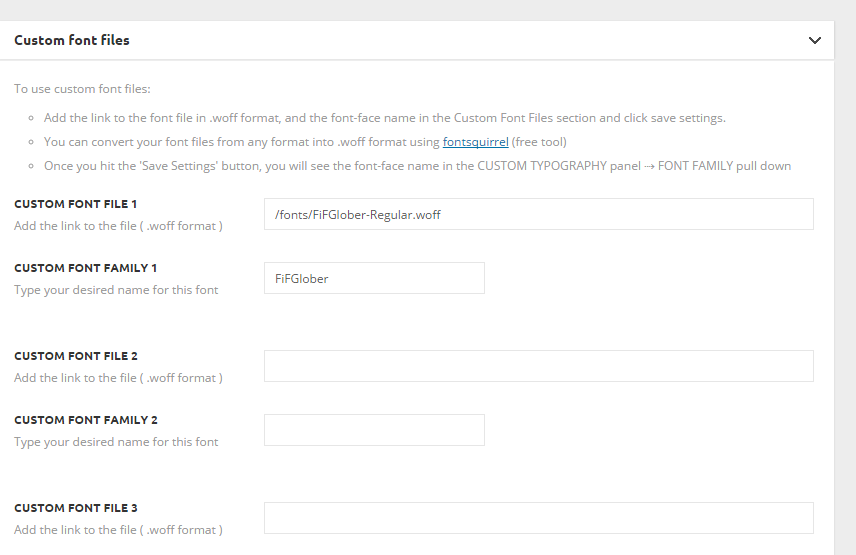
Is it possible to add more than three custom fonts files in panel ‘Custom fonts’ (screenshot)? Usially one needs at least 4 fonts (normal, italic, bold, bold-italic) notwithstaning designs with different font families for titles and main text.
Ideally it would be best to have opportunity to add as many custom fonts as needed.
Thanks on advance.

Hello,
You can add more custom font files if you edit the theme files like so: http://screencast.com/t/luexxYbfFKZ4 – http://screencast.com/t/qxjoWFGm
result: http://screencast.com/t/lzIyqiGal5bL
Thank you!
-
This reply was modified 10 years by
 Alin [tagDiv].
Ok, but in this case I will lose ability to update theme, is this so?
Or maybe I do not understand something. All I need is 4 variants: normal, bold, italic, bold-italic. Do I need 4 font fields in the ‘Custom fonts’ panel?
Hello,
When a font is loaded normally these options are loaded with it. I do not think you need extra fonts to do it. You simply upload one custom font and then use the theme panel to filter the bold/italic or sizes: http://screencast.com/t/oCGKMOK0Af
Thank you!
I still cannot get it working sorry 🙁
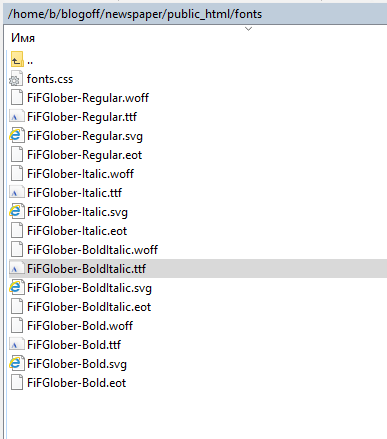
1) I have webfonts files on the site http://c2n.me/3tJ4xkE.png
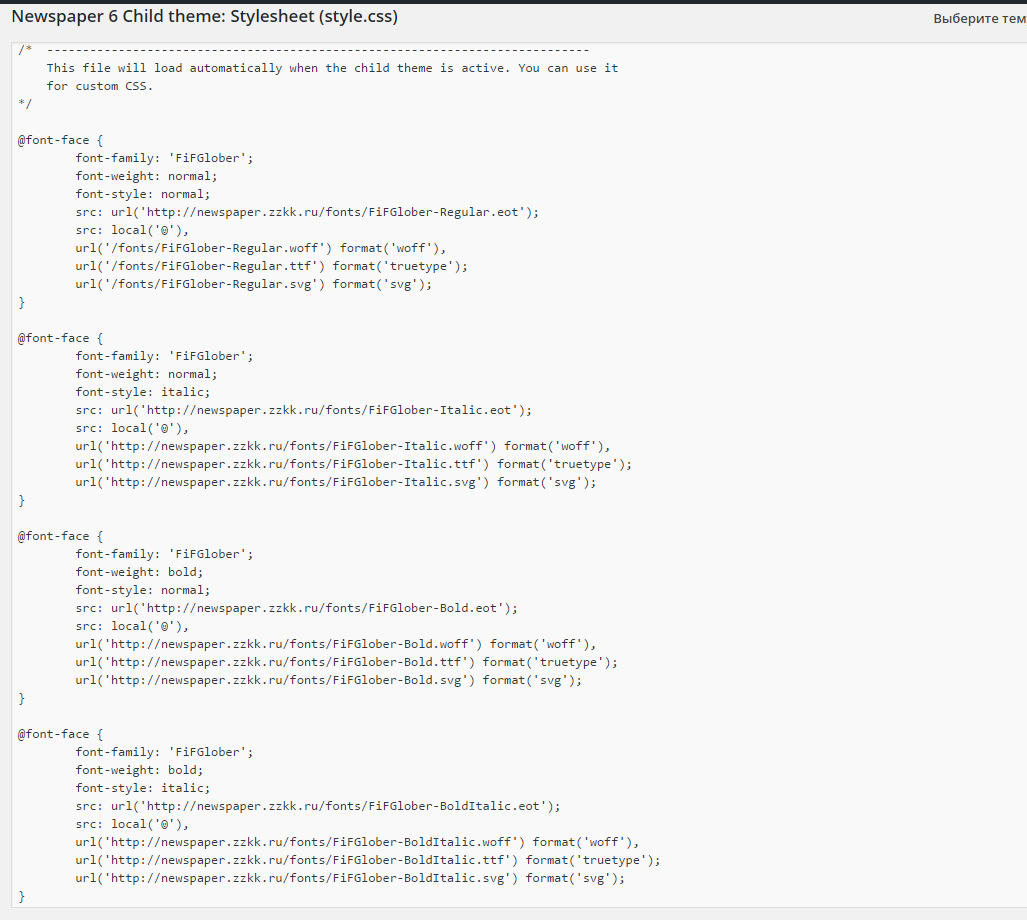
2) I have loaded 4 files for my custom fonts family through css of my child theme: http://c2n.me/3tJ3nG0.png
3) I insert one font family in Custom Fonts panel http://c2n.me/3tJ3zQn.png
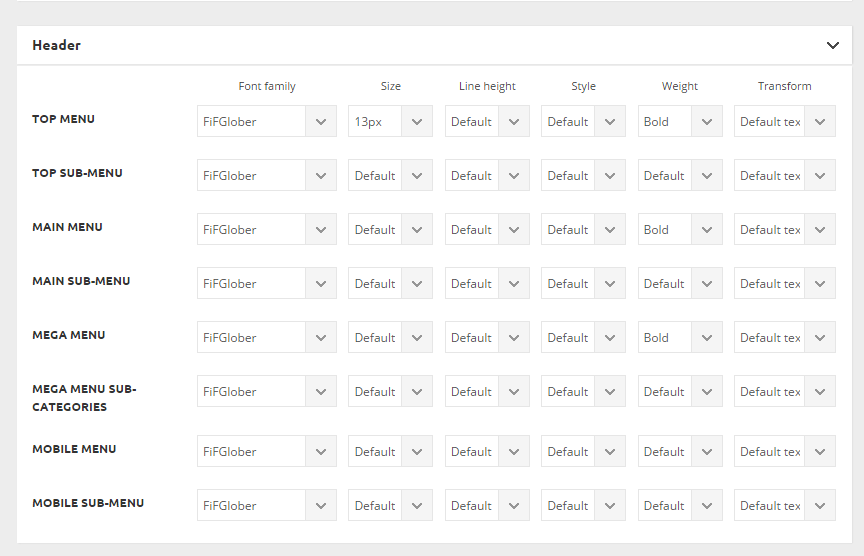
4) I set fonts for menu as ‘bold’ http://c2n.me/3tJ3HlQ.png
5) In front-end menu is still in ‘normal’ weight in Chrome http://c2n.me/3tJ48gA.png and browser-generated faux bold in Firefox http://c2n.me/3tJ4kyB.png
What am I doing wrong?
Please help me.
-
This reply was modified 10 years by
alexschneiderru.
Please ignore previuos post.
Now everything is working fine.
Many thanks.