

Hi.
How do i do so the <h2> text not is under the ad?
I want it to start under the picture instead – It used to work, until i updated the theme.
I have uploaded a picture of the problem on my website: 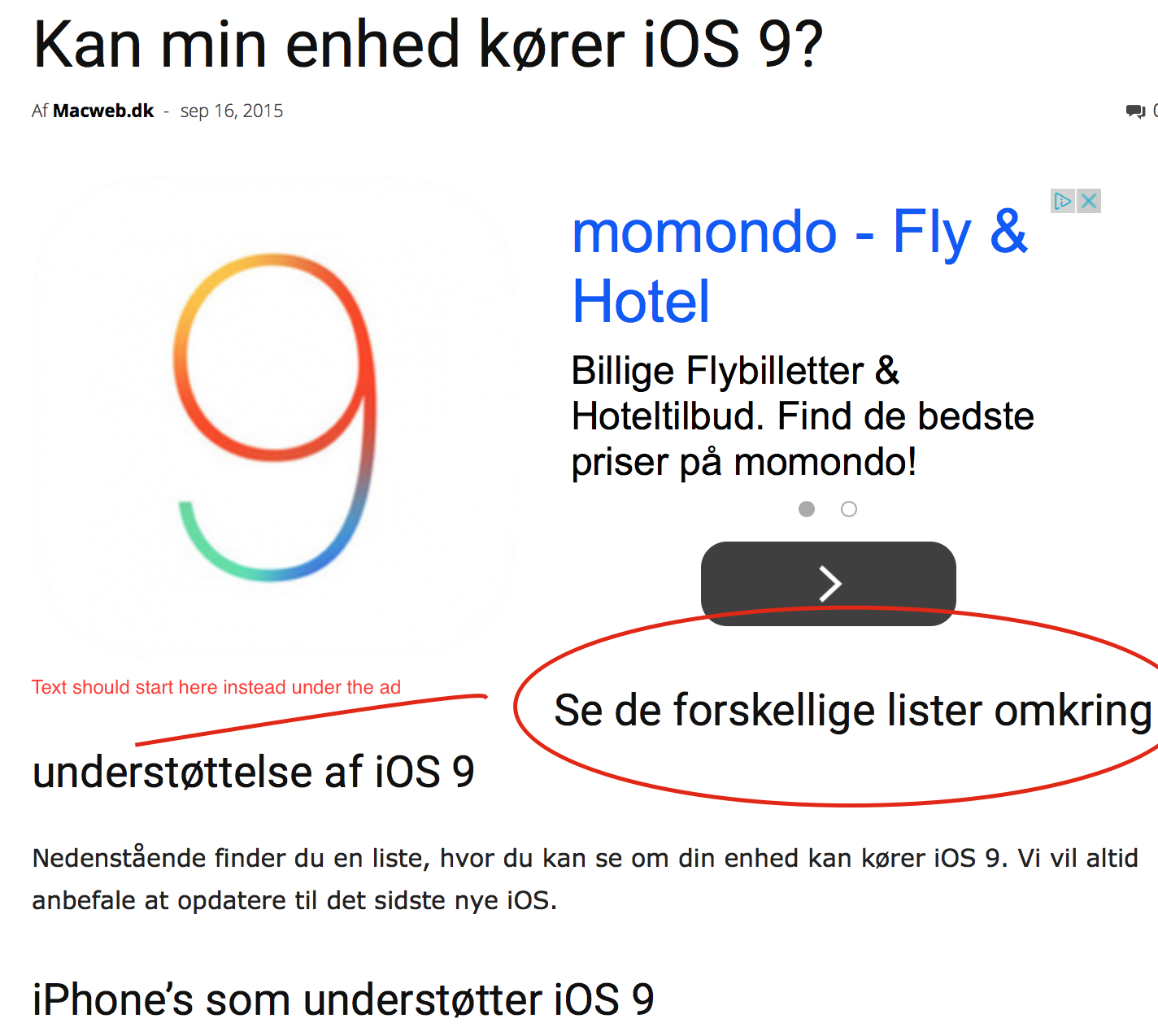
Link to the site on the picture http://macweb.dk/kan-min-enhed-koerer-ios-9/ (But it’s a general problem with all my topics)

Hi,
Try this custom css: http://screencast.com/t/iT4lRd8ygfrh in theme’s panel custom css section and let us know how to goes!
.td-post-template-1 .td-featured-image-rec {

    width: 290px;

}
Thanks for the message!
Hi Lucian.
It fixed my problem on that site, but it’s not working if you look up this site http://macweb.dk/faa-ugenumre-din-kalender-paa-din-iphone-ipad/

Hi,
Some images are taller and the container height causes this behavior. Try to add the following css in Theme Panel -> Custom CSS, see if it works for all posts – http://screencast.com/t/cCZ4YKdr5K
.td-post-template-1 .td-featured-image-rec {

height: 280px;

}
Thank you!
Hi Emil.
It seems like it works on all post. But now the its not working correct on iPhone.
The ad is going half up and cover the featured image.
Try look up this on an iPhone:
http://macweb.dk/faa-ugenumre-din-kalender-paa-din-iphone-ipad/

Hi,
Please try this custom css and see if it solves the issue on mobile – http://screencast.com/t/thhTjTDSbKV
@media(max-width: 767px) {

.td-post-template-1 .td-featured-image-rec {

height: auto !important;

}

}
Thanks!
