

Hello,
i use the tag div mobile theme and the plugin advanced ads. If i create a placement in advanced ads and tell the placement to only appear on mobile devices the ad doesn’t get displayed in the mobile theme. Also the plug in add on where i can set a “maximum browser width” as filter doesn’t work. The ad only appears if i delet all filters.
I put the shortcode of advanced ads directly into my posts on the spots where i want them to appear but i only want to show them on mobile devices – on dektop i use the sidebar to show ads.
Can you help me?
All the best,
Daniel

Hello,
thanks for getting back. I know this option but as i want to show the ads on exact spots (there where i put the code into the posts) this doesn’t work for me.
How can i solve the issue with the placement filters from advanced ads as written above? The funny thing is, the ad is shown if i load the mobile theme via Chrome DevTools but not displayed on mobile phones itself.
F. ex. here, the ad between the videos: https://rauf-und-davon.at/freeriden-gasteinertal-2023/
All the best,
Daniel
Hello,
I don’t want to customize the ads, I just want them do be shown just in the mobile theme. There has to be some solution (at least with some extra code). I mean I put the adcode directly in the posts, so the have to be loaded in the mobile theme, right? And as I said, they are shown in the DevTools (the mobile theme gets loaded there), why aren’t they shown on mobile devices? This feature is really really important for me and my clients (I already bought 8 Newspaper Themes an more to come).
All the best and thanks for the help,
Daniel
Hello,
as i said, i need to show ads on a custom place. I manually inserted the placement-adcode in every single post on a different spot. As long as i don’t use a filter in advanced ads, the ads are displayed on the desktop version AND in the mobile theme. If i activate the advanced ads filter, to only display them on mobile, the ads are not diplayed al all – neither desktop nor mobile.
So generally it works and ads are displayed in the mobile theme. But as soon as i apply an advanced ads filter, the ads are not shown in the mobile theme anymore.
All the best,
Daniel
Hello Daniel!
If you added the ad code in the TagDiv Composer, then the mobile layout will override the cloud template and display its layout. So, the ads won’t work in the mobile viewport.
If you use an extra plugin, then there could be a plugin conflict between them.
Thank you!
Hello,
i didn’t ad the code in the TagDiv Composer, i added it directly into the Post (Gutenberg):

After that the ad is displayed in Desktop and in the mobile theme. Everything works perfect. But on Desktop i don’t want the ad to be displayed in the post, because i have it in the sidebar. So i use a filter from advanced ads to just display it on mobile devices:
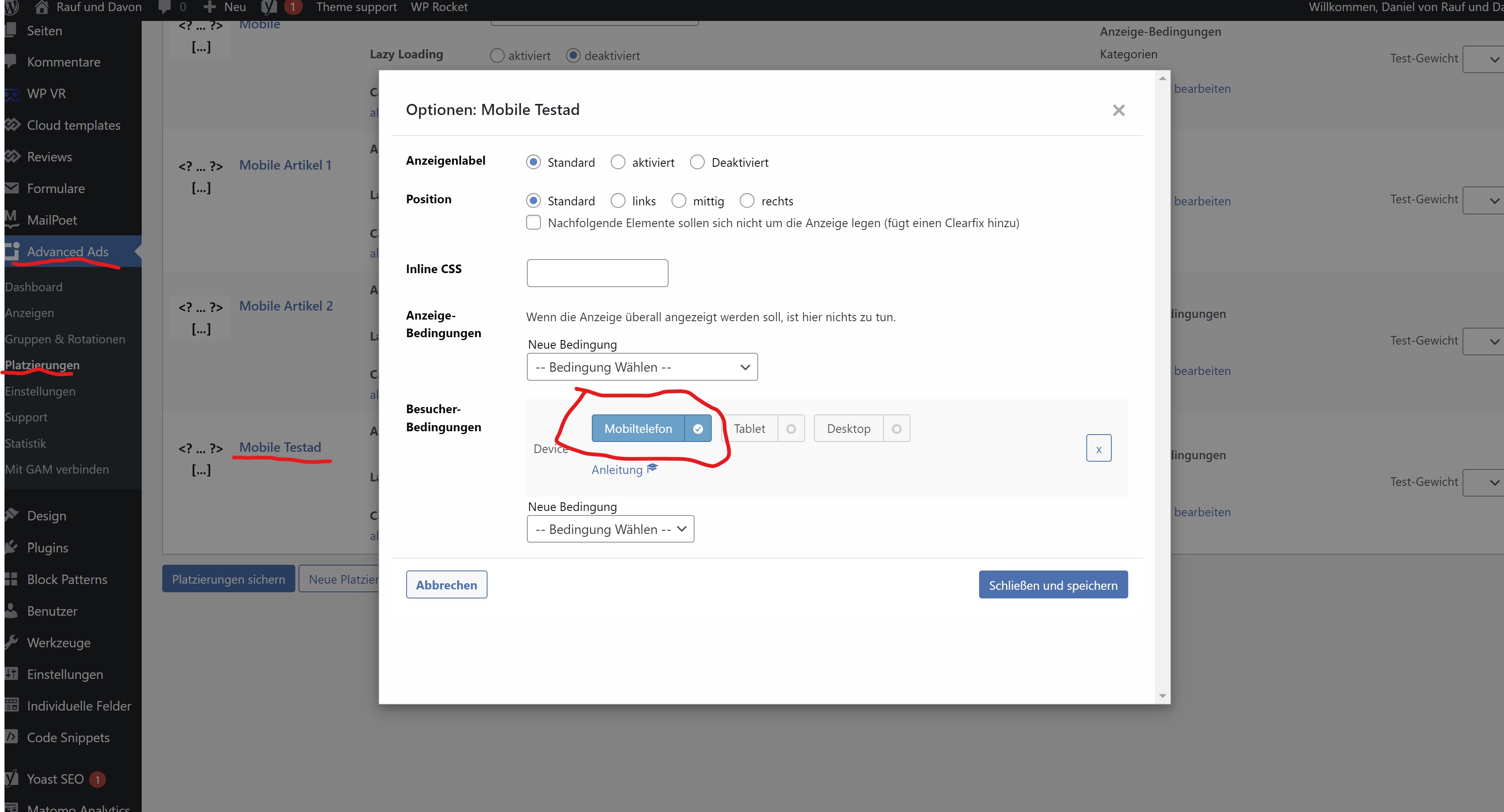
After the filter is applyed, the ad is still displayed in the DevTools (there i can load the mobile theme):
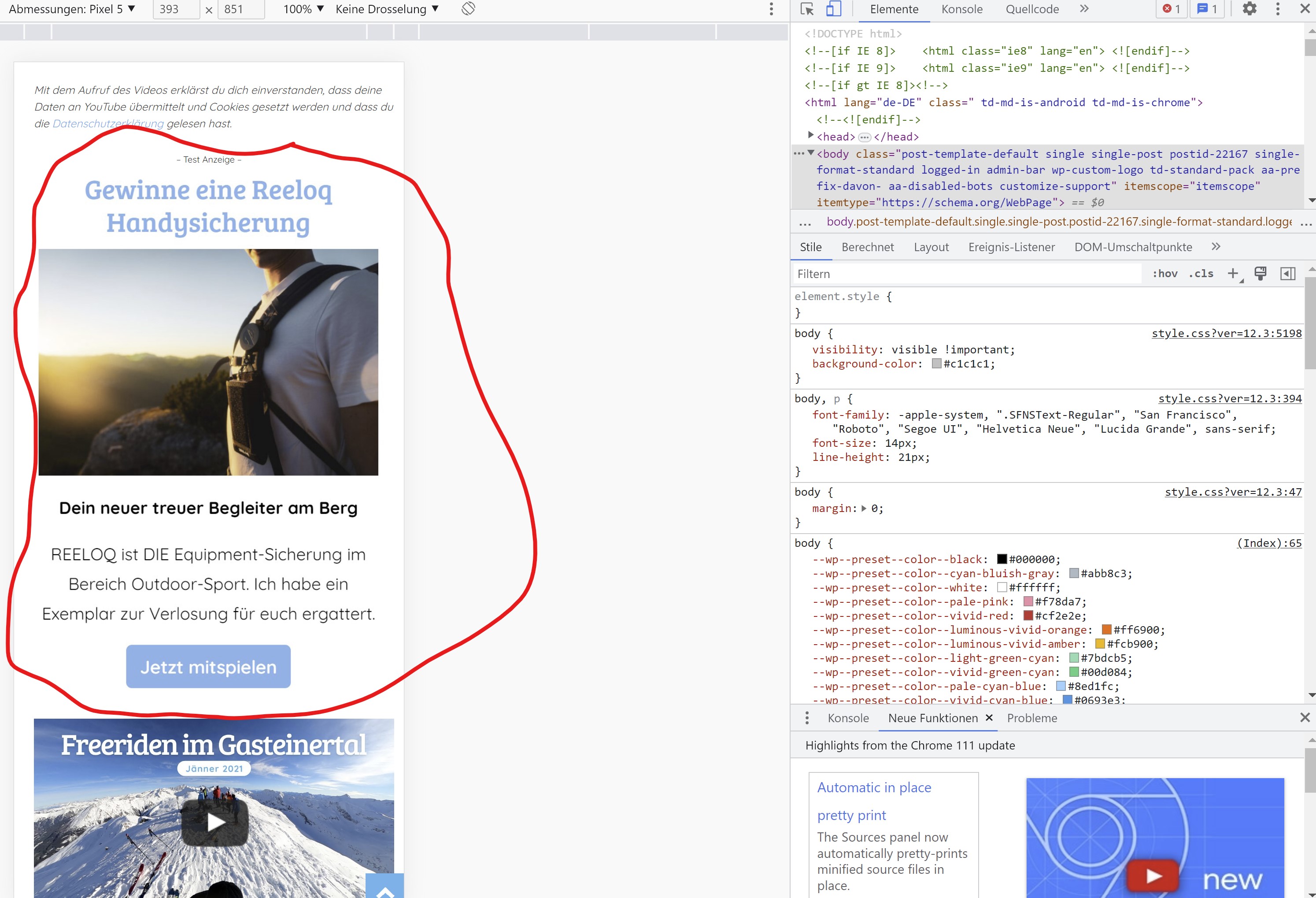
So it is displayed in the mobile theme but for some reason it’s not displayed on a real mobile device.
You can check it our here: https://rauf-und-davon.at/freeriden-gasteinertal-2023/ – the ad should appear between the two Vidoes.
All the best,
Daniel
-
This reply was modified 3 years by
danna.
