

I don’t know where to set the list of catégories in the mega menu.
-
This topic was modified 2 years by
Frédéric Bénot.

Hi,
You have to use a parent category if you want to have sub-categories. Also, please make sure that the Menu Item used as Mega Menu is in the root of the Menu and doesn’t have sub-menus inside. Documentation here: https://forum.tagdiv.com/mega-menu/
Thank you!
Hello Anamaria,
Thank you for your response, but I had already read this page before contacting you and I think I have respected the instructions indicated there.
This is my category and its subcategories
. Podcast
. show 1
. Show 2
…
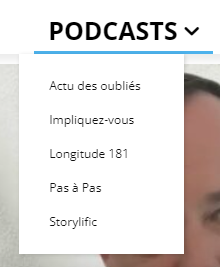
If I isolate my Podcast category alone in the menu to make it one big menu,
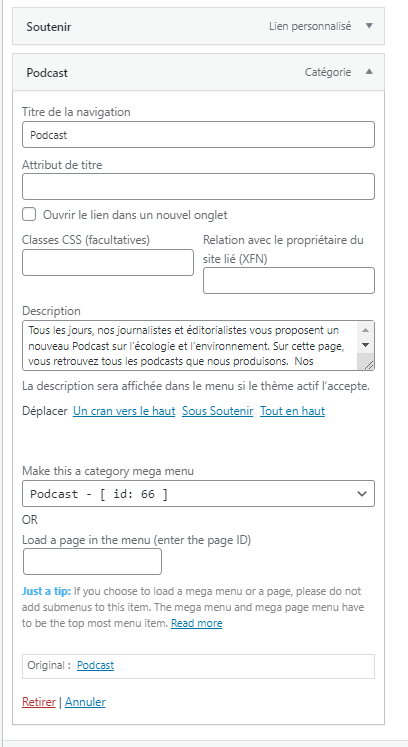
I no longer see the subcategories. I don’t see a list to the left of the images.

I even have trouble understanding how the results that appear in the big menu are classified.
Address of my site:
I’m leaving the two live “podcast” menus active on the site while waiting to read your response.
THANKS
-
This reply was modified 2 years by
Hello,
You need to have this structure here in category -> https://i.imgur.com/FHOBKrZ.png to have also displayed the subcategories in the mega menu.
Thank you!
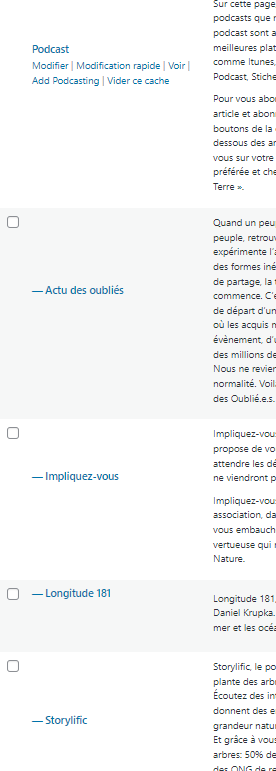
Hi !
I’ve already have done this several times. I have WP Rocket installed.
My Config :
-
Wordpres Version 6.4.3
No CDN
No Child theme
Server Linux 5.15.80-ovh-vps-grsec-zfs-classid x86_64
Serveur web Apache
Version de PHP 8.1.23 (64 bits)
PHP SAPI fpm-fcgi
Version de cURL 7.64.0 OpenSSL/1.1.1n
Extension mysqli
Version du serveur 5.7.42-log
Version du client mysqlnd 8.1.23
Located to OVH in France
Thank You
Before you ask me to do so… I have already deactivated all my plugins (except Tag Div ones).
Same result.
F.
Hello,
I would like to take a look. Can you please contact us via email at contact@tagdiv.com and provide the wp-admin access? Include the link to the topic in the email.
Thank you!

