

Hello Team,
I am having issues applying category templates to my pages using tagDiv Composer on my website https://www.anglertest.de
As a starting point I used the aniglobe category template renamed it to koedertest-category and adjusted it to my needs but the changes are not beeing applied.
1) There is no way for me to switch the category in the composer to preview it in the composer
2) When visiting a category the “edit in tagDiv Composer” button is not visible
3) Not a single category template is ever beeing applied to categories. I have set the template as global without success. Changing the template on-the-fly from the frontend did not work. Setting the template from the theme panel category settings did not work either.
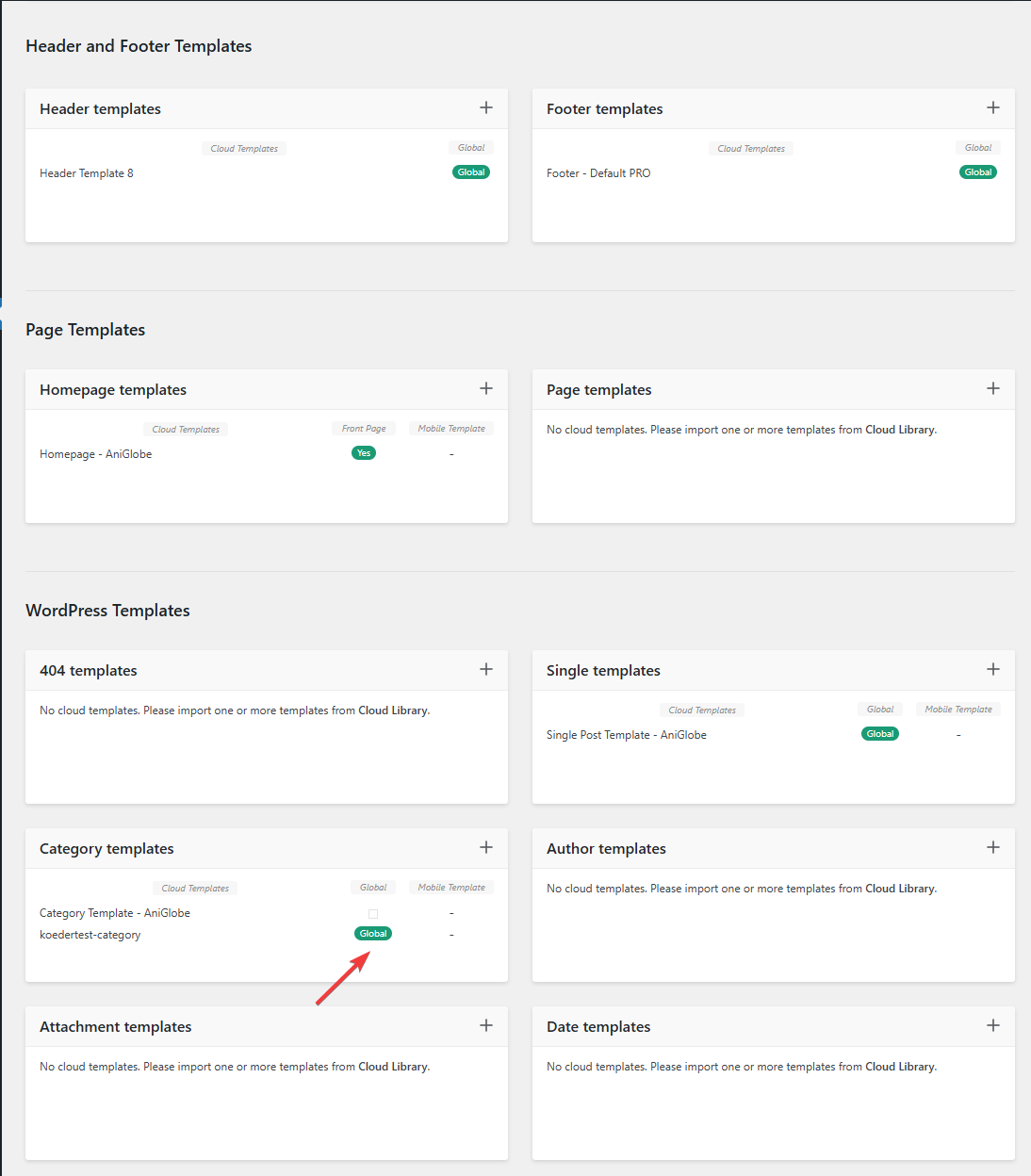
In this picture you can see that my template should be assigned globally
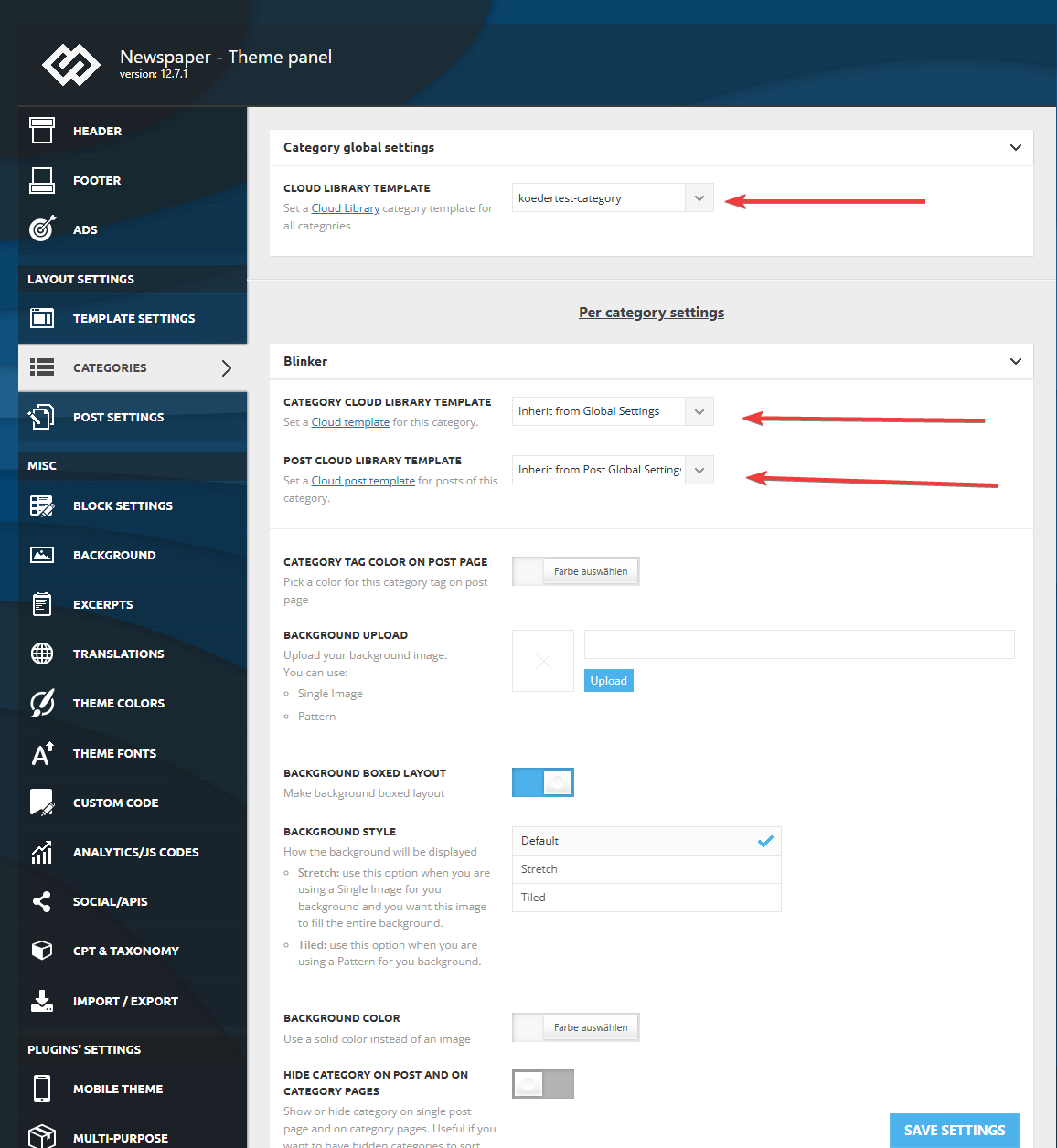
I made sure that in the theme panel under categories that the same template is globally set and checked every category underneath to inherit from global settings.
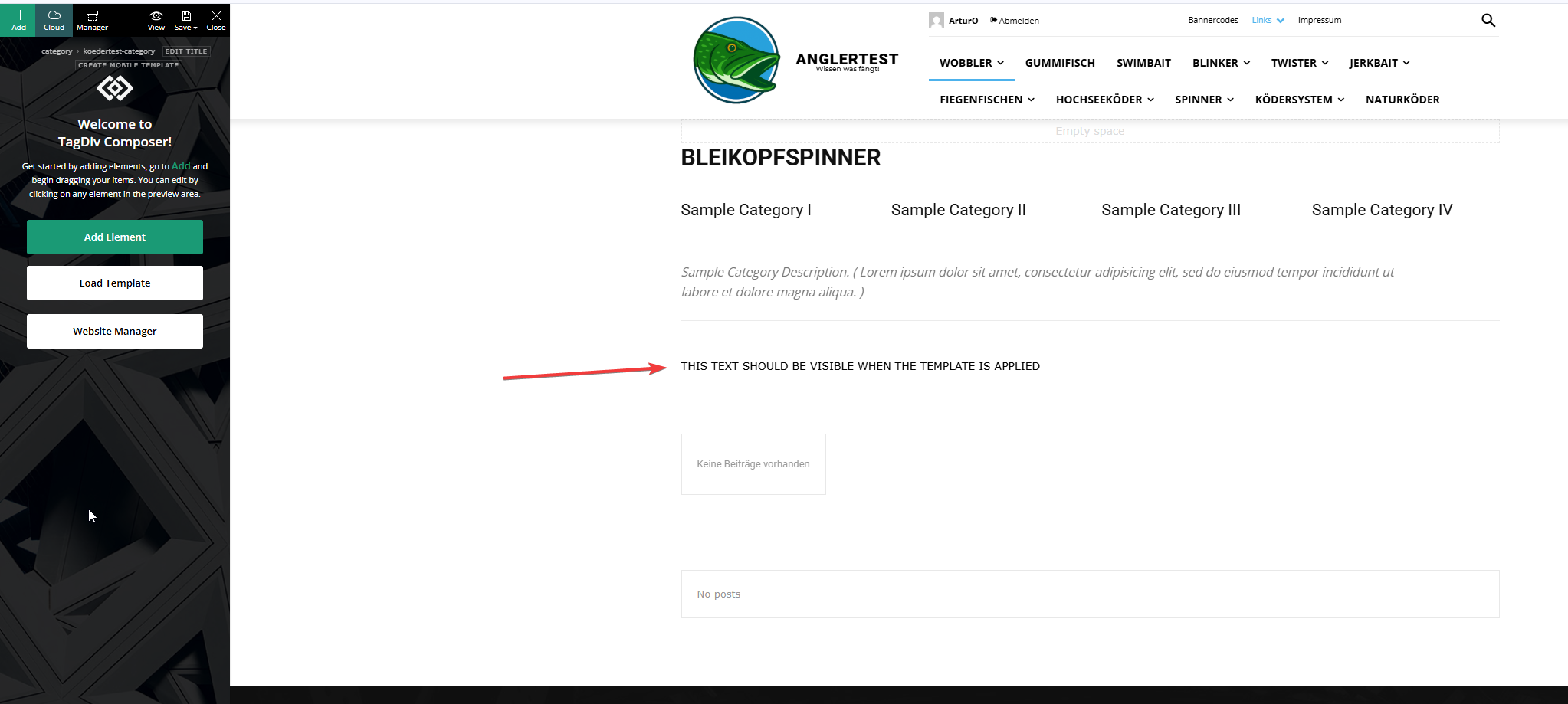
This is the actual template and I added an html block to verify if the template was assigned.
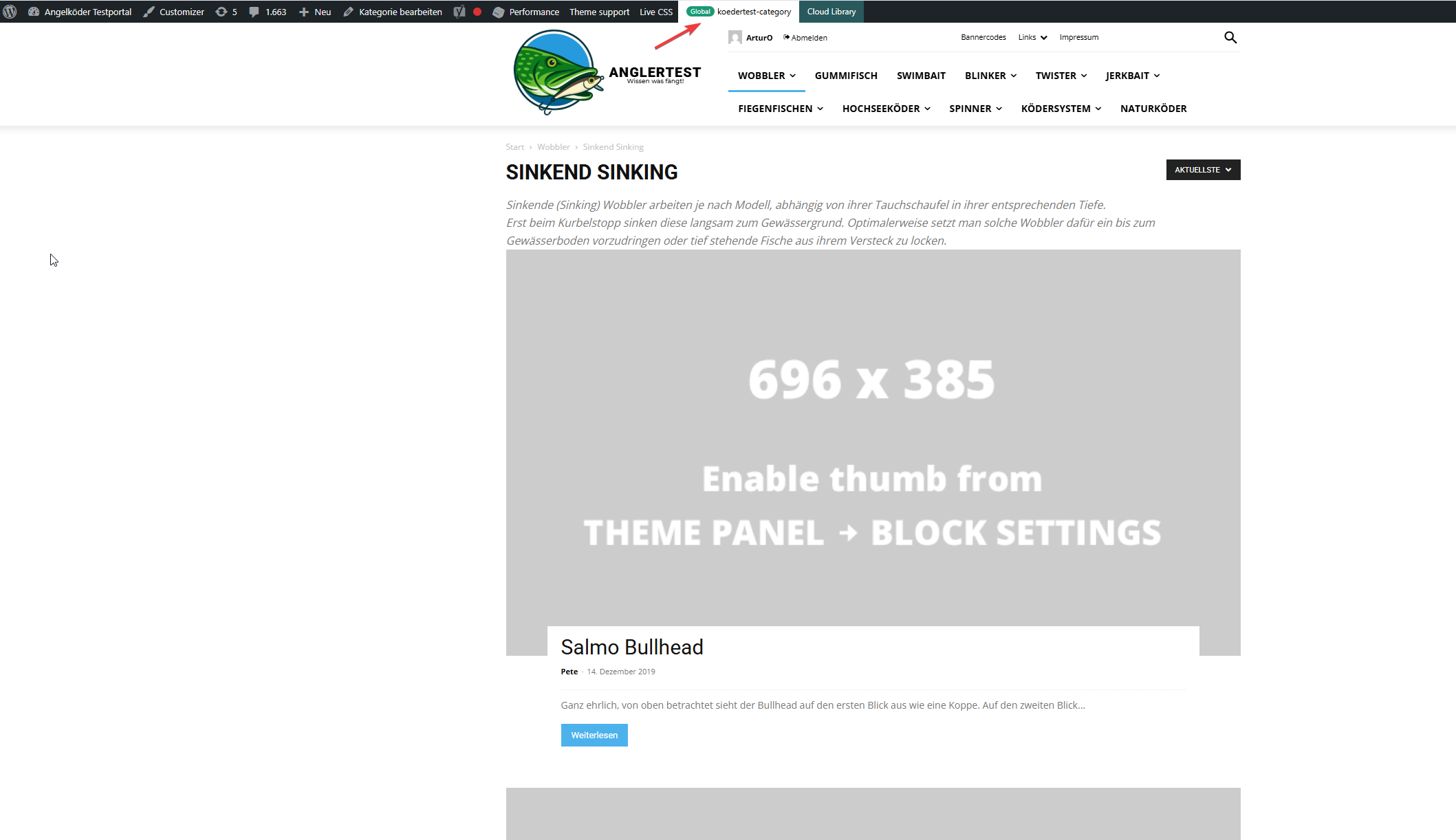
In this picture you can see that the template for the “wobbler” category looks completely different.
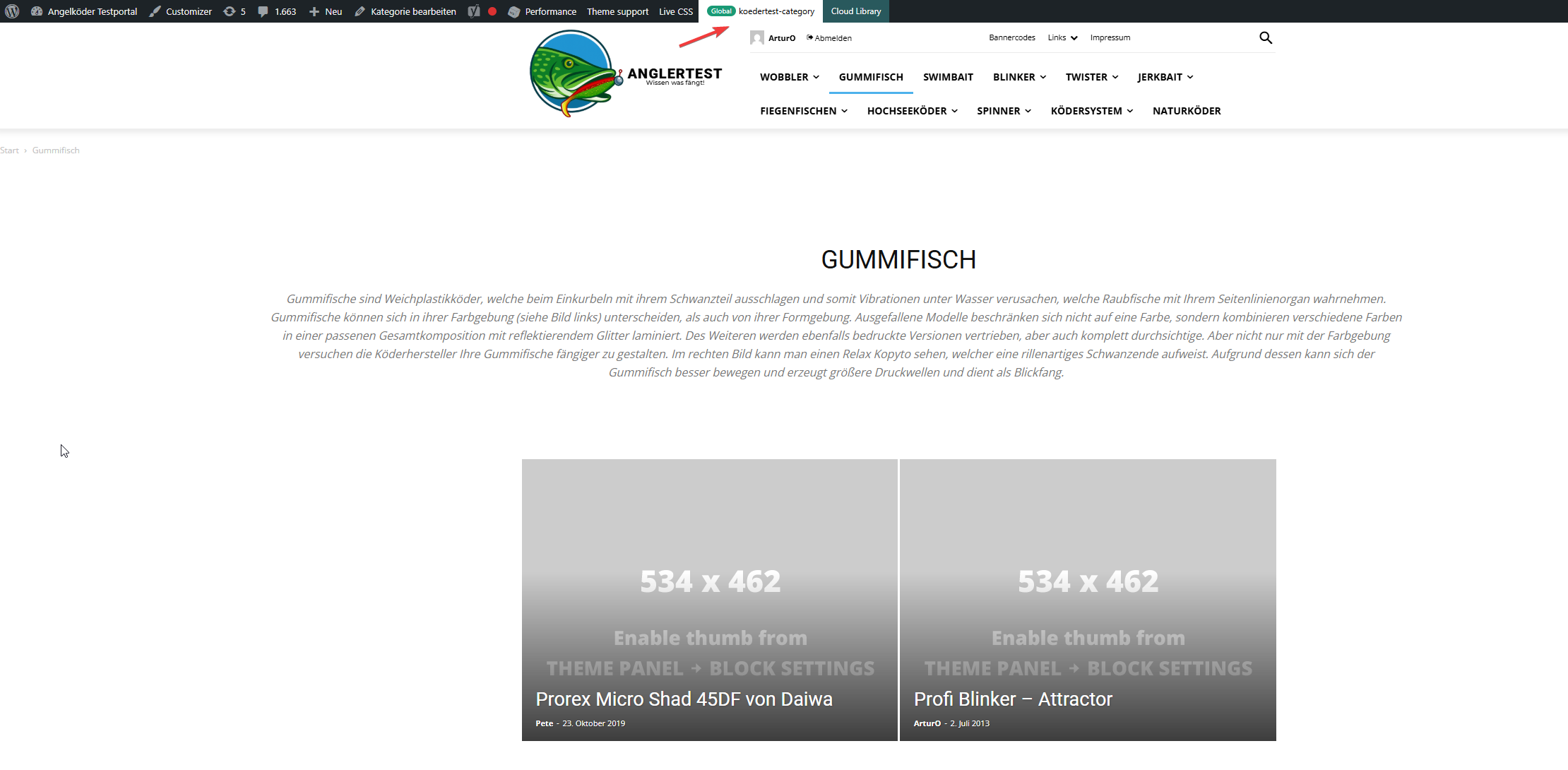
Strange enough, the template for the “gummifisch” category looks slightly different with the same theme applied (see arrow up top), the text I inserted to check was nowhere to be found (not even in source code)
In the very beginning I installed the aniglobe templates intially without demo content, but changed up the templates one-by-one. I did not find any option to disable or uninstall the prebuild website.
In my endless tries with different configurations I was not able to aplly the template, but I found something interesting which might explain the bugs I encounter.
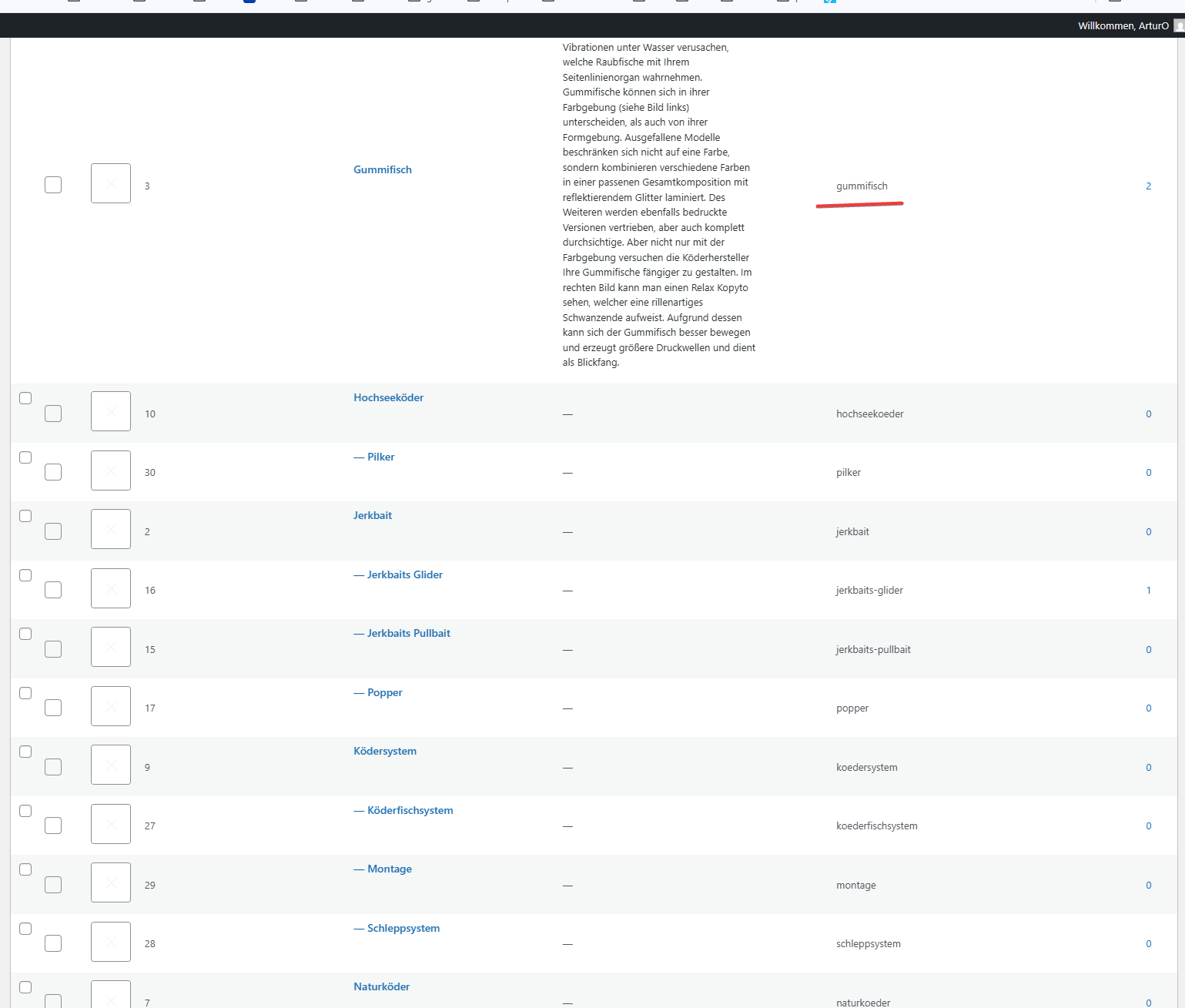
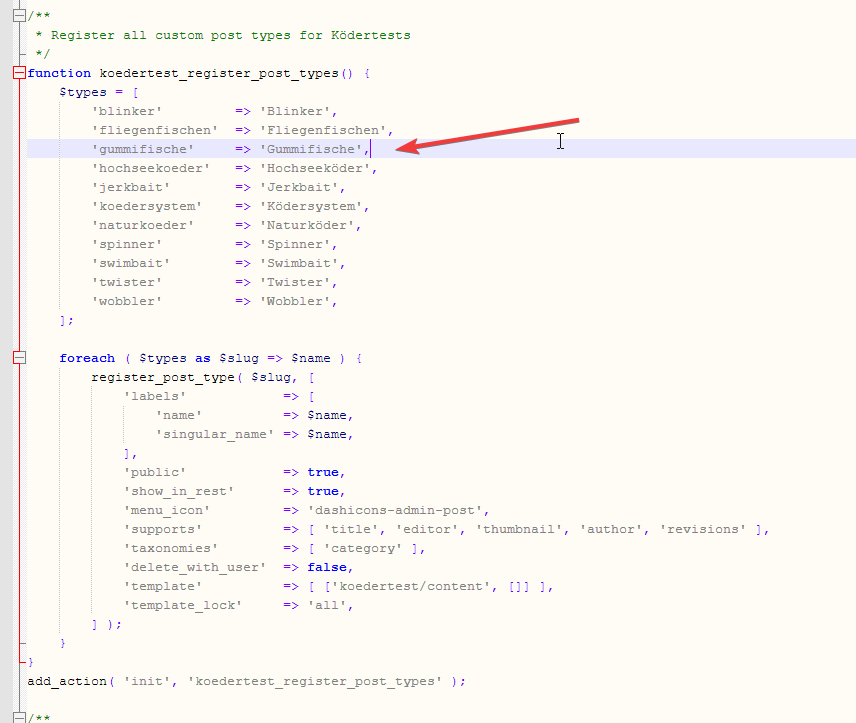
In those pictures you can see the categories I use and the post_types I register. The post_types are using those categories and I make sure that every post of those post_types has at least one category assigned. All post_types share the same categories (native category from wordpress).
The permalink structure is setup like /%category%/%postname%.html for every post_type. Category basis is set to “angelkoeder”.
Every category is named after a post_type. Nested categories are not named after post_types.
The only exception is the category “gummifisch” where post_type “gummifische” articles are categorized under. I might have missed the “e” when I set this up in 2013.
Somehow this category looks different as you can see in the above screenshot.
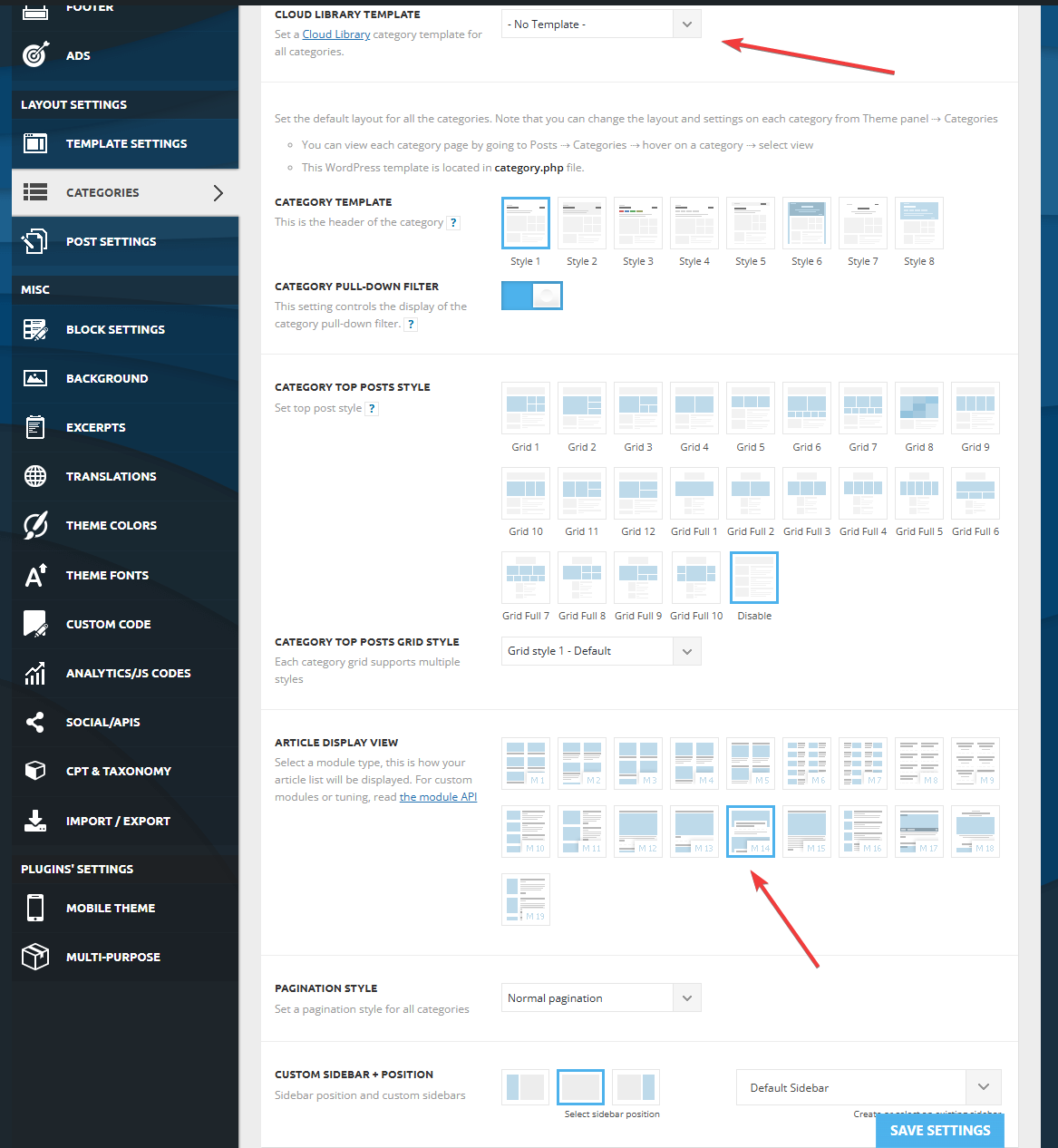
Furthermore I discovered that, when I change the template in the theme panel to “no template” (but do not save those settings) it reveals the settings I made previously with “Module 14” as article display view. You can see in the screenshot above for the “wobbler” category that this is the applied design even though the bar on top suggests my custom “kodertest-category” template is supposed to be applied.
Any help is highly appreciated. If needed I can provide further screenshots.
Thank you for your help.

Hi,
Please create a full backup of the website and contact us via email at contact@tagdiv.com.
Also, kindly provide temporary WP-Admin access to the website so we can check the situation as soon as possible.
Thank you!
