First of all, the theme is just wow, easy to setup, and the best you can get in WordPress.
That being said, i have only 2 problems that i will ever need help with.
1) How do i change the content width? i know the original is best, but i’m migrating from the old theme to the newspaper, and for now it just don’t fit, i will demonstrate with screenshot links:
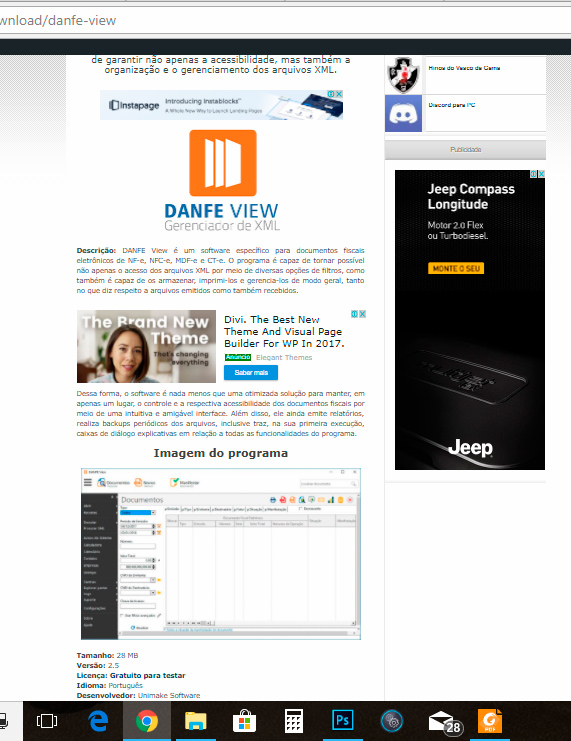
Currently my site is still running in old theme, i’m developing in a “laboratory” to apply the new config all at once, so this is the actual post format:
https://www.baixesoft.com/wp-content/uploads/2018/01/demonstration-1.jpg
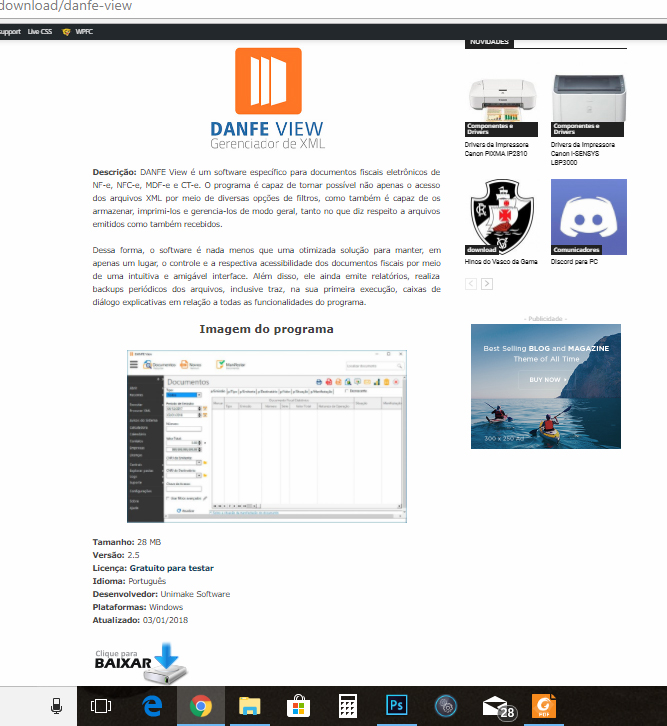
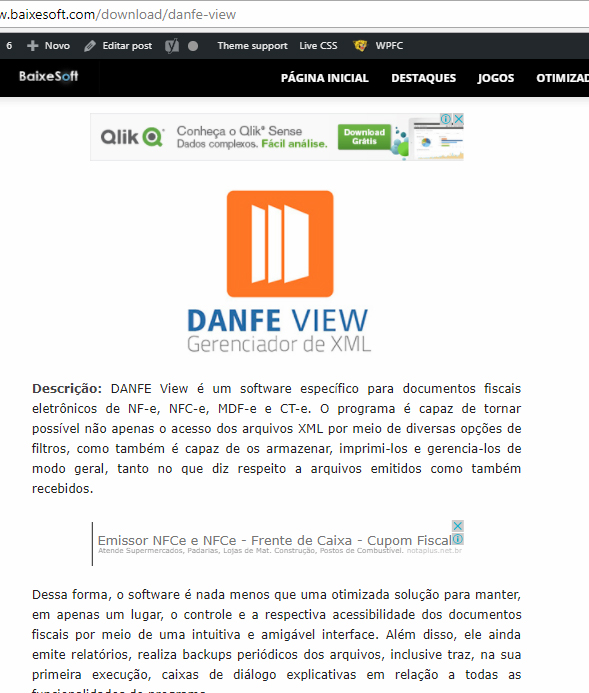
and in the new theme, the newspapper, it just not fit good, so i want to apply the old width (later i will modernize posts, but for now i need to reduce de content width) please look:
https://www.baixesoft.com/wp-content/uploads/2018/01/demostration-2.jpg
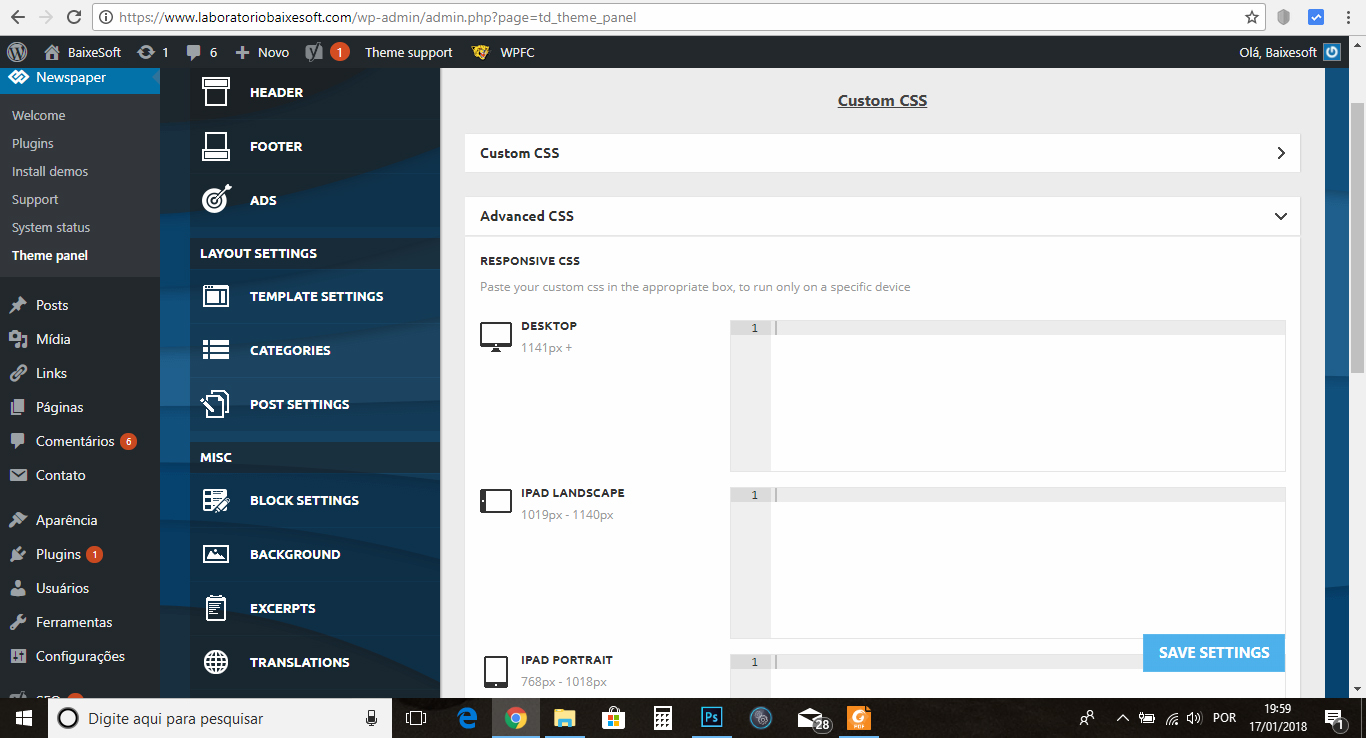
I think i find place to reduce in Theme panel >> custom code >> Advanced css like the screenshot:
https://www.baixesoft.com/wp-content/uploads/2018/01/demonstration-3.jpg
… or some adjust in line 455 or bellow in Style.css. The question is, how do i reduce the post width for desktops? any code that i can insert to reduce?
And the other thing…
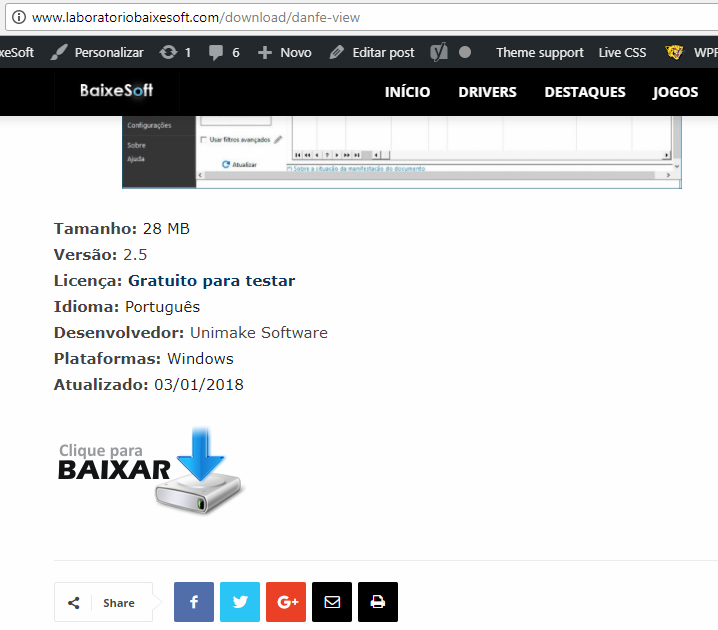
2) My website is like a download portal, and have a download button like this in the current theme
https://www.baixesoft.com/wp-content/uploads/2018/01/demonstration-4.jpg
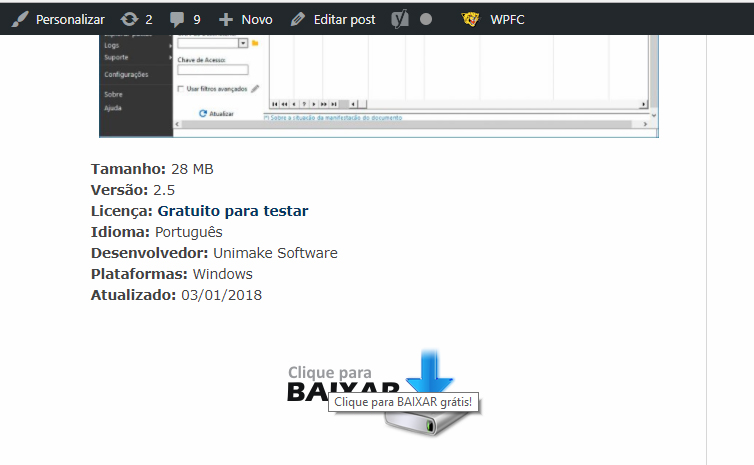
but in the new theme it gets bugged for some theme thing, some newspapper particularity, and it gets like this:
https://www.baixesoft.com/wp-content/uploads/2018/01/demonstration-5.jpg
This is the code button:
https://www.baixesoft.com/wp-content/uploads/2018/01/code-button.txt
… it will not be a problem to adjust one by one of 2245 posts manualy, but it gets bugged annyway because you can click in empty space in the sides, and this is very bad for Google position, please see for yourself:
https://www.baixesoft.com/download/danfe-view (the actual website)
http://www.laboratoriobaixesoft.com/download/danfe-view (the laboratory)
So, how do i fix this other issue?
And this is the only two things i will ever ask here, if i have to pay for some support it will not be a problem.
Thank you very musch for the attention, and sorry for any bad english, i’m from Brazil!

Hi,
Thank you for your appreciation. Please do not hesitate to contact us if you have any questions or need help with something.
1. It seems the previous theme has a narrower post content width. The width in the Newspaper theme for the post content is 696px with a sidebar, with no sidebar it will use the full available width of the theme.
The post content general width cannot be changed by a setting, it is fixed and predefined in the theme.
Narrower post content could be achieved using the padding option
– https://www.screencast.com/t/xRg7co5liyD
But this would require you to set it for each post individually. I could give you a code solution, something like this example
– https://www.screencast.com/t/lhUVABqBUlzl
This could be a solution if you absolutely need to reduce the post content width, it will apply to all posts at once. This is the code used in the example, it will produce similar width as the other theme
.td-post-content {

padding-left:8.5%;

padding-right:8.5%;

}
Enter it in Advanced CSS if you want it to affect desktop only.
2. It seems the image is not aligned center. A solution would be setting a custom class to the div like this example
– https://www.screencast.com/t/h97F9Q1t
Then use a code like this (custom code can be entered in Theme panel->Custom CSS section)
– https://www.screencast.com/t/54aKKuy5
.myclass img {

margin:auto;

}
You don’t have to pay for anything, we will try to help you as best we can with theme options or by case with simple solutions.
Thank you!
Thank you very very much, worked just FINE, impressive!
But for the second item the “2)” i think i found a better solution. I just entered this code in the live CSS
.td-post-content img {
display: inherit;
}
… and worked just fine for my content, but i will read more about “inherit” to see if this code will not cause a problem in any way or form.
Thank’s for the attention, all the best for you!
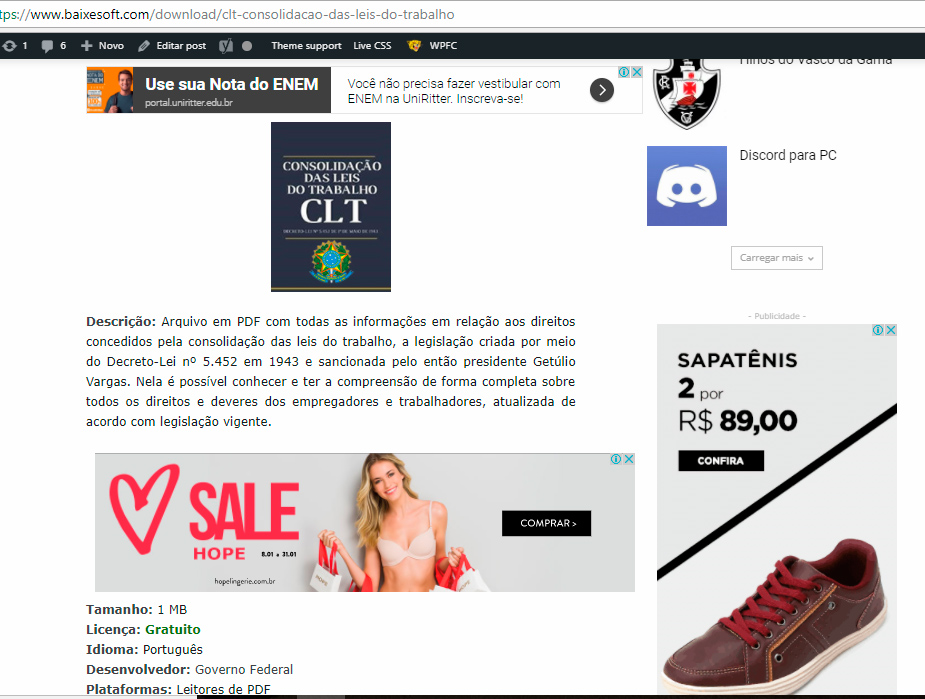
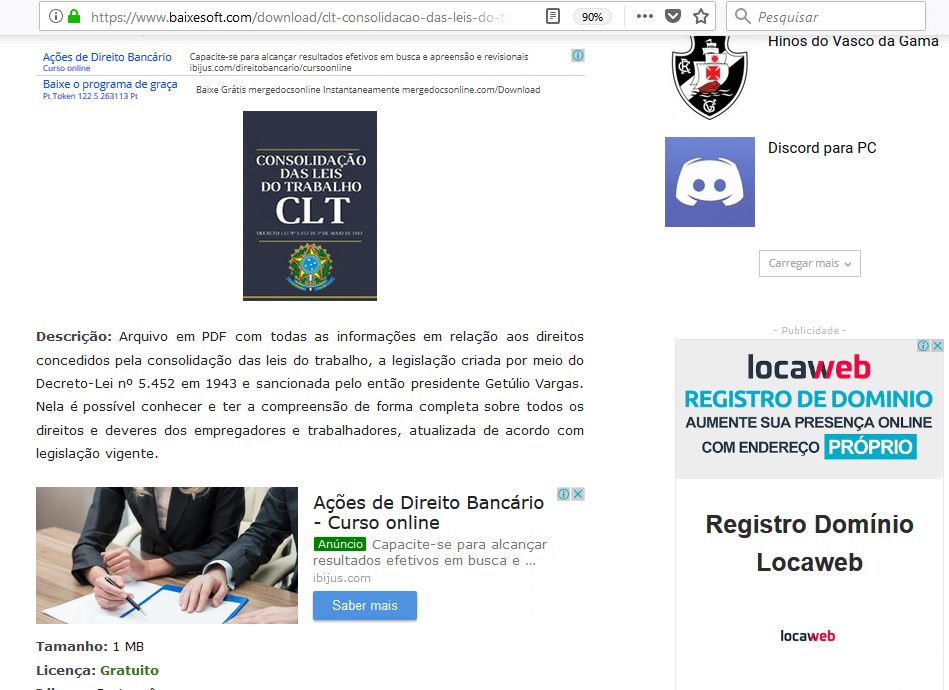
Hi there again, i will post this here because is related, so the thing is i just applied the theme on the actual site and i have one last, but VERY SEVERE problem with the ads that happen only on Google Chrome, sometimes in Microsoft Edge, but never on Firefox.
I’m using 1 responsive and 1 native adsense blocks with the plugin quick adsense (i don’t use the native theme tool because the ads become very small than they supposed to be with the automatic function, so for me it dont work good, far from it actually).
The thing is i used this code on theme panel >> custom code >> Advanced CSS >> Desktop
.td-post-content {
padding-left:6%;
padding-right:6%;
}
And the ads on chrome become outfited with the content like this: https://www.baixesoft.com/wp-content/uploads/2018/01/Ad-bug-on-chrome-1.jpg
But on firefox it fit’s just nice: https://www.baixesoft.com/wp-content/uploads/2018/01/Ads-on-firefox.jpg
One example link: https://www.baixesoft.com/download/clt-consolidacao-das-leis-do-trabalho
Unfortunately 60 to 70% of my users use chrome, so this is very severe for me, i tried everything, all the others plugins, but nothing, i really don’t know what do do here anymore (tried to fiz this all day), so i’m asking for any ideas, any help, anything at all.
The solution will be to use the native option for blocks in the theme, i already tried but that automatic box for desktops junk this responsive ads real BAD, making them tiny (respectfully saying and meaning no offense)
If needed i can pay for some special service to fix this, because is a VERY SEVERE ISSUE…
-
This reply was modified 8 years by
rafael-l.
Hi,
Seems the ad is not affected by the padding and it is taking all the post content initial width. While on Firefox it takes the padding into account. eh problem is where the Adsense ads are delivered, they should be delivered in the right size initially, they cannot be resized once displayed or limited after loading.
Maybe try as a test to enter the ad code in the theme panel, for the posts. Check if they are delivered properly.
Or check the plugin settings, if it has settings regarding the ad size. Setting a width limit might work if it has such options.
Thanks
Thank’s for your attention and this is the last thing i will post here just to show you what i said earlier about the native theme options.
The theme options at least fit with the content, but the resposnive ads dont work how they supposed to, specially the native ad in the middle, they get limited very badly, here a screenshot: https://www.baixesoft.com/wp-content/uploads/2018/01/Ads-native.jpg
I will hire a freelancer to see what we can do, thank you very much for all your help!