Hi,
is it possible to change color to the “next prev” navigation buttons on post block?
How can I remove the “On Top” button? The button in the footer to go back up.
Thanks
-
This topic was modified 5 years by
marcorroma.

Hello,
You can change the color with tagDiv Composer on the “next prev” select the block, and in the tab called “Style” are settings for pagination => https://www.screencast.com/t/EVaCkL1Syu -> https://www.screencast.com/t/GCZ9b9El
The back to top arrow can be changed only using CSS code. For example, if you want to remove that arrow you can use this CSS code:
.td-scroll-up {

display:none;

}
Set this code in Newspaper -> Theme panel -> Custom code -> Custom css.
Hope this helps you!
Thank you!
Hi, I re-open this topic.
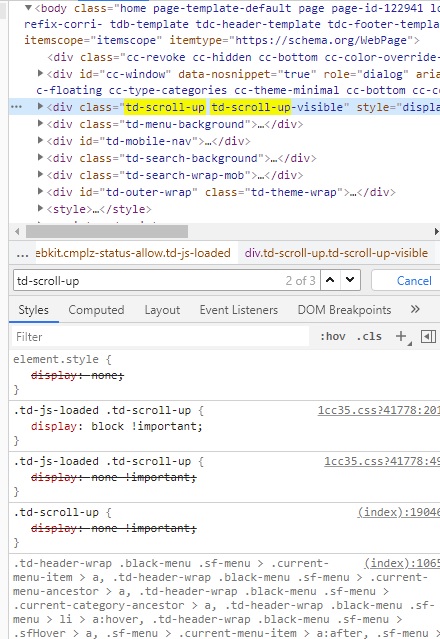
I have this problem: I can’t remove the “back up” button.
See the screenshot:
https://i.ibb.co/9gP1gLD/error11.jpg
I await support.
Thank you
Hello,
To remove back to top, please follow those instruction:
If you have the tagDiv Standard Pack plugin active then you need to comment this line => https://www.screencast.com/t/NRBxqmUp4I from this path
wp-content/plugins/td-standard-pack/Newspaper/header.php
but if you have the tagDiv Composer plugin disabled then to comment the line go in
wp-content/plugins/td-composer/legacy/Newspaper/header.php
=> https://www.screencast.com/t/OWhnxwfS
Thank you!