Hello,
I have a website (https://igormiranda.com.br/) that has been active since 2014, but I only recently installed the Newspaper theme. I have always used the Excerpt box (https://i.imgur.com/m7DmZsy.jpg) to add subtitles to my texts. However, when I started using the Newspaper theme, I realized that it only displays subtitles through the Subtitle section (https://i.imgur.com/9gpTnDf.jpg), which is specific to the theme.
This is a problem for me, because I have more than 16,000 posts that use the Excerpts box, not this new Subtitle that came with the theme.
How do I enable the Excerpt box within posts, so that I don’t have to compromise almost 10 years of posts?

Hi igormiranda93, if I correctly understand you’ll need to display the excerpt inside the article not only in blocks. Unfortunately, the theme do not have an option for this, but I thing it can be done a custom shortcode, but this can be done only at custom work and it will work even after theme updates, what I can do is to see what template you are using and edit it to display the excerpt, but if the changes can not be set in a child theme (not all files can be set in child theme), then this will need to be done after each theme update.
Thank you for your understanding!

Hey guys,
I have been a Newspeper user for many years and I also have the same problem and have been waiting for a solution for some time. We have hundreds of thousands of posts already published, all with the excerpt field filled in long before migrating to the TagDiv theme, but unfortunately your theme does not support this functionality.
I think this is a weak point of the Newspaper, after all the Excerpt field is a standard WordPress feature that should be taken into account as it is important.
I sincerely ask that a way to resolve this be evaluated as the subtitle field created by you is a feature that ends up not making sense, both for existing installations, with their exerpt contents already filled in and which end up being lost with the migration to Newspaper, as for new installations that adopt to your theme, as in any case it makes users have to do double work filling in two fields with the same purpose.
We hope you hear our plea about this feature.
Thanks
-
This reply was modified 3 years by
fabinhoalmeida.
Hi fabinhoalmeida,
If you want there are solutions that can be used to display the excerpt in a post, even if there is no option for this. In case that you are using a standard post style from tagDiv Composer, then you need to edit a post style- https://i.imgur.com/lwSWJrj.png that you use and call for the excerpt to be included in the post (also, those changes can be set in a child theme). Now if you are using a cloud template then it will be more complicate, but it can be done (for this will be need a custom function to add an extra shortcode or to read the excerpt filed and display it in a custom filed element).
Thank you!
Dear Calin,
First of all, I would like to thank you for your continued kindness and attention to us Newspaper users.
Yes, when I used the standard post style I did it like this through the child theme. When we migrated to the cloud template, we tried to call the excerpt by creating shortcode in functions.php, linking this shortcode to a raw box element or text box element by the tagDiv Composer in the single template. But that didn’t work for us. If you have any tips to make this work through some adjustment, it would be a welcome solution and will help us a lot. In any case, I ask that Newspeper be able to add an excerpt element in the future. It will be a gift for us!
Thank you very much
Hello,
Indeed, for cloud template it’s a little more complicate, but this can help:
– https://wordpress.stackexchange.com/questions/336420/retrieving-post-excerpt-as-a-shortcode
I just tested and is working – https://i.imgur.com/qz1Zi42.png – https://i.imgur.com/7StOLec.png – https://i.imgur.com/Gtb8EdI.png
Thank you!
Hi Calin,
Thank you again for your attention to this issue.
In reality, your example is similar to the method I had already tried without success. In any case, I strictly followed your example, in the same way as you demonstrated here, and the result for me was the same: the created field appears empty, blank, without the excerpt inserted in the post appearing, even after saving the entries made.
See: https://imgur.com/a/JWwrJ5v
What could be going wrong?
I would appreciate it if you could help me with this.
Thanks.
Hi fabinhoalmeida, normally the shortcode should be empty only if there is no text set in the excerpt field for that post, but if it has a text inserted it should be displayed. If you I can take a look at it, for this please contact us via email at contact@tagdiv.com, include the link of this topic in email to can identify the situation faster and we’ll do our best to help.
Thank you!

Hello, when I conigure a single template in cloud templates I fins easily the option “single post subtitle”. How Can I write some like a “single pots excerpt”?
Thanks
Hi santiagocalaforra,
I think that you want to add the excerpt inside the post, if is so, then you need to use a shortcode as I mentioned above since this element doesn’t exit in our builder:
“Indeed, for cloud template it’s a little more complicate, but this can help:
– https://wordpress.stackexchange.com/questions/336420/retrieving-post-excerpt-as-a-shortcode
I just tested and is working – https://i.imgur.com/qz1Zi42.png – https://i.imgur.com/7StOLec.png – https://i.imgur.com/Gtb8EdI.png”
Thank you!
Hi Calin,
Thanks again for your reply!
I tried using the method you shared from StackExchange — I added this line to my child theme’s functions.php:
php
Copiar
Editar
add_shortcode( ‘output_post_excerpt’, ‘get_the_excerpt’ );
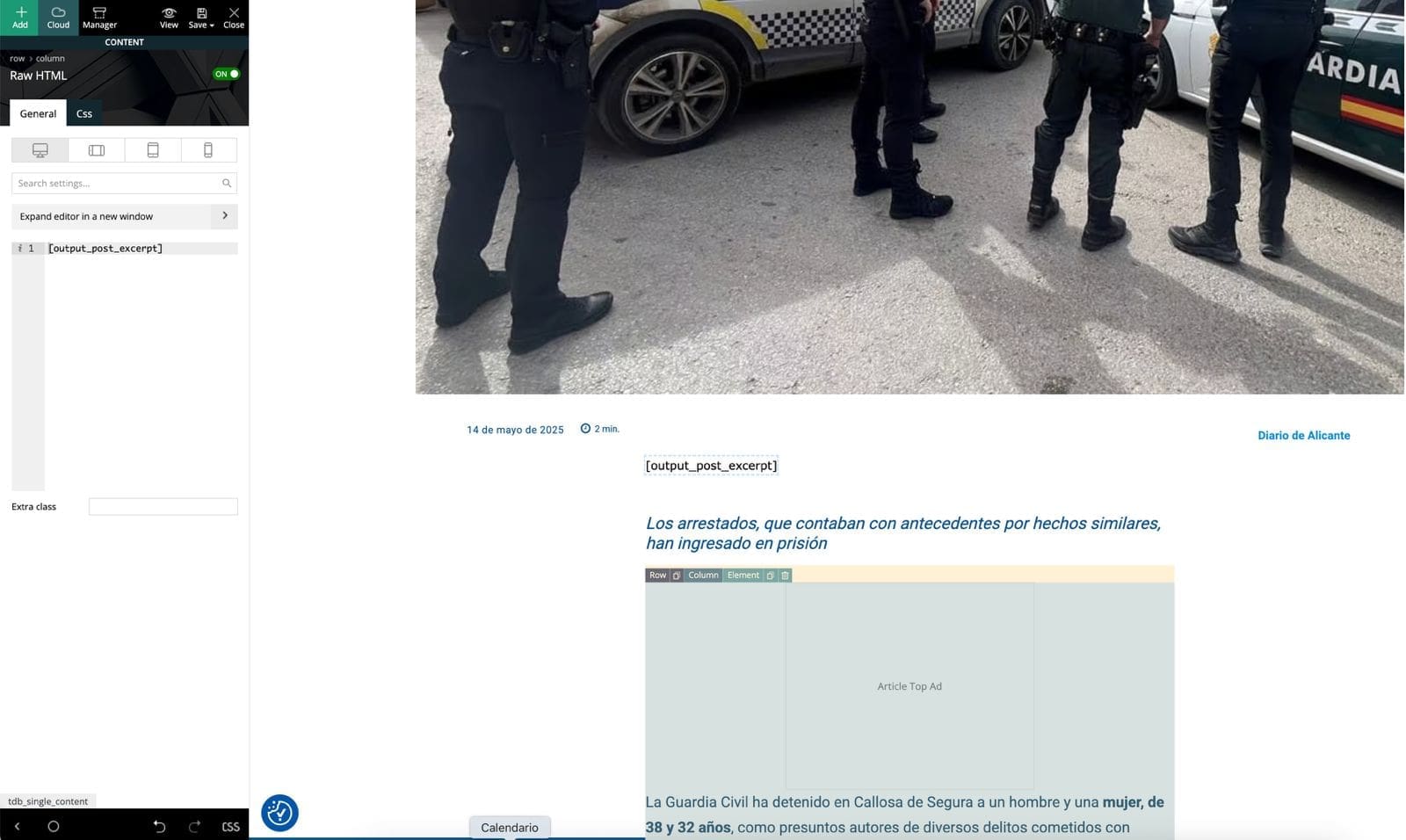
Then I edited my Single Post Cloud Template in tagDiv Composer, added a Text block, and inserted [output_post_excerpt].
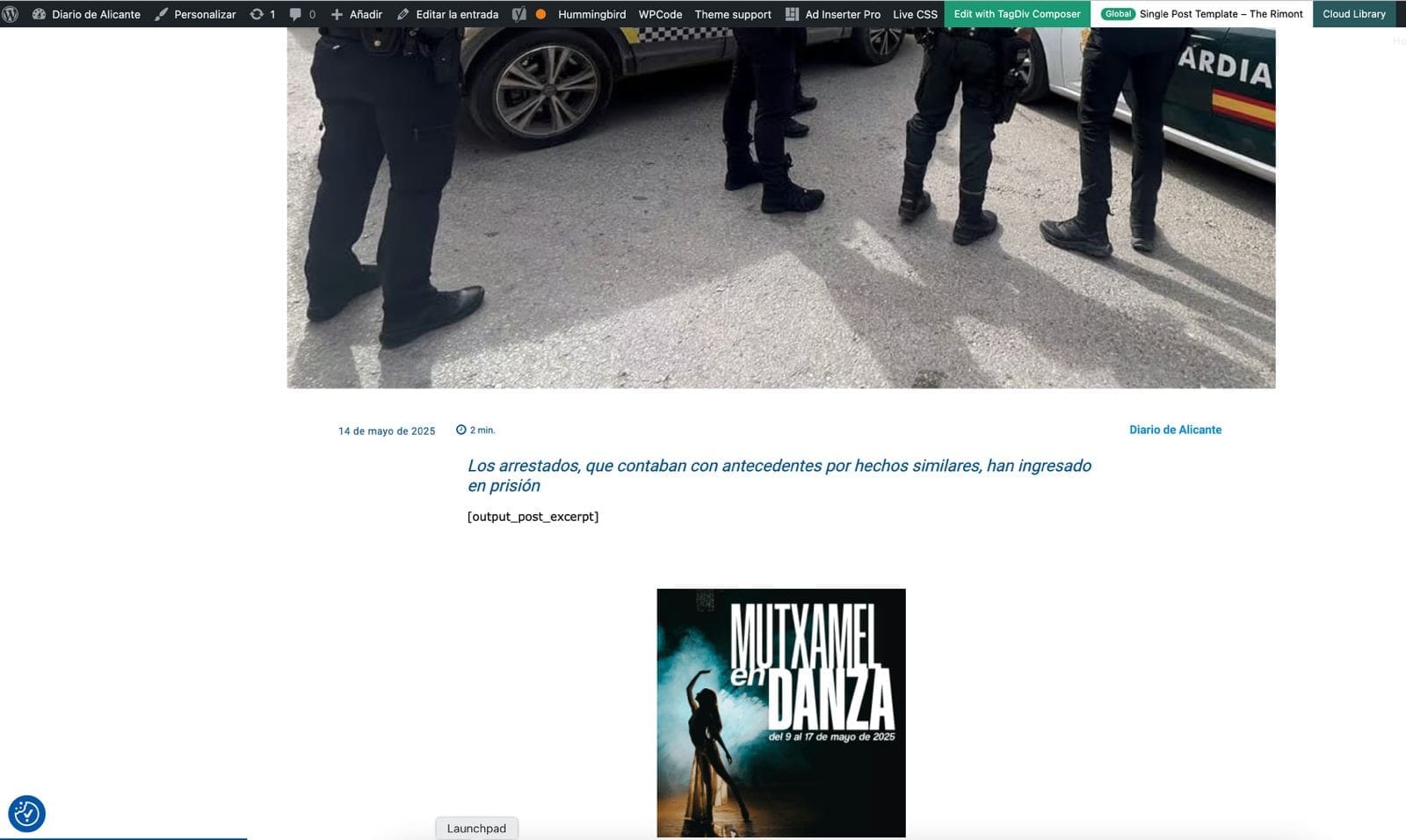
Unfortunately, the shortcode doesn’t render anything on the frontend. It just leaves a blank space where the excerpt should be. I’ve cleared all cache and reloaded everything, but still no result.
Is it possible that tagDiv Composer blocks don’t render shortcodes like this, or do I need a different type of block?
Any ideas or workaround would be greatly appreciated.
https://diariodealicante.net/wp-content/uploads/2025/05/editor.jpeg
https://diariodealicante.net/wp-content/uploads/2025/05/single.jpeg
Thanks!
Hi,
Please set the shortcode in column text or text with title in code/text zone – https://imgur.com/DSSni9j In case that is still not working, please make a full backup for your website and contact us via email at contact@tagdiv.com and provide temporary wp-admin and FTP access to the website.
Thank you!
Hi Calin,
Thanks so much — the key was exactly what you said: inserting the shortcode in the Column Text element’s code/text area. Once I did that, it worked perfectly. 🙌
I really appreciate your detailed help and quick follow-up!
Best regards,
Hi Santiago,
You can also use the “Single External Shortcode” element that is available if you prefer. See: