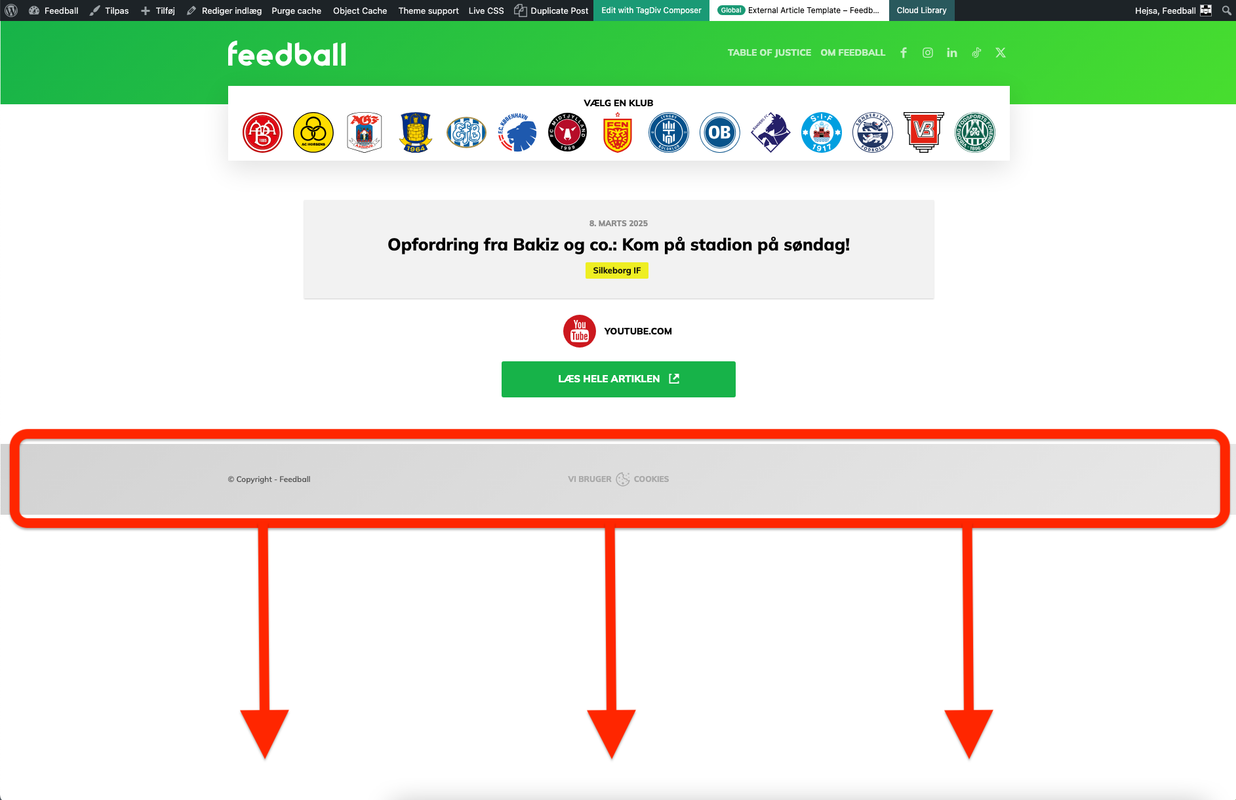
Check this screenshot: https://i.postimg.cc/xCMbXq6c/Sk-rmbillede-2025-03-08-kl-19-54-27.png
Is there any way to force the footer to be at the bottom of the screen if the viewport/screen is taller than the content?
I do NOT want it to be “sticky”. It should only be sticky to the bottom if the viewport is taller than the content.

Hello!
You can make the footer row sticky at the bottom only on those pages. Duplicate the footer template and manually assign the sticky footer template only for those pages from the Website Manager: https://forum.tagdiv.com/tagdiv-composer-website-manager/, and set the normal footer as global.
Thank you!
Hello!
Duplicate the footer template: https://app.screencast.com/U8CVFgKnZAvgu -one should be sticky and one, normal. Assign the sticky footer only to that page from the Website Manager: https://forum.tagdiv.com/tagdiv-composer-website-manager/ -> https://app.screencast.com/UEb081jA23ZAg
I hope that helps you!
Thank you!

And I don’t need a sticky footer that will always be at the bottom of the screen, even on a small screen.
I need it to be as it is on small screens, with the page content and the footer at the bottom, and on large screens, regardless of size, the content part takes up the entire screen and the footer is at the bottom of the screen.

Hi Koder,
Could you please share some screenshots and a link so I can investigate this issue further?
If the footer has been set to be sticky at the bottom, I don’t think that’s the best solution. It might be better to make the content row take up the full height of the page – https://i.imgur.com/7YqRer3.png, or simply allow the footer to appear immediately after the content ends (which is the default behavior).
Thank you!