

I have the Newspapter 6.6.3 with a new install. I am going through the video tutorials to see if all of my settings are correct but in the youtube video located here:
I do not see the Formats dropdown in my editor.

How do I get the formats dropdown box to show up as is shown on the YT video?
Thank you
John

I know this is a basic answer so I apologize if you have already been through this but it too me a solid day to realize that the formats dropdown box was there for me but hidden as ‘default’. Once I toggled it on it has been there and functioning fine. I toggled it on by clicking on the ‘toolbar toggle’ button during a post edit. In mine, that button is next to the guy in the hat and the ‘revslider’ drop down.
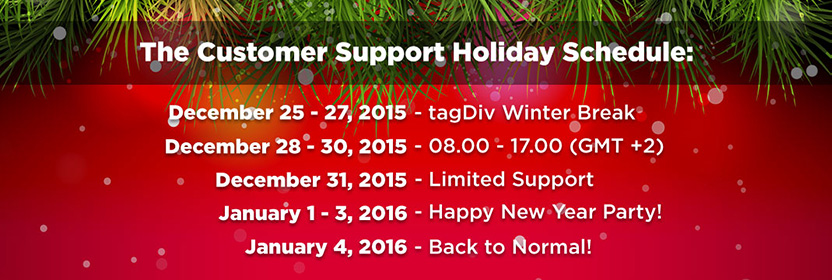
Also, there is a graphic at the top of this page which suggests that the support team for this product is on holiday vacation until tomorrow.

Hi @John please apologize the delay but we did not work in the past 4 days due to new year’s period. We had this banner to notify you of this:
Make sure you use this button: http://screencast.com/t/BKF9M0SCN to toggle the formats toolbar like @Sjayne stated. Let us know if you can’t manage it and provide wp access via email at contact@tagdiv.com including a link to this conversation.
Lucian C.
