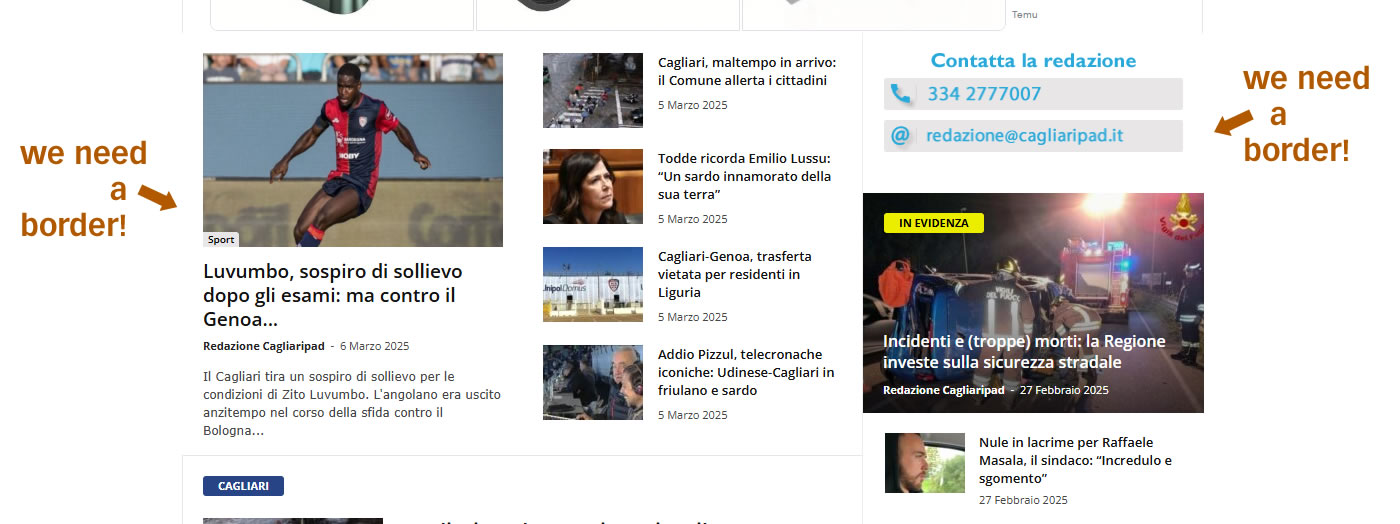
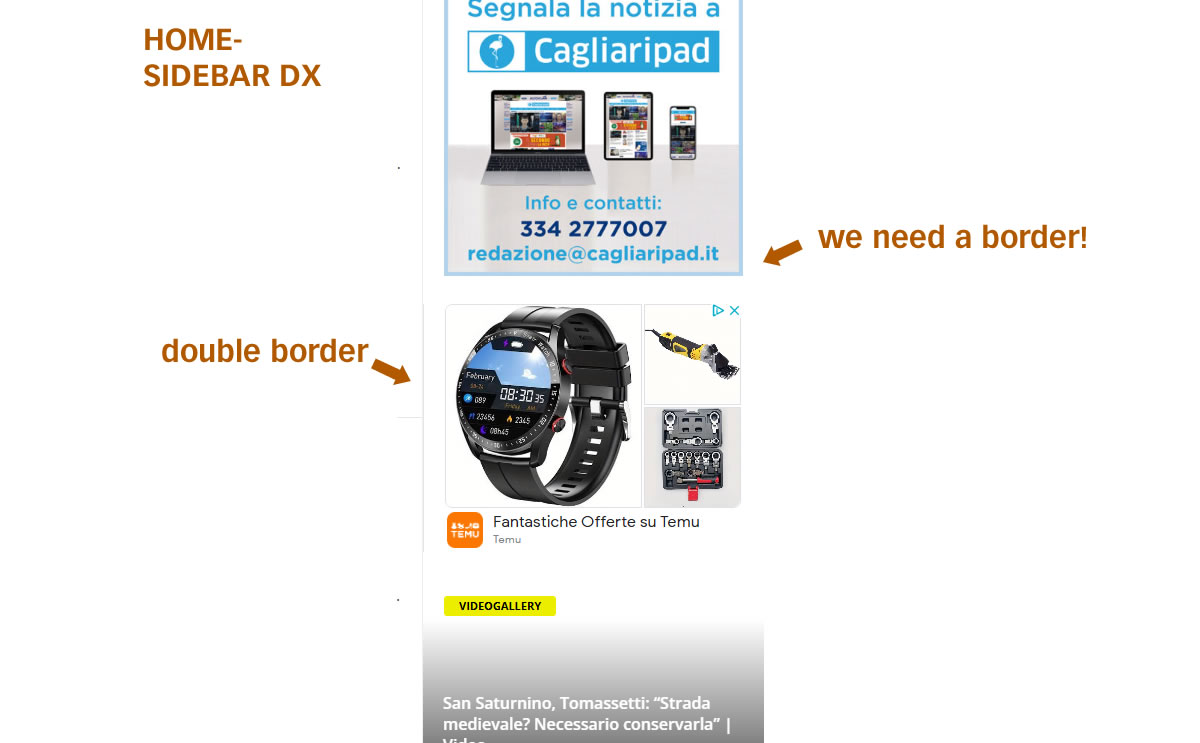
We want to border the site and the columns with a gray border (as in the original NewsMag theme) With WpBakery Builder we do not have full control over the frontend (banner with double margins in the column or without right side border)
Can you check the site?
Thank you so much

The Newsmag theme border/grid color is set in the theme panel here https://prnt.sc/XItngKYatH0N But if you are referring to something else, please provide an example.
Thank you!
Dear Simion,
I can talk to you now about the edges task.
In the meantime, thank you for helping us in all cases. You’re very good.
as I wrote, we cannot manage or change the edges.
We’ll want the entire homepage with the light gray border of the theme.
I’ll send you examples of where we fail to change them.
1 https://assets.cagliaripad.it/wp-content/uploads/2025/03/06114038/screen001.jpg
2 https://assets.cagliaripad.it/wp-content/uploads/2025/03/06114042/screen002.jpg
Thanks and good work
Dear Simion,
I managed to do some of the things written above.
Of the task above, it remains to ADD A LINE #EEEEEE to the outside right side of the template.
See “we need a border”: https://assets.cagliaripad.it/wp-content/uploads/2025/03/06114042/screen002.jpg
ThankYou!
I did it!
But a gray background appeared here:
https://assets.cagliaripad.it/wp-content/uploads/2025/03/07044131/Senza-nome-4.jpg
What can you do?
I don’t understand
Thanks!
Michele
I investigated and it looks like there is some code from WPBakery which sets a white color for the borders https://prnt.sc/Nu-G2annJeee That code is making the borders invisible https://prnt.sc/XISd25MY804o
I checked a bit but I’m not sure from where this is coming from https://prnt.sc/yejuj-lAihsR So I added some CSS to override it https://prnt.sc/ReAyooEmxqr7 Now the borders should appear correctly. Please check again.
Thank you!
Great job!
There is still a problem with the gray backgrounds:
in various places on the home page. The block settings are all identical.
(https://assets.cagliaripad.it/wp-content/uploads/2025/03/07044131/Senza-nome-4.jpg)
Can we create a style that forces the white background? I don’t know how global for widgets.
Thanks and good work!!
Michele
I will try. But every time I fix the border somewhere, other things break. I must say that I’ve never seen something like this before.
I could just recreate the page in WPBakery in case the borders simply do not work properly in the current homepage. I’ll work on adjusting the coed more, but in case I do not find a solution, I will start rebuilding the homepage in a new page, to see if the same happens there.
Thank you!
Good morning!
Before I tell you about this task, I want to tell you that we are very happy with your extraordinary assistance.
We would be very happy to donate you an extra $50 in gratitude.
Can you tell me how to donate? Paypal?
Back to our home page, I created a “development” page for you from HP, simply by copying the html code to a new one.
Absurd, the borders behave differently again, without touching anything.
Keep me updated on the next steps.
Thanks!
Good Job!
No need for that, I’ll keep helping with what I can.
I’m very sorry for the delay in my response. I have some good news, please check the homepage of the website, I believe I found a way to fix the issue with the borders once and for all. Please check it and let me know.
Thank you!