

I’m using Header Template 14 from the Tagdiv cloud library. The desktop is pulling up the AD in that location but on Mobile that area is hidden and the AD is not displaying.
Is there a option I am not seeing correctly. I need the AD to display on Desktop and Mobile without needing to add a new code.

Hello, Alin,
Please check if the option to display the ad on mobile is also, disable from Theme Panel -> Ads -> Header ad => https://www.screencast.com/t/jfEbYsKmp
Thank you!
Hello,
If you created the header is from the cloud library, then please make sure if the option from the ad box is set to no hiding the ads on the mobile => https://www.screencast.com/t/YkQ9euUwD4
Also, please send the link to your website to inspect it
Thank you!
The option in your image only shows up if I use an image ad. We are using an Ad Network that relies on its code.
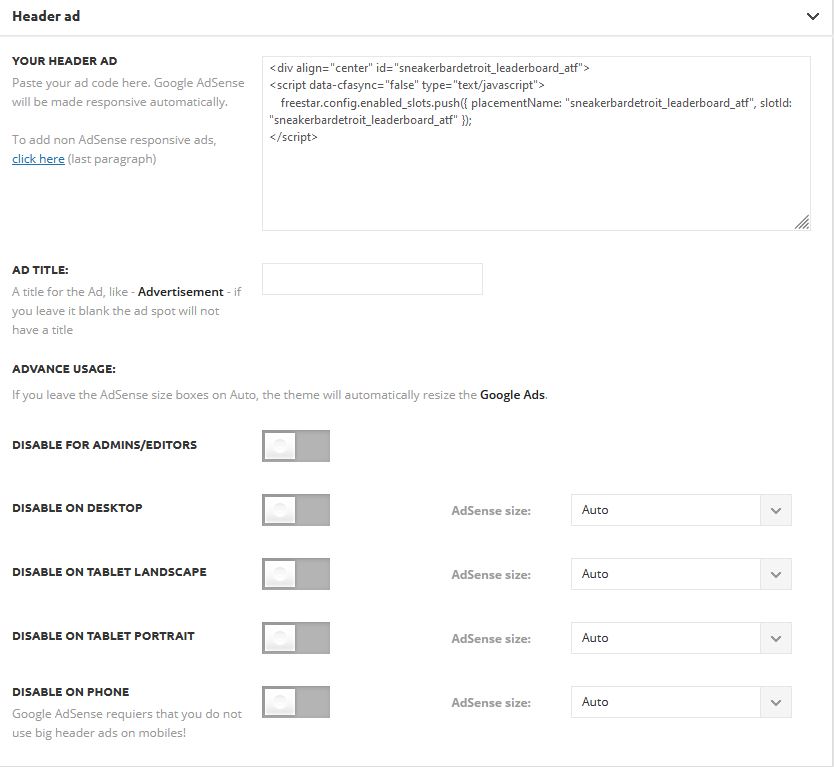
Attached is the screenshot of the theme options back-end. We are calling the header Ad unit with the cloud header.
The website is sneakerbardetroit.com
Also here is a screenshot of our cloud template.
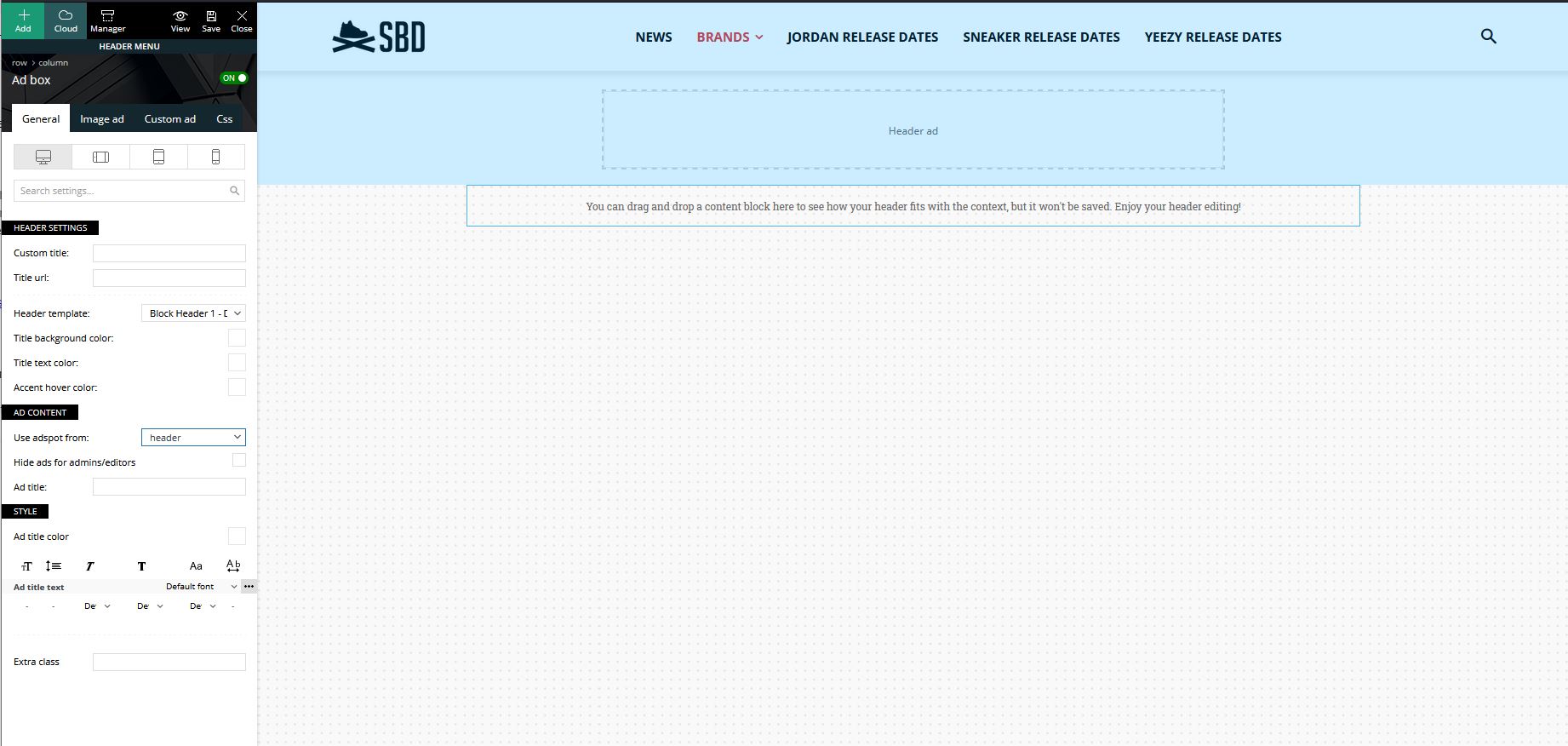
If I click on image ad – non of the hiding check-boxes are marked.
-
This reply was modified 5 years by
Alin.
Hello,
To display the ad in the header of mobile, you need to add it like in this video => https://we.tl/t-NyZtzjoYdm you need to edit with tagDiv Composer, select the viewport on phone, add a row and in the row add “ad box” and set the code for the ad.
Thank you!

Hello, @Balint,
You can use those two methods:
1. If you want to have different ads on desktop and mobile, then you need to code for each device =>https://www.screencast.com/t/33gONjlEFMA => https://forum.tagdiv.com/article-ads/ and add your code inside, then it should display the ad which set on each device.
2. You can add an ad box and set the code in Custom Code for each viewport device => https://www.screencast.com/t/N9xFntg7AK -> https://www.screencast.com/t/TlUBcWwF
Hope this helps you!
Thank you!
Hello,
For this, you can use a mobile page => https://tagdiv.com/newspaper-10-3-7-update-brings-customizable-and-fast-mobile-pages/, which can be edited with tagDiv Composer, and you can set the ad for mobile.
The mobile page has the mobile templates from Cloud Library => https://www.screencast.com/t/YCcZ8rL8 -> https://www.youtube.com/watch?v=SpGkOnJeNZY (03:11 – Mobile Templates & Pages)
Hope this helps you!
Thank you!
