Hello,
Many thanks for your answer.
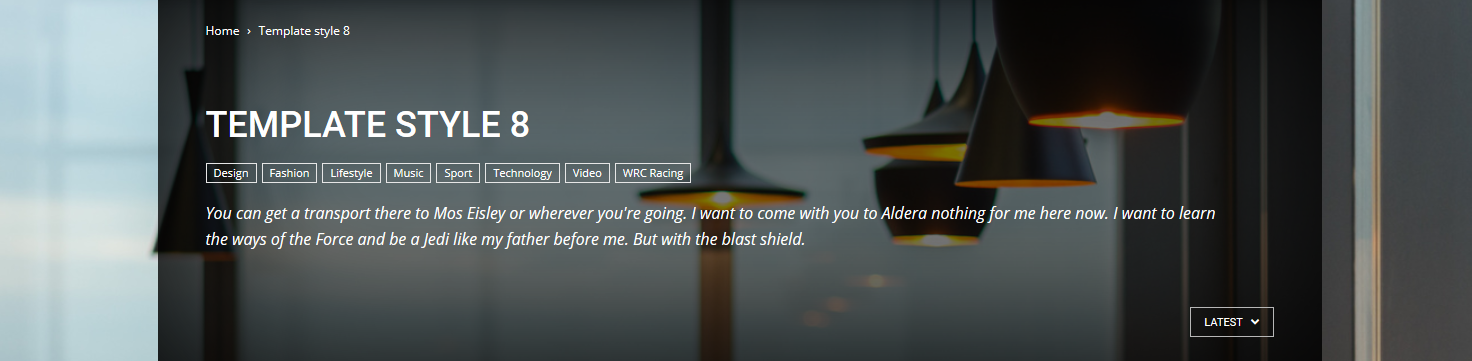
If I use the style 8 on the category hearder (https://forum.tagdiv.com/category-templates/) where can I upload the image I will use and what size should I upload ?
Same question if I want to upload a picture in the header of my blog (style 1 multipurpose)
Many thanks,
Céline
Hello Céline,
The background image for the category should have to be added from Theme panel, like this -> https://www.screencast.com/t/HfvRyvt0Bl
Thanks.
Hello Catalin,
Thanks for your answer. However, I am not looking for an image background, but for an image as a header, like in the Nature Love theme. https://demo.tagdiv.com/newspaper_nature/
I really hope you can help.
Many thanks
Céline
Hello celyfred,
If you want only a Header Image background, notice that you should load your image from here -> https://www.screencast.com/t/2ZImkvYhTd
Thanks for your understanding!


Hi Catalin,
I’m having the exact some issue. I would like to know how to change the category header box for category page style 8. I currently am only seeing a grey box and would like to replace it with an image just like
https://forum.tagdiv.com/wp-content/uploads/2015/05/2015-06-15_16-45-08.png
from page
https://forum.tagdiv.com/category-templates/
Any help would be greatly appreciated.
-
This reply was modified 7 years by
serina.
Hi serina,
If you want to change the background image from this section, you need to change the category background from here -> https://www.screencast.com/t/lRUjDvhiZ If is not what you mean, please provide more details o I will be able to provide a more accurate response. Also, you should provide some useful screenshots with the problem so I can identify it closer.
Thanks for the message!
Hey Catalin,
I’m not wanting to change the background image. I’m wanting to change the category header box shown in the screenshot below from grey to an image. Can this be done?
Thanks,
Bianca
Hi,
This one -> https://www.screencast.com/t/aNozxRQyzEsA you want to change? That’s a category tag which can be changed from CSS code. Provide your website URL.
Thanks for the message!
Sorry for not being clearer. The larger category header box is the one i’m wanting to place images inside of.
It would be great to know how i can have a different image for each category.
Thanks in advance for your help.
Hi,
You can change or add that category image in Theme panel from here -> https://www.screencast.com/t/gzgqypj2ko
Thanks for your understanding!
I’ve followed your instructions and the image is placed in the background of the page. I’m wanting the image to be placed in the category header box only. The screenshot below shows what my page looks like and i’ve included an arrow to where i actually want the image to sit.
thanks
Hi,
Sorry, but the theme does not have any such an option for this! You should make it custom if you want this change. Try using the inspector browser -> https://forum.tagdiv.com/create-custom-code-using-the-browsers-inspector/
Thanks for the message!

deleted
-
This reply was modified 7 years by
andxtagdiv. Reason: deleted