
Hide dates on Modules and not blocks on homepage

Posted in: Newsmag
Post count: 93

Hi, I have used the hide date in the theme panel but it removes the date on everything.
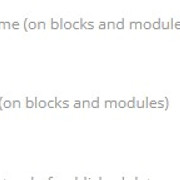
Screenshot-2

Is it possible with some CSS that it hides the date on categorys/modules but still shows the date on my home page like below?
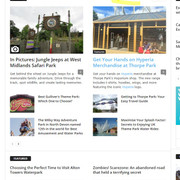
Screenshot-1

I would like the dates still to be shown on Block 2 on my homepage..

thanks

Post count: 35449

Hello,
Yes, the theme panel option for blocks is a global one.
Yes, it can be used a css to hide the dates. Just please provide some links from where you want to hide it and some screenshot to make sure I will remove it from the right blocks.

Thank you!

Post count: 93

Hi Colin,

Here is a link to my website..

https://www.ukthemeparkspy.co.uk

i only want to show the dates on block 2 on my home page at the top but still hidden on everything else

thanks

Post count: 35449

Ok, first it will be need to enable the option for dates on modules in the theme panel and after that use this custom css:
.td-post-date {
display: none;
}
.td_block_2 .td-post-date {
display: inline-block;
}

The css needs to be set in the theme panel > custom code > custom css.
Thank you!
Post count: 93

Hi Calin,

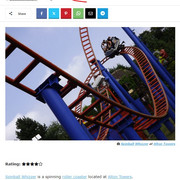
That works perfect… only problem is it removes the date on posts also? can that not be removed please?

Screenshot-3

Post count: 35449

Ok, in this situation to use the code only on blocks, then replace the custom css with this one:
.td_module_wrap .td-post-date {
display: none;
}
.td_block_2 .td_module_wrap .td-post-date {
display: inline-block;
}

Thank you!

Post count: 93

Perfect, Thank You Calin.

Viewing 7 posts - 1 through 7 (of 7 total)
You must be logged in to reply to this topic.
