

Hi
How can i fix H1?
Right now shows all heading of blog post.
I have problem for SEO.Fix this problem as soon as possible.
https://ideasocial.net/

Hello,
Please check the news ticker and check the title SEO https://i.imgur.com/aPCqlrT.png
Thank you!
Hi
i cant find this section. did you check my website ?
Hello,
This is the section https://i.imgur.com/FSqXKEb.png please edit the page with tagdiv Composer and select the element after you can change the title SEO https://i.imgur.com/uuK90o9.png
Thank you!
Hi
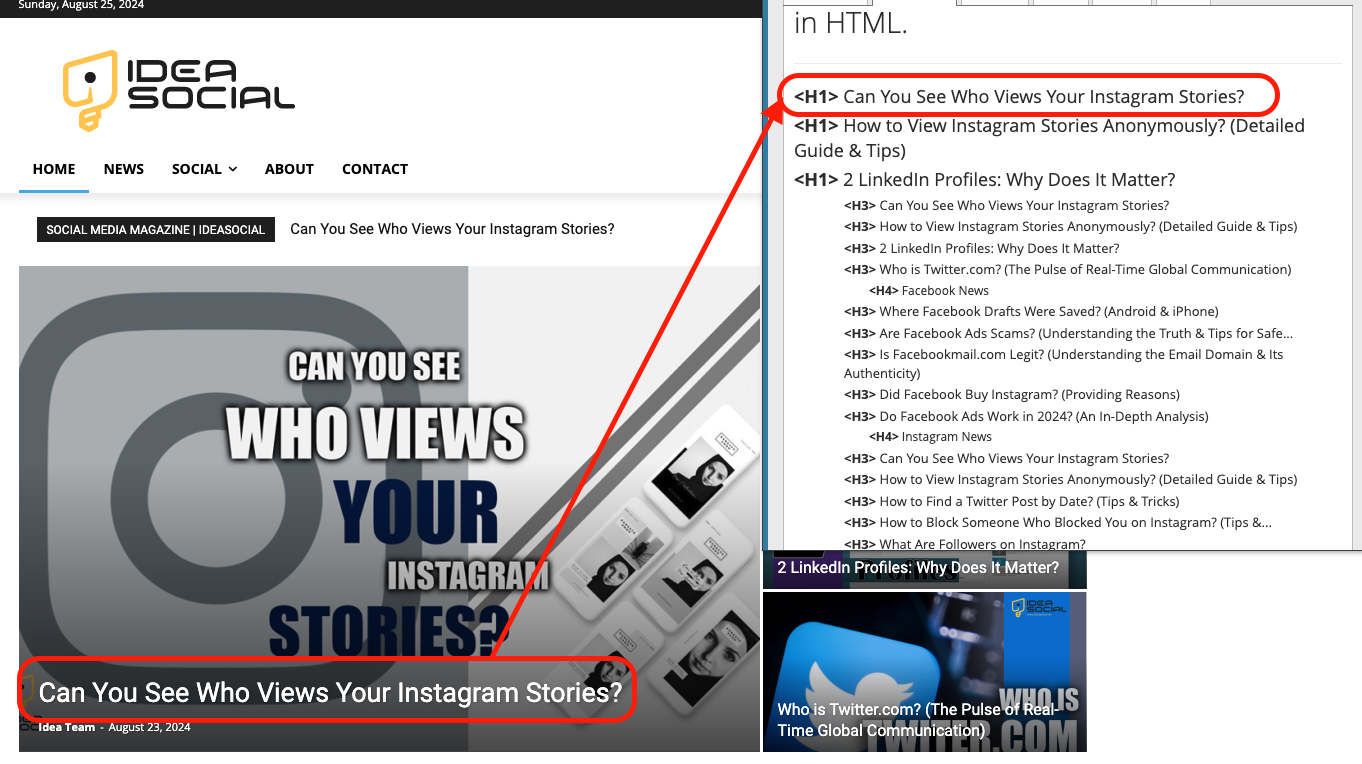
when i share new post on home page use H1.how can i fix it?
3 H1 for home page ????
Hello,
Please let me know if you tried the steps that I provided. If you check the page source you will see that here https://i.imgur.com/rhoNLFP.jpeg is the h1, not on the block that you show in the screenshot. Please follow the steps I suggested, and then come back to the forum. I have the impression that you didn’t follow the steps, and if that’s the case, everything is in vain.
Thank you!
Hello
which step?
I bought the Maney theme from ThemeForest and didn’t see this issue also I bought the support please fix it as soon as possible my SEO has the problem now.
Thank you
The steps provided above on how to edit the page, select the element, and you will see the options for the title ”
This is the section https://i.imgur.com/FSqXKEb.png please edit the page with tagdiv Composer and select the element after you can change the title SEO https://i.imgur.com/uuK90o9.png”
the problem about the post tag not the title of the general section.
for example, when I publish a new post the H1 will be changing.
https://ideasocial.net/wp-content/uploads/2024/08/Screen-Shot-2024-08-25-at-11.03.05-AM.png
look carefully H1 read from the post not the title of the page.
sorry I can’t upload the video. could you please take a video and fix it?
I don’t know why I pay for support !!!
Make a video showing how you edit the page and select the element.
A solution for sending a screenshot/video is this:
Download, capture, and send: https://www.techsmith.com/jing-tool.html
After making the screenshot, you will have a link; paste it here.
Error
Access denied.
To protect the requested service, this request has been blocked or was unable to complete for other reasons.
So after numerous replies and suggestions, unfortunately, you still don’t want to send me a video of how you’re trying to edit, or at least some screenshots. Here’s a video ->” https://we.tl/t-sUczVR0u8R
This issue is not related to the theme but rather to a plugin you are using. The team from ThemeForest cannot assist you; instead, you should contact your hosting provider, or if you are using Cloudflare, there is an option available there https://wordpress.org/support/topic/odd-redirect-when-logging-into-wp-admin/ – https://community.cloudflare.com/t/wp-login-php/212718

@fariborzmorshedi If you didn’t understand the instructions given by the tagdiv team, let me tell you that this theme is not for you. (I don’t work here; I’m just a satisfied customer with this fabulous theme and @simchris can confirm this as well.)



