

How can I maintain the original style of the website after upgrading the theme?
Because I need to upgrade to PHP 8.3 or a newer version, I need to update Newspaper from 8.5.1 to the latest version. However, after completing the upgrade, the original style of the website has completely changed. What should I do to keep it the same?

Hi,
That’s a very old theme version. However, even if you update the theme the website should look the same.
It is important that you install the standard pack plugin after you update https://prnt.sc/AjDfjpCqFbq_ This plugin we added in Newspaper 10 contains all the old blocks and templates, which are separate from the main theme now. There is an article about it here https://tagdiv.com/newspaper-theme-update-standard-pack-or-tagdiv-cloud-templates/
Be sure to also clear the cache, or the optimized resources, or cloudflare if you use it, after updating the theme.
If you use a child theme I suggest deactivating it after updating, as it could cause problems.
And maybe it would be best to try updating on a staging/testing clone of the website first, if possible. If you have a staging already, I could take a look there as well, you can send the access details and link to contact@tagdiv.com
Thanks.
Thanks for your answer
This is the homepage situation after I upgraded the theme
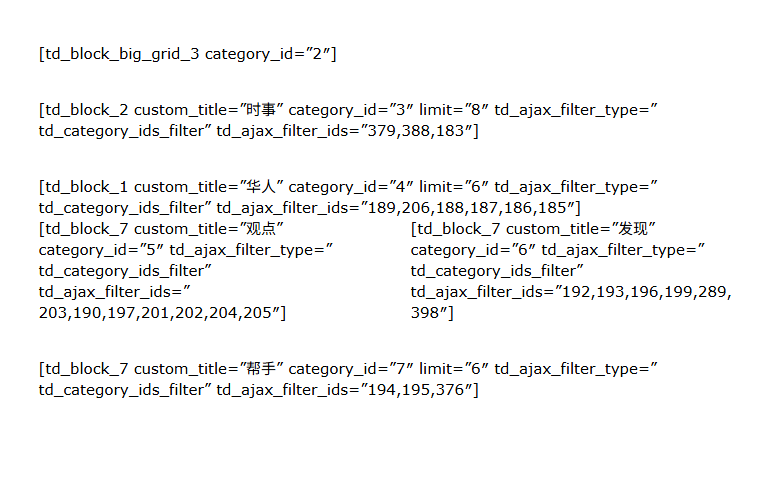
Your answer has solved my problem.
But the article you recommended also illustrates that continuing to use standard plug-ins will slow down the website.
So can I only use tagDiv Cloud Library to redesign the website? I don’t have this kind of experience and I just want to keep it. Are there any more good ways to import and export?
There is another problem:

That’s great news. Glad to help.
You can use what you want, we will never remove the standard pack plugin. The differences in performance while using either the standard pack or the newer cloud library are in some cases negligible. With decent caching and optimization and decent hosting, the results are good regardless of using one or the other. Your website will perform in the same way as it did before updating. Then if maybe in the future you want to switch to the cloud library and a PRO demo, then you can always do that. There’s no pressure.
Thanks.

Hello,
In general, in the cloud templates, you can find almost all the templates from the standard pack (for articles, categories, authors …), but users cannot add others. If this were possible, our server would not be able to handle how many templates would be hosted on the server, and the solution we recommend and as is generally recommended is a general backup that should be done once a week or month, so there will always be a version of the site that is as recent as possible, which will be exactly as the site is now.
Thank you!
