Hi there,
I activated the Car demo and changed the colors. But I can’t change the whole background color for e.g. the Blocks and Sidebar. It is still orange. Please see: http://fs5.directupload.net/images/161018/fhahxdwf.jpg
How can I do that?
Greetings,
Bastian
-
This topic was modified 9 years by
Basti117.

Hello,
The dummy data has a few settings that are made from block settings. Please read this guide to learn about what can be changed from block settings
Thank you!
Hi Bogdan,
unfortunately, that seems not to help and I already tried it. I changed the color via the Visual Composer settings e.g. to grey and that happened: https://img1.picload.org/image/rdldpiad/blockchange.jpg
As you see, not the full bar changes the color, a part stays orange and I can’t change it. Next problem: Your solution doesn’t affect the sidebars.
So maybe it’s a CSS thing? I already changed the color in theme panel. Doesn’t help, too 🙂
Many greetings,
Bastian
Hi,
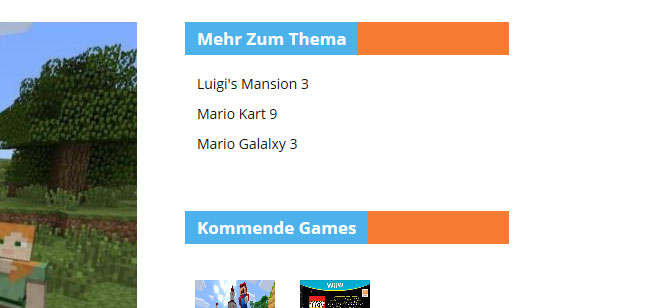
please see here: http://info.gamefamily.de (Note: It’s totally a dummy website 🙂 )
As you can see I changed the design so that the orange bars look really good! 😉
But anyway, I can’t change that orange color in the block AND sidebare titles. Maybe you can find out why.
Hi,
It’s always best to actually be able to see and inspect the problem 🙂
The orange color comes from the demo you installed. It is added through code so you can only change it through coding. Use this css to change the color:
.td-blog-cars .block-title{

background-color:red!important;

}
You can add the code in the theme panel->custom css box
Thank you!