Hello team,
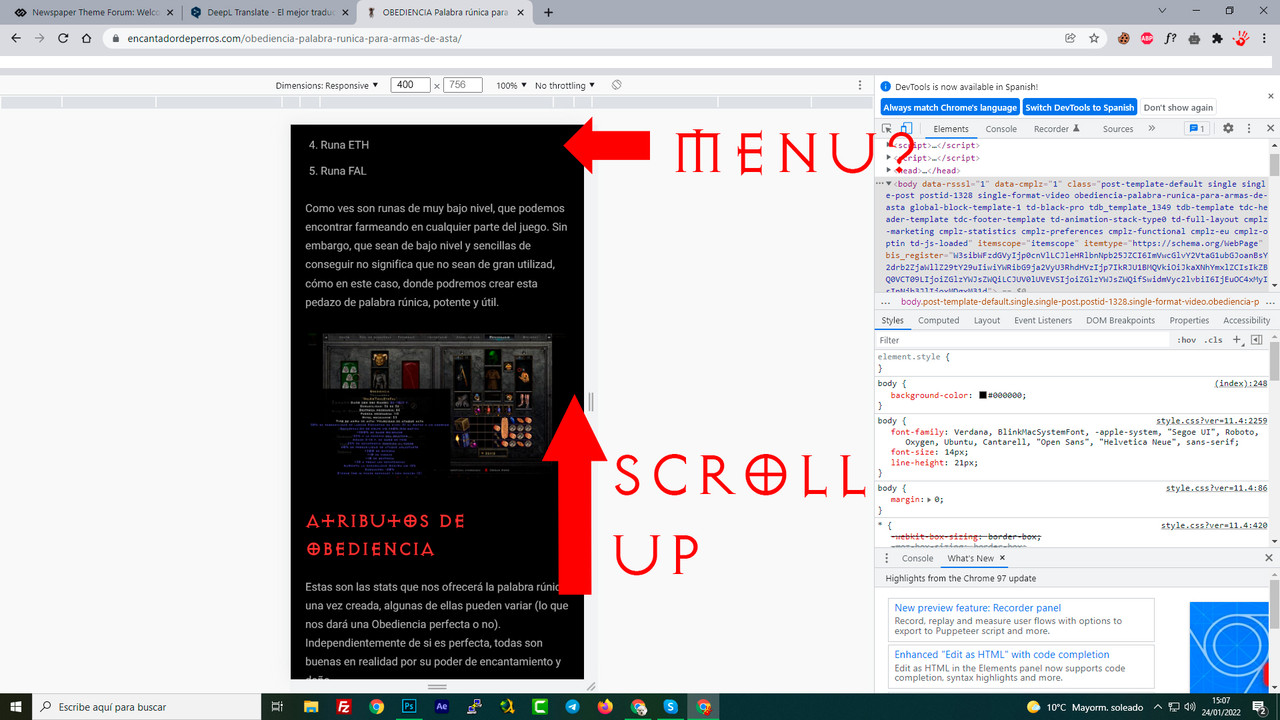
I’m using the “Black pro” design, it’s great. I have modified the menu in the mobile version, now instead of being horizontal, it is classic mobile.
But I can’t get the menu to have a sticky effect, that is, when you scroll up, the menu appears. Right now, the menu is only at the beginning and you have to scroll up the whole post to access it.
1. How can I change it and make it appear when scrolling up?
https://i.postimg.cc/QtDVxQXp/aaa1.jpg
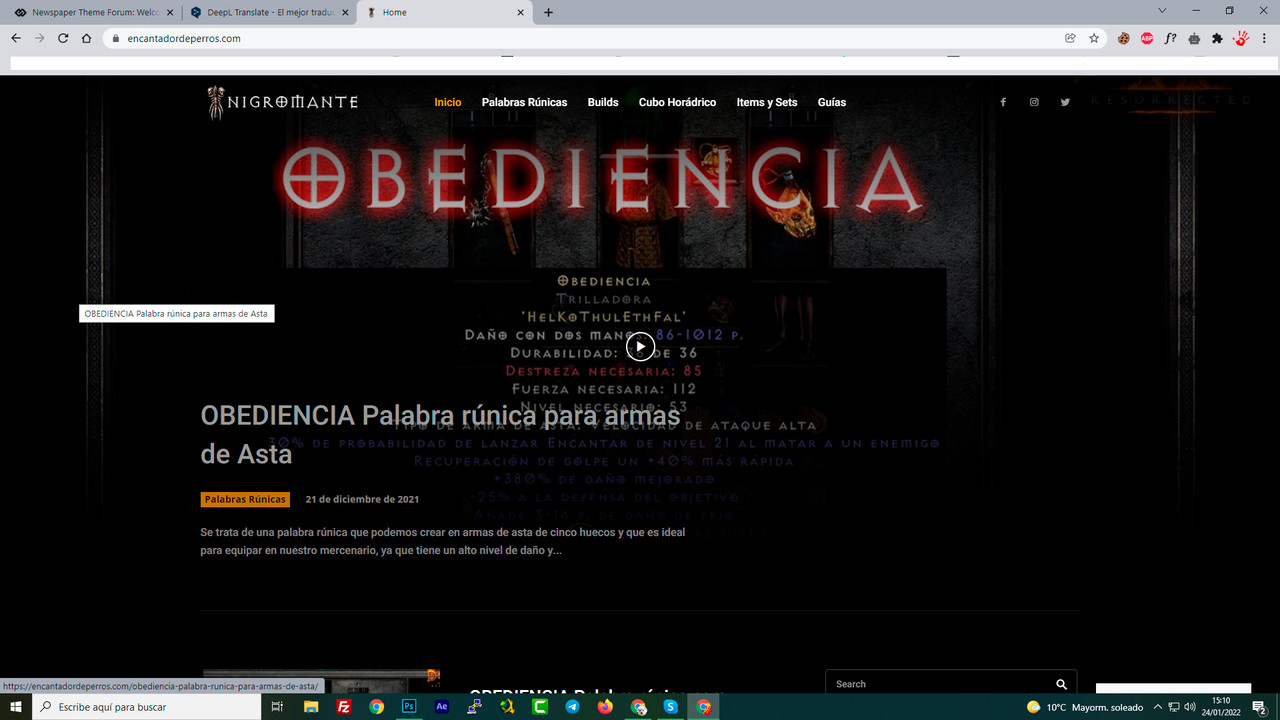
2. On the main page, the menu is above the content. The same is true on PC and mobile, how can I make the content display below the menu? That is, that below the menu there is only a black fill, not content.
https://i.postimg.cc/Ghtt2h1S/aaa2.jpg
website where I am testing: https://cutt.ly/dI19Iwx
Thanks
-
This topic was modified 4 years by
Jose.

Hi,
1. From what I can see the header is a cloud and you use the responsive version, therefore you can enabled the sticky header from manager section -> https://i.imgur.com/gJqZbHP.png -> https://forum.tagdiv.com/header-manager/
2. I see that you change the header -> https://i.imgur.com/S5pyXQY.jpg and now this is no longer overlaying the page.
Thank you!
Hello Calin,
Im sorry but not run, I rec all: https://reccloud.com/es/u/s3fy0q4

Hello Jose!
Smart snap is the effect to let the sticky header to appear only when you scroll up.
Please follow the video to see where you can find, build your sticky header on mobile and desktop too: https://www.screencast.com/t/l6v2Belt
Thank you!
Thanks, I understand, thank you for the video.
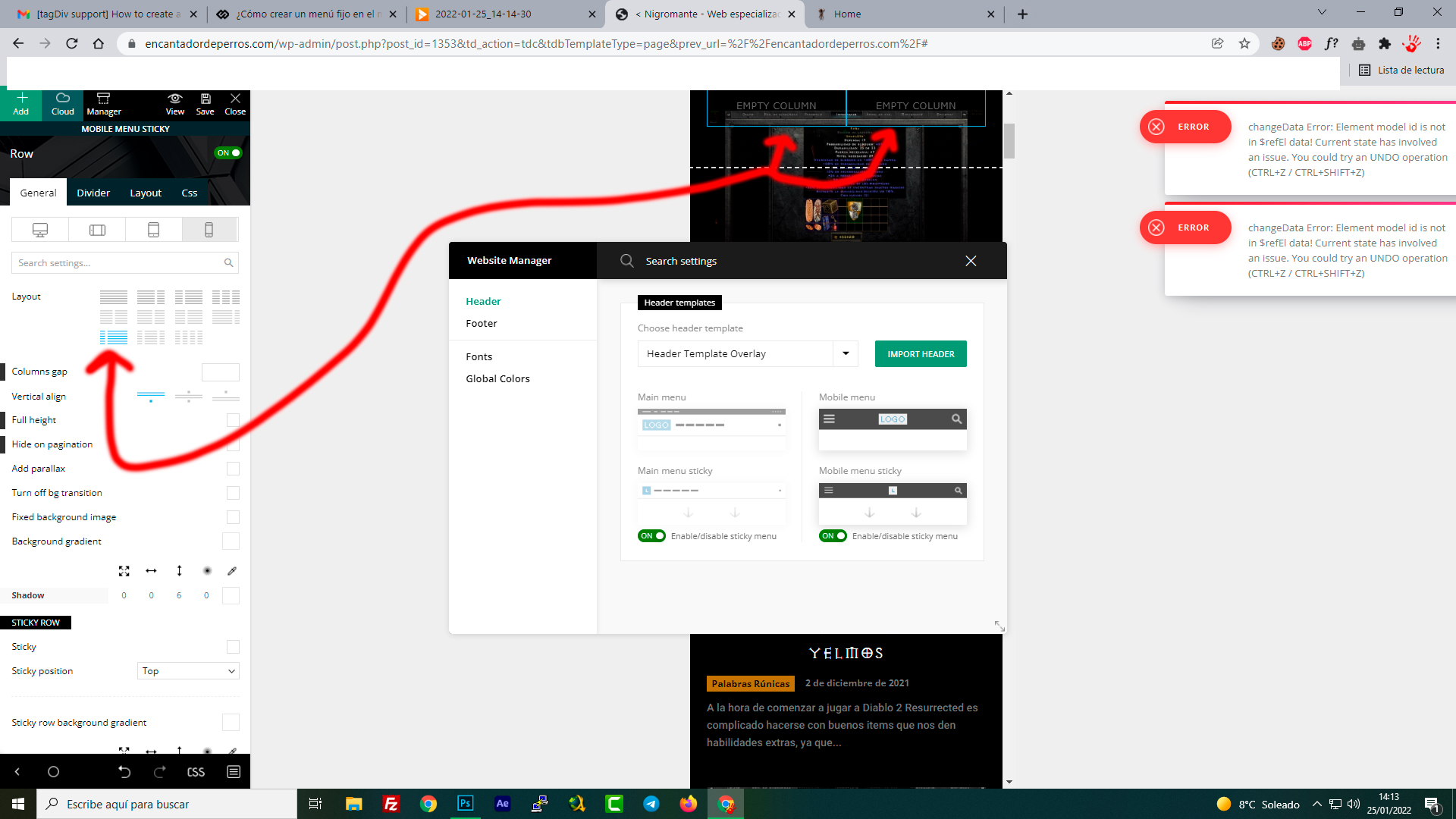
However, something is not right. I am trying to emulate the top menu (column in two, with mobile menu and logo). But it is impossible, there is no way to do it, what am I doing wrong?
The column always gives me 50%+50%, but I want 25% + 75%, just like the original mobile menu. Is it possible?
-
This reply was modified 4 years by
Hello Jose!
Try to modify the column width and see the results. If this problem is not solved after that, then we need to take a look and see what happened there.
Please contact us via email at contact@tagdiv.com and provide the following:
– wp-admin URL and credentials
– a link to this topic in order to identify you
Our team will take a look!
Thank you!