
Posted in: Newspaper

Post count: 11


Post count: 20688
Post count: 20688
Sep 7, 2020 at 4:04 pm
Hi,
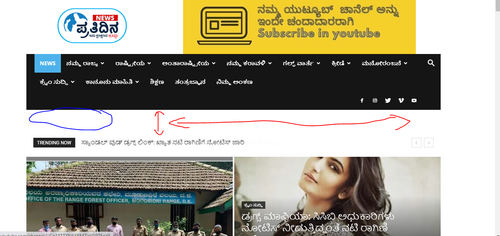
That is the page top padding. There are a few ways to remove it. One would be to enter this code in the theme panel custom CSS section
.home .td-main-page-wrap {

padding-top: 0;

}
The result should be like this https://prnt.sc/ud11ah Please try it.
Thank you!
Post count: 11
Oct 1, 2020 at 3:21 pm
thanks Simon it worked.
how can i increase the logo size in mobile responsive mode, since the logo and the header padding looks slim.
here the screenshot attached marked click here

Post count: 35449
Oct 1, 2020 at 5:17 pm
Hi,
I think that you can do something using custom css but this will not look very good, another solution is to use a cloud header, this can be edited using tagdiv Composer.
Thank you!
Viewing 7 posts - 1 through 7 (of 7 total)
The forum ‘Newspaper’ is closed to new topics and replies.
