


Hi,
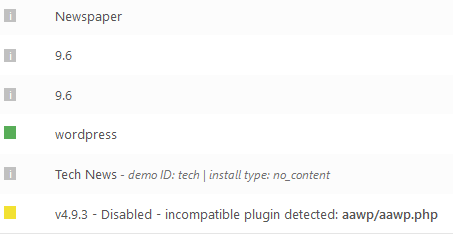
Please make sure that you have the version v9.5 or v9.6 -> https://www.screencast.com/t/KjD8h65FLZ9f
How to Update the Newspaper Theme for WordPress -> https://tagdiv.com/update-newspaper-theme/
If you have that version please make sure that you do not have any plugin conflict.
Thank you!
Hi,
Please make sure that you have tagDiv Cloud Library activate.
How to Import and Edit a Cloud Library Page -> https://tagdiv.com/cloud-library-page-templates-newspaper-theme/
Thank you!

Hi there,
So I’m trying to create a custom header layout using code (API, child theme etc) but came across the Header Manager.
Please is there a way to design a header on a page (with the Header Manager) and make it appear globally on all pages?
I tried re-creating my header here -> https://prnt.sc/mzfkc1 (don’t know why the error though)
Also, how can I include the Trending News (News Ticker) in my Top Header – Child Theme (with PHP) – which is already looking good… ?
https://prnt.sc/mzfka5 (compare with Header designed above).
I’d like to call the trending_now like I did with the weather and customized it
echo td_weather::render_generic($atts, 'td_top_weather_uid', 'tdb_weather_template');
Thanks
Hi @webcreativeng,
If you are using the Newspaper v9.5 or v9.6 you can use the header builder and you can achieve the header you want with all elements you want from composer -> https://www.screencast.com/t/sd1O8qYGHnIA
If you want to have a global header you’ll need to set it in theme panel -> https://www.screencast.com/t/dnHozn7zH and all pages/categories/posts that do not have set an individual header will have that header set.
For individual header you’ll need to edit that page/post template/category template… and set in it the header that you want, and on this posts/categories templates or page will be set that header ( the individual will override the global header for that post/page ).
Newspaper Theme 9.5 Update: What’s new in the Newspaper Theme -> https://tagdiv.com/whats-new-in-newspaper-theme-9-5-update/
Check out the New Header Main Menu with Newspaper Theme -> https://tagdiv.com/header-main-menu-newspaper-theme/
Get a beautiful Overlay Header with Newspaper Theme -> https://tagdiv.com/overlay-header-newspaper-theme/
Thank you for your understanding!
Thanks for the response. Very helpful, though I had looked through and through and found both answers.
I think I’ll stick to controlling my header via Child theme code. I’ve been able to add the trending news block with the code:
echo td_global_blocks::get_instance('td_block_trending_now')->render(array(

        'sort' => 'random_posts',

        'category_ids' => array(4,1,5),

        'limit' => 10

    ));
Many thanks and AWESOME work with the THEME and the API!
