

Hello,
on my post pages only the first of the embedded photos from the media library is opened when clicking on the image, for all other images only an empty box is displayed. It always appears: The image #x could not be loaded
The display of a gallery is problem-free, there you can scroll through all images cleanly.
Why is it that it doesn’t work with the embedded images in the text? You can find an example here.
https://www.klassik-boote.de/yacht-und-bootswerft-hellwig-i/
https://www.klassik-boote.de/wochenend-motorjacht-bw/
https://www.klassik-boote.de/guenter-maier/
Would be grateful for an explanation.
Kind regards Detlev

Hello,
I just checked the images, and they are working https://i.imgur.com/d9bOidq.jpeg -> https://i.imgur.com/knws2pt.png
Also, if the images are not displayed for you, maybe you have a cache on the browser. Also, some settings from your extra plugins can sometimes cause issues, especially for optimization.
Thank you!
Hello Anamaria,
thank you very much for your support. That’s strange. Have you ever scrolled through all the pictures via forward-backward? The images are also displayed in normal text, but if you click on an image to see it in enlargement, then it doesn’t matter with which browser I want to view it, it doesn’t work. Among other things, I also use the DuckDuckGo browser without any intermediate storage. The same thing happens there. Can you please check that again?
Many thanks and greetings Detlev
I just see that you have clicked on the images that are embedded via the gallery function. These work perfectly. It’s all about the images that are as image are involved
[caption id="attachment_4029" align="alignleft" width="300"]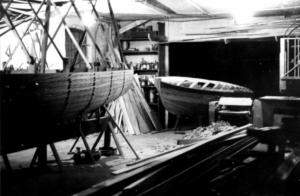 Werkstatt von Fritz (Funker) Hellwig Anfang der 50-ziger Jahre[/caption]
Hi,
I would like to take a look. Can you please email us at contact@tagdiv.com with the wp-admin access and include the link to the topic in the email?
Thank you!


